PAGE 20 VIDEONICS TITLEMAKER 3000
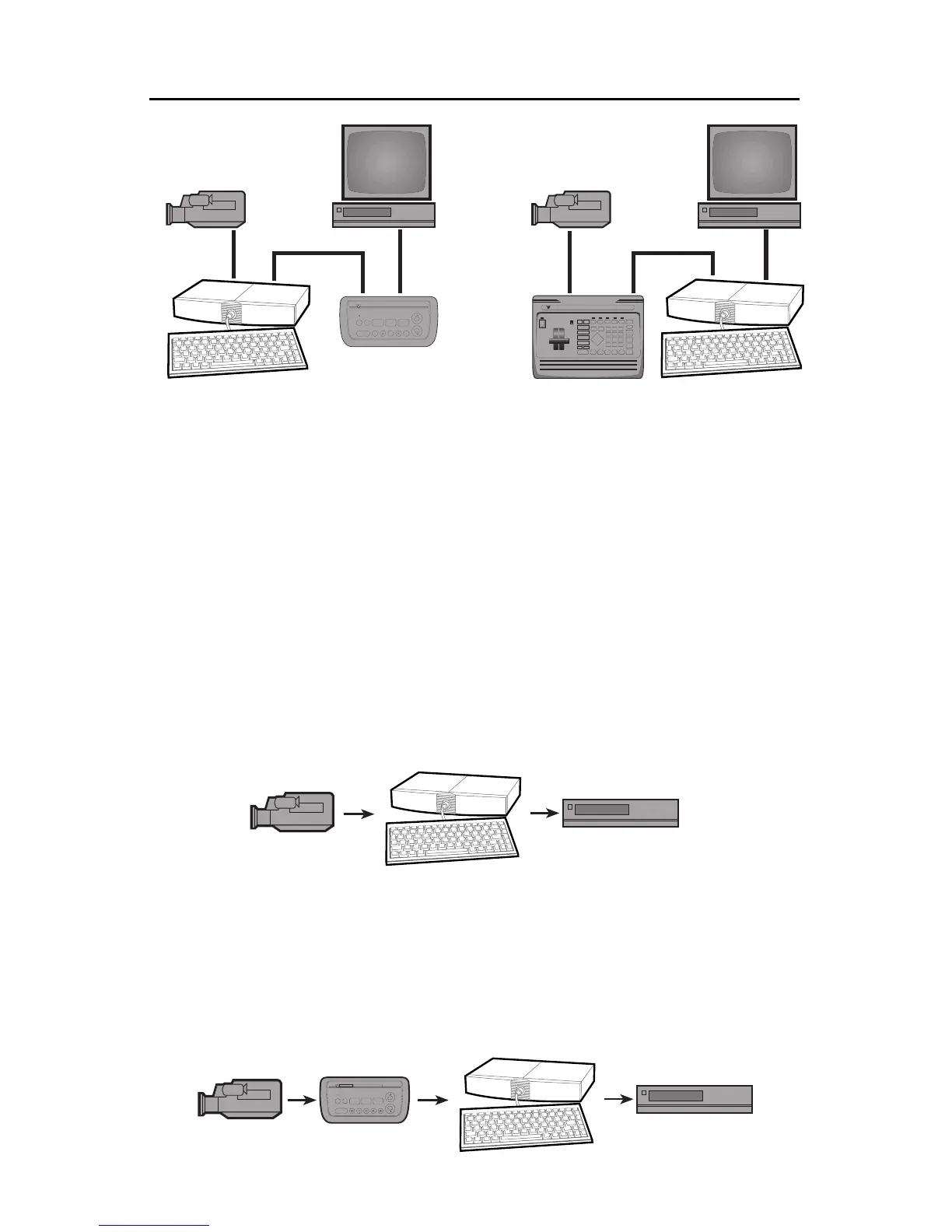
Inthefirstsetup,thecamcorder(A)isconnectedthroughTitleMaker3000(C)
andThumbsUp(E)totherecorder(D).Inthesecondsetup,thecamcorder(A)
isconnectedthroughtheDigitalVideoMixerMX1(B)andTitleMaker3000(C)
totherecorder(D).
Note that other hookups may be more suitable for your setup, as explained
in the rest of this chapter.
Single-SourceEditingSetup
Asingle-sourceeditingsetupusesacamcorderorVCR(player)toplayscenes
from an original tape. The desired scenes are recorded on a blank tape, leav-
ingthe unwanted scenesbehind. Anedit controller (suchas Videonics Thumbs
Up) may be used to control the player and trigger the recorder for accurate
edits.
TitleMaker 3000 can add titlesas the scenes arerecorded on the newtape.
To do this, the titler is connected between the player and the recorder:
When an edit controller is used, the titler may be used between the edit
controller and the player, or between the edit controller and the recorder.
Either arrangement is likely to work unless the edit controller relies on infor-
mation that is coded in the invisible portions of the video signal (vertical in-
terval time code, or VITC). If that is the case, the titler may interfere with the
time code when titles replace the incoming video. Follow the instructions in
the edit controller’s manual. If there are no instructions, connect TitleMaker
3000 between the edit controller and the recorder:
A
E
C
IN
OUT
OUT
D
IN
T
VIDEONICS
THUMBS UP
™
Video Editor
DIGITAL VIDEO MIXER
VIDEONICS
A
B
C
IN
OUT
OUT
D
IN
T
VIDEONIC
THUMBS UP
™
Video



 To Next Page