PAGE 52 VIDEONICS TITLEMAKER 3000
Chapter 14 • Colors
TitleMaker3000providesoveramillioncolors!Inagaudymood?
Youcanuserainbowletterswithblueoutlinesonaredtintedvideo
backgroundwithgreenandwhitepatternedborders!
Letters, backgrounds, outlines, and borders can be independently colored.
The colors can be combined with patterns, including your moving video. Each
lineof textcan usedifferent colorsand eachpage canusedifferent background
and border colors.
ColorMenus
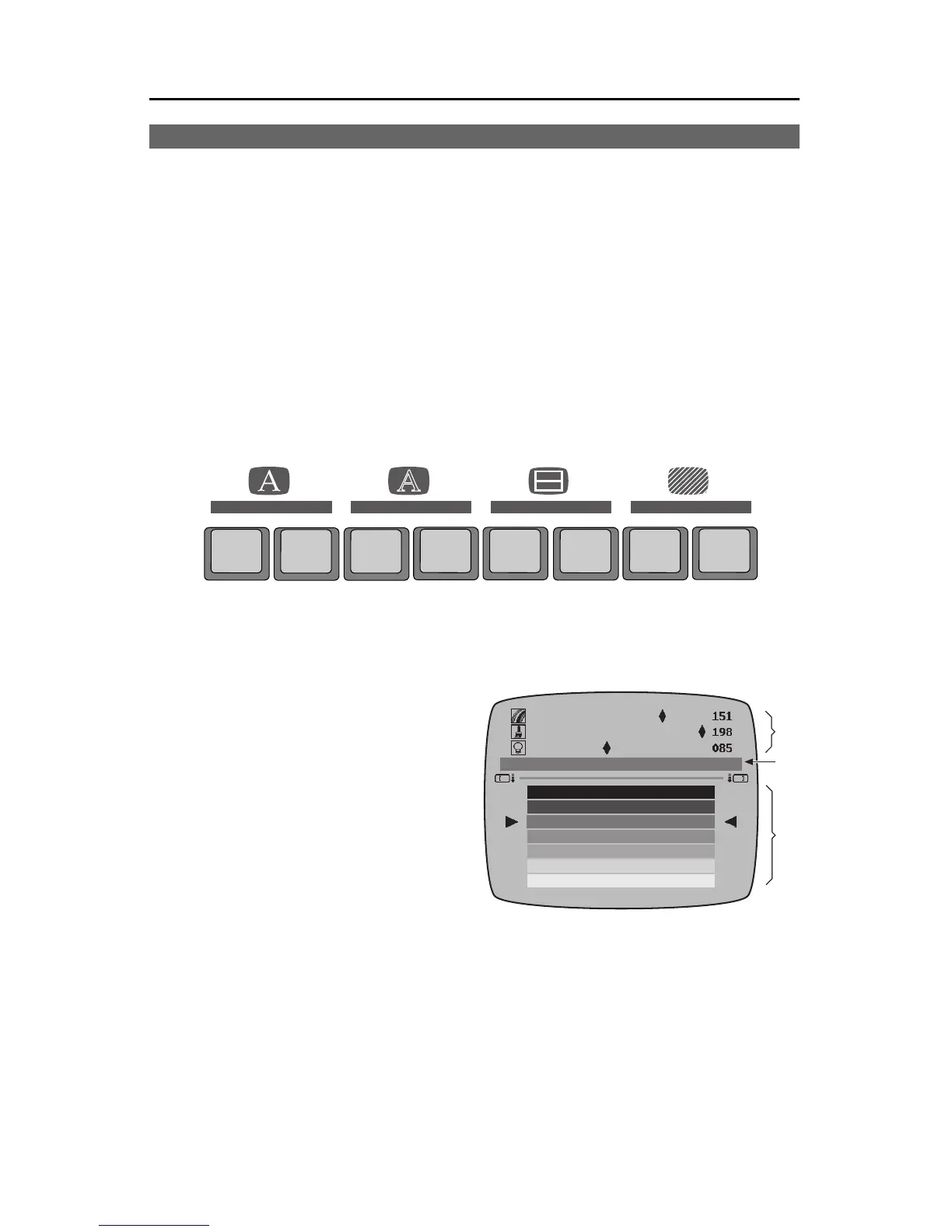
There are four Color menus; one each for letters, outlines, borders, and
backgrounds. All work the same way.
Aboutthe Color Palette
Thesimplestway tochoose acolor
is to use the palette of sample colors
(1) at the bottom of the Color menu.
Each Color menu shows thesame
colors. The palette list repeats — af-
ter the last color, the top of the list
reappears. You can reach any color
by moving up or down. Triangular
pointers highlight the current choice
and it is also shown in the sample
patch (3) in the middle of the screen.
The swatches in the palettechange as you useTitleMaker 3000. When you
first use the unit, the palette contains a set of pre-defined colors. As you cre-
atenew colors,the new user colorsare addedto thepalette, asdescribed inthe
section, “User Colors,” on the next page.
ChoosingaColor
UseMARK START,ifnecessary, tomake thebottomsub-menu active.Then
simply use the arrow keys to choose the desired color swatch. Press PAGE
UP or PAGE DOWN to scroll through the colors a full screen at a time. Press
CMD + UP to move the color bar to the first of the pre-defined colors; CMD +
DOWN to jump to the first user-defined color.
COLOR
PATTERN
COLOR PATTERN COLOR PATTERN COLOR STYLE
BACKGROUNDLETTER OUTLINE BORDERS
❸
❷
❶



 To Next Page