VISIONEER STROBE 500 SCANNER USER’S GUIDE
14
UNPACK AND ASSEMBLE THE SCANNER
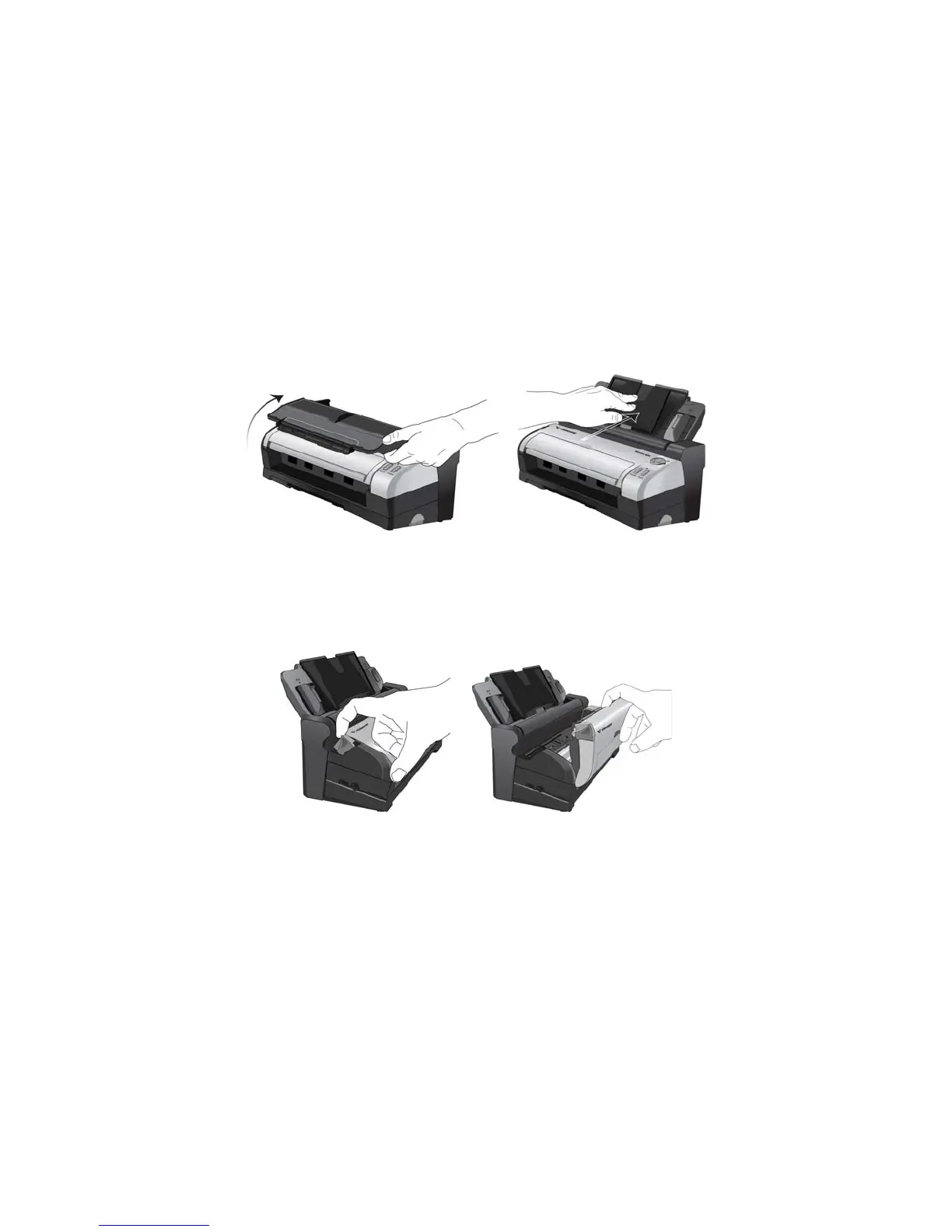
1. Remove the scanner from its protective foam and plastic bag.
2. Remove the tape and protective foam strips from the scanner body and input tray.
3. Lift the paper guide up from the scanner body. Push the tray back until it clicks in place.
If the tray isn’t fully seated in position, paper feeding from the input tray may jam in the scanner.
4. Pull the scanner cover release to open the scanner. Remove the foam strip from the inside of the scanner.
Close the cover when you are done.
5. Detach the scanner body from the docking station and remove the foam strip from the docking station.
1. Press and hold the release button on the side of the docking station.














 To Next Page