SCANNING FROM TWAIN AND WIA
169
• More precise—this option removes a range of colors closest to the pure color selected or defined in the
custom fields. For example, pure red has an R/G/B value of 255/0/0. Selecting Red indicates that the scanner
should look for a range of RGB reds close to pure red and remove them from the image.
• More approximate—this option removes a wider range of colors based on the pure color selected in the
list or defined in the custom fields.
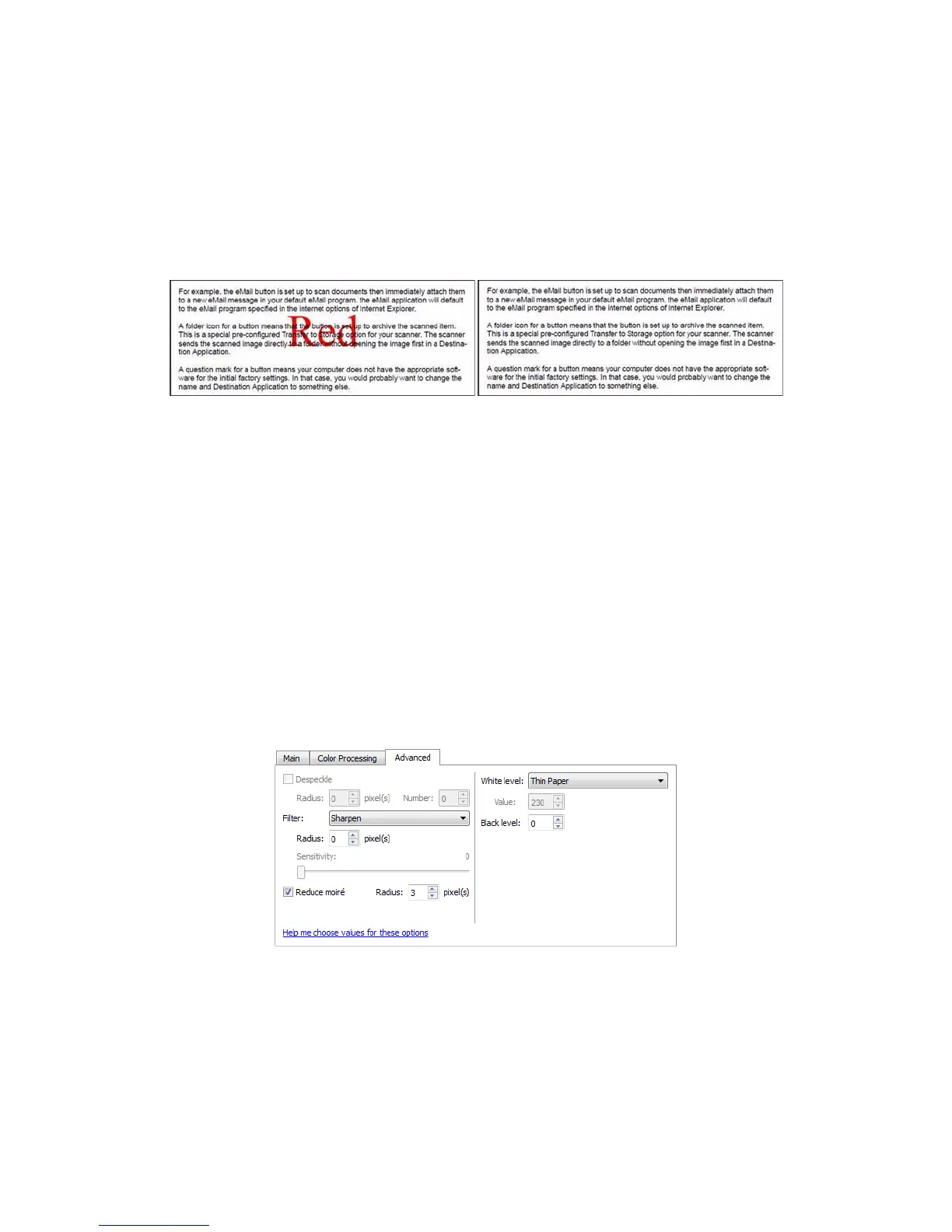
This option is only available when scanning in grayscale or black and white. The example below shows the
original text with a red watermark and the resulting image with the color removed.
PERFORM COLOR CORRECTION
Apply color correction to the image so the displayed colors approximate the original item colors. Select this
option to use the scanner’s default Gamma table which has been calibrated to produce the best quality color
results for your scanner. When this option is not selected, the resulting scans will be dark and the brightness,
contrast, and gamma options will require a greater amount of adjustment to affect the overall lightness of the
image.
ADVANCED PANEL OPTIONS
The options in this panel may also appear in the Main panel, but with additional settings for you to fine-tune the
feature you've selected. Select the Advanced source configuration mode to show this panel.
DESPECKLE
This option removes speckles from the background. Speckles are small spots on an image that the scanner
interpreted as a valid part of the document. For example, an irregularity in the paper, a small wrinkle, or holes
where a staple was removed may show up as speckles in the scanned image. The Despeckle option identifies
these spots and removes them. This option is only available when scanning in black and white.














 To Next Page