SCANNING FROM TWAIN AND WIA
153
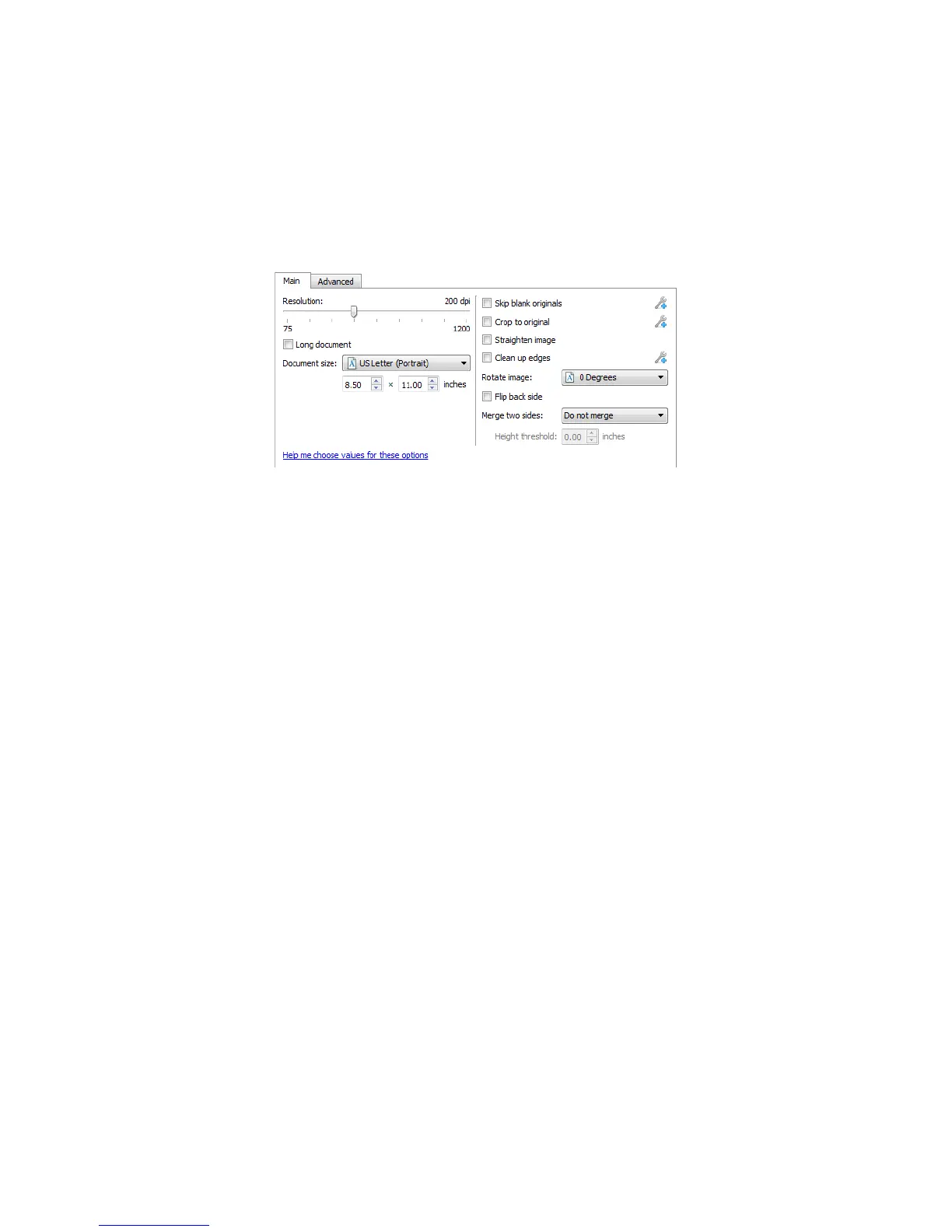
MAIN PANEL OPTIONS
Some of the options in this panel may have advanced adjustment options on a different panel in this section.
When the Advanced configuration mode is selected, an icon will appear next to those features which have
adjustment options on another tab. Click on one of the icons to go to the area of the interface where the
adjustment options are located.
Click on a link below to go to the appropriate page in this section for instructions on adjusting the option that is
displayed on the Main tab.
See Advanced Panel Options on page 156
• Automatic cropping options
• Skip blank originals
•Cleanup edges
RESOLUTION
The resolution determines the amount of detail you can see in the scanned image. Resolution is the clarity of the
image measured in dots-per-inch (dpi).
Move the slider left or right to change the resolution for the scanned image. The higher the resolution, the clearer
the image. However, high resolution scans also produce larger file sizes. The available range displayed in the slider
area are within the minimum and maximum range supported by your scanner. The resolution slider will always
display the correct range for the current scanner.
Choosing resolution values
Typically, when making copies of black and white documents, 100–150 dpi will create an image of similar quality
to the original. When making copies of color documents or photographs, 150–200 dpi will create an image of
similar quality to the original.
Higher resolution settings are generally used for creating an image that can be enlarged without losing image
quality, but take longer to scan.
Some resolution settings for typically scanned items are:
• Text document letters, forms, or other typed black and white documents – 100 dpi to 150 dpi
• Text document letters or forms with hand printed text – 150 dpi














 To Next Page