VISIONEER STROBE 500 SCANNER USER’S GUIDE
90
ADDING TEXT EDITOR APPLICATIONS TO ONETOUCH
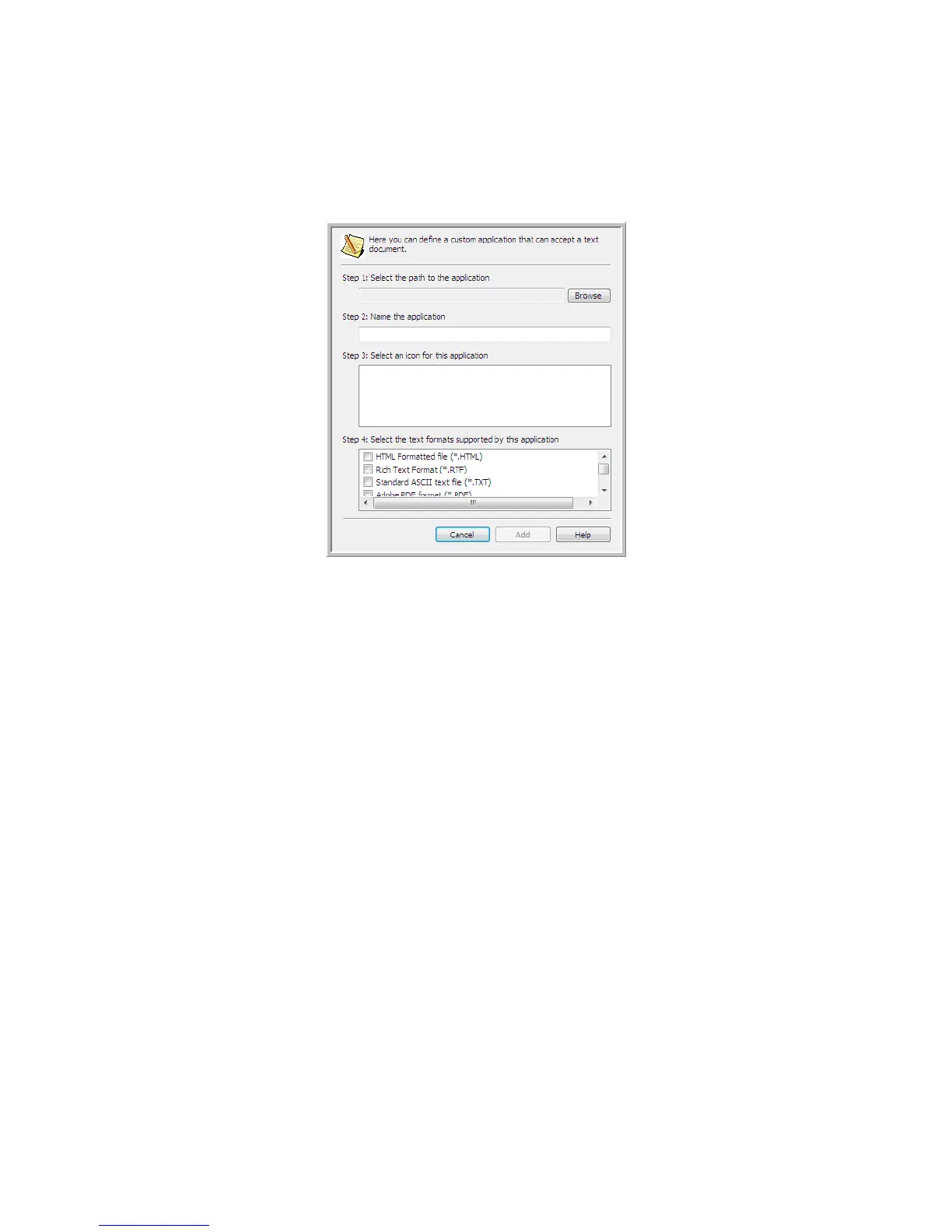
1. To add another application to the list, click the Add application button. The Add Text Based Link dialog box
opens.
2. Click Browse to find the application you want to add to the list.
When you select the application using the Browse button, Steps 1 and 2 on the dialog box are automatically
filled in, and the application icon appears in Step 3.
3. Select the icon in Step 3 of the dialog box. That is the icon that will appear in the OneTouch Destination List.
4. In Step 4 of the dialog box, select the file formats that the application will accept.
HTML Formatted file—select this option when you want to scan to your web browser for posting HTML
pages to a website. Even though word processing applications, such as Notepad and Word can open *.htm
files, you cannot scan as *.htm to word processing text editors. Scanning as HTML creates a directory with
the *.htm file and linked images for website use. Word processing applications cannot accept a directory
structure for image and text transfer.
Rich Text Format—select this option if your application can open *.rtf files, which are plain text documents
that contain formatting. Microsoft’s WordPad application is a compatible application for the *.rtf file
formation.
Standard ASCII text file—select this option if you want to have plain text, without formatting, sent to your
text editing application. Most text editing applications will accept plain text (*.txt) files.
Adobe PDF format—select this option if you are adding a PDF viewing or editing application to the list. This
PDF format is an image format only, it will not recognize the document using OCR, and you will not be able
to search or edit the text in the final file. The application you are adding must be able to open *.pdf files.
Adobe searchable PDF—this is the PDF image format with a hidden searchable text layer. You will not be
able to edit the text the file. The application you are adding must be able to open *.pdf files.
The options you select at Step 4 determine the page format icons in the OneTouch Properties window for
that group of applications. Refer to the documentation you received with the application to see which text
formats the application accepts.














 To Next Page