VISIONEER STROBE 500 SCANNER USER’S GUIDE
182
CLEANING THE SCANNER
Cleaning the inside of the scanner helps to keep your scanner operating at optimum performance. You should
clean the inside of the scanner at least once a week or after 5,000 pages have been scanned. If you are getting
frequent paper jams, multiple pages feeding at the same time, or if you’re seeing lines in the scanned image, it is
time to clean the scanner.
CLEANING THE SCANNER BODY
1. Wet a soft cloth with some isopropyl rubbing alcohol (95%).
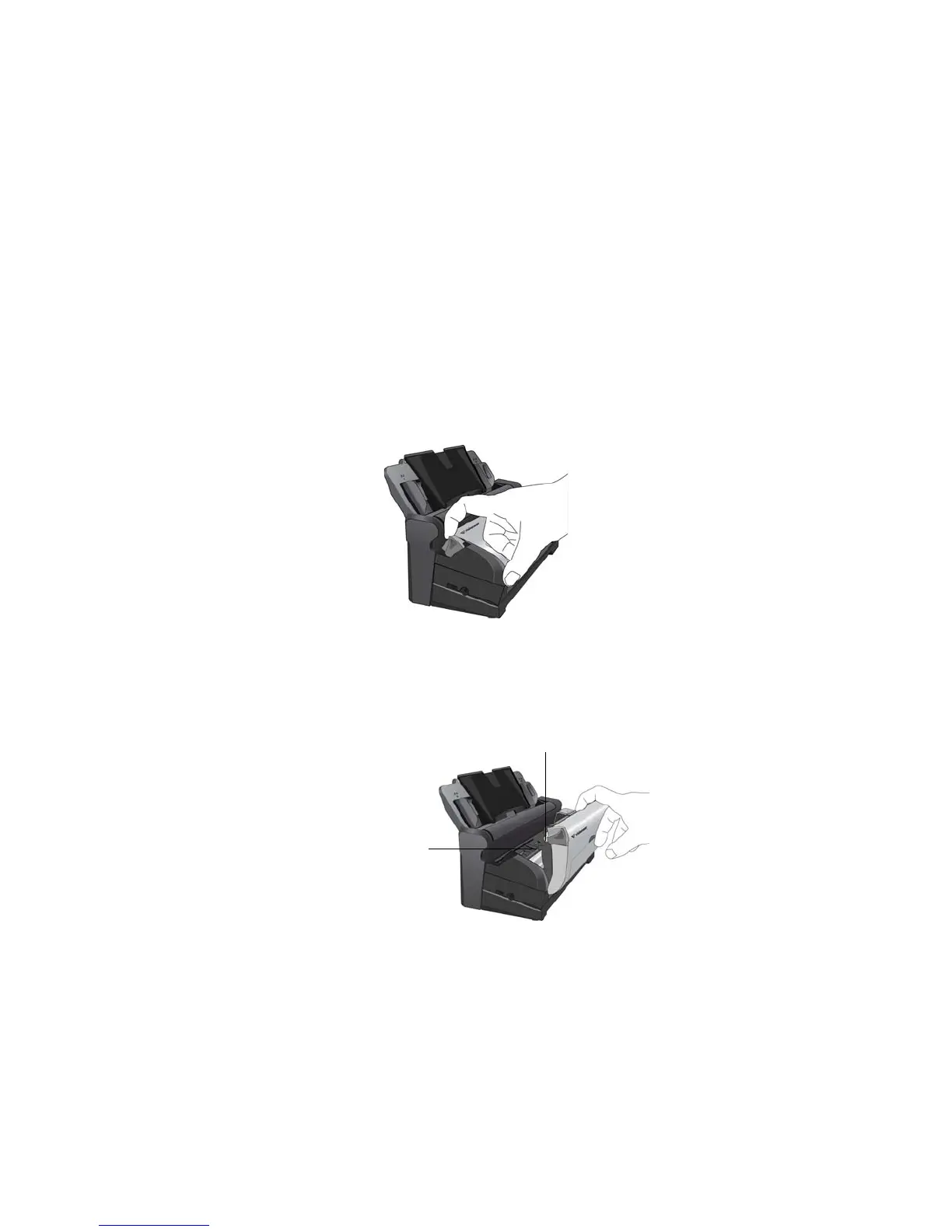
2. Pull the ADF cover release on the top of the scanner body to open the Automatic Document Feeder cover.
3. Wipe the scanner glass and plastic surfaces on the inside of the scanner. Make sure you clean the glass
located in the scanner body and on the underside of the scanner lid.
Be careful not to snag the cloth on any of the surfaces inside the scanner.
Scanner glass (underneath
scanner lid)
Scanner glass
(scanner body)














 To Next Page