VISIONEER STROBE 500 SCANNER USER’S GUIDE
160
IMAGE ENHANCEMENTS
Click on the Image Enhancements icon to select options applicable to what type of image processing you want
applied for the items being scanned.
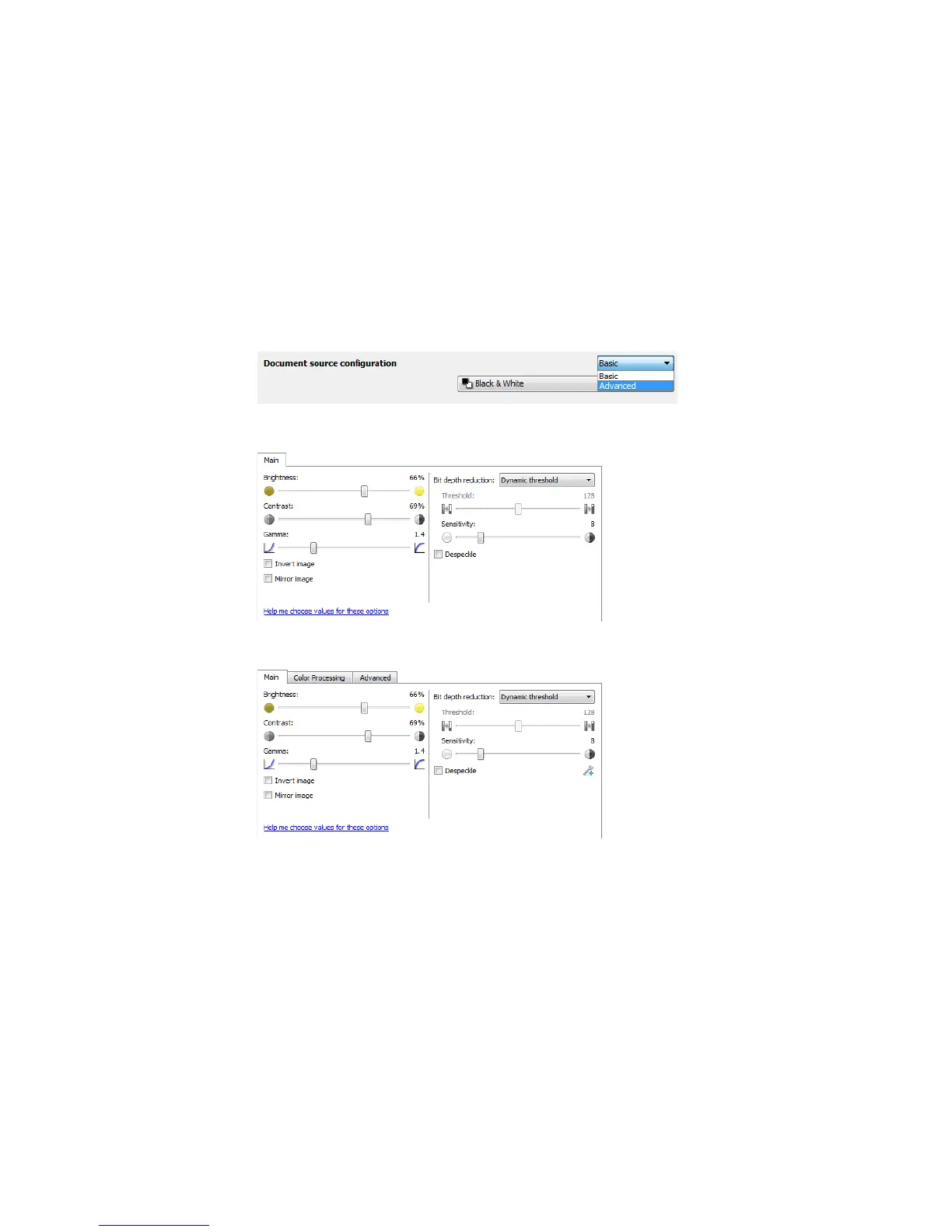
• Main panel—this panel contains the most commonly used scan settings. Some of the options in this panel
may have adjustment options on the other panels in this section. When the Basic source configuration
mode is selected, this is the only panel available. Change to the Advanced source configuration mode to
enable the other panels which are also described in this section.
• Color processing panel—this panel contains advanced options for processing colors in the final scans.
• Advanced panel—this panel contains advanced image enhancement options for improving the clarity of
the scanned image.
The Image enhancements section when the Basic document
source configuration mode is selected.
The Image enhancements section when the Advanced document
source configuration mode is selected.














 To Next Page