VISIONEER STROBE 500 SCANNER USER’S GUIDE
186
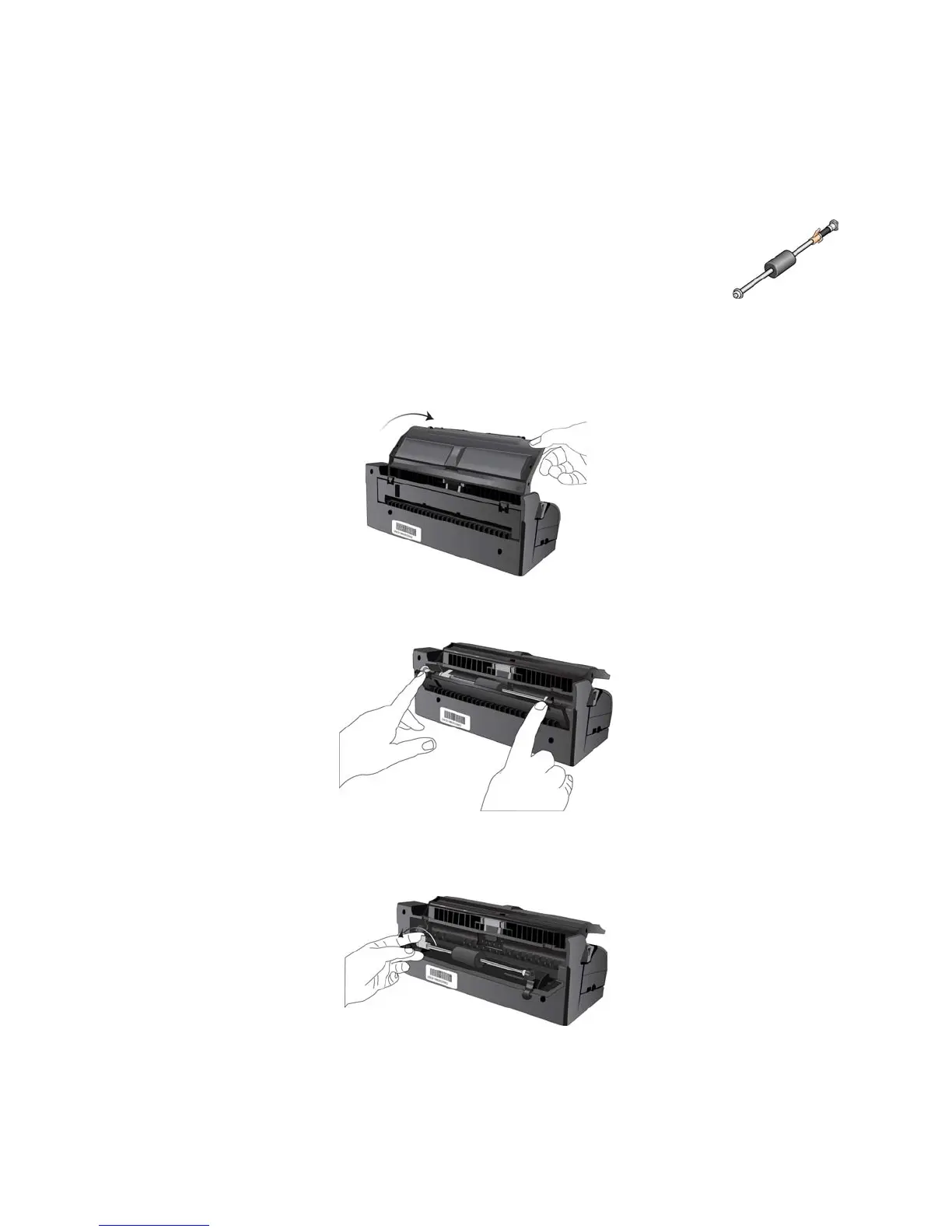
REPLACING THE ROLLER ASSEMBLY
After extended use, the roller may wear out and may need to be replaced. It is a user-
replaceable part and can be reordered.
Frequent paper jams are a symptom of a worn roller assembly. A worn roller can cause
documents to feed in skewed at an angle, or multiple pages to feed at the same time. A worn
roller should be replaced to avoid damage to the scanner’s internal parts. Before replacing the
roller you should clean it as excessive dust on the roller will make it appear worn and smooth. You cannot
properly diagnose a worn roller until you have cleaned it.
1. From the back of the scanner, lower the input tray.
2. Press down on the two latches on the back of the docking station and lower the rear cover.
3. The roller is held in place with a lock tab that rotates to lock and unlock it. To unlock the tab, rotate it upward
until the small lock flange is completely free.
4. When the roller is unlocked, it can be removed from its mounting sockets.
5. Discard the worn roller. It cannot be repaired.
6. Before installing the new roller, clean any dust that may have gotten on it during shipping.














 To Next Page