MAINTENANCE
185
REPLACE THE ADF PAD ASSEMBLY
The ADF pad will wear out and is designed to be a user-replaceable part. Problems with documents
feeding into the ADF is an indication that the pad is wearing thin.
You received a replacement pad in the original scanner box, and you can also order a new one. See
the The Visioneer Strobe 500 Parts List on page 194 for ordering information.
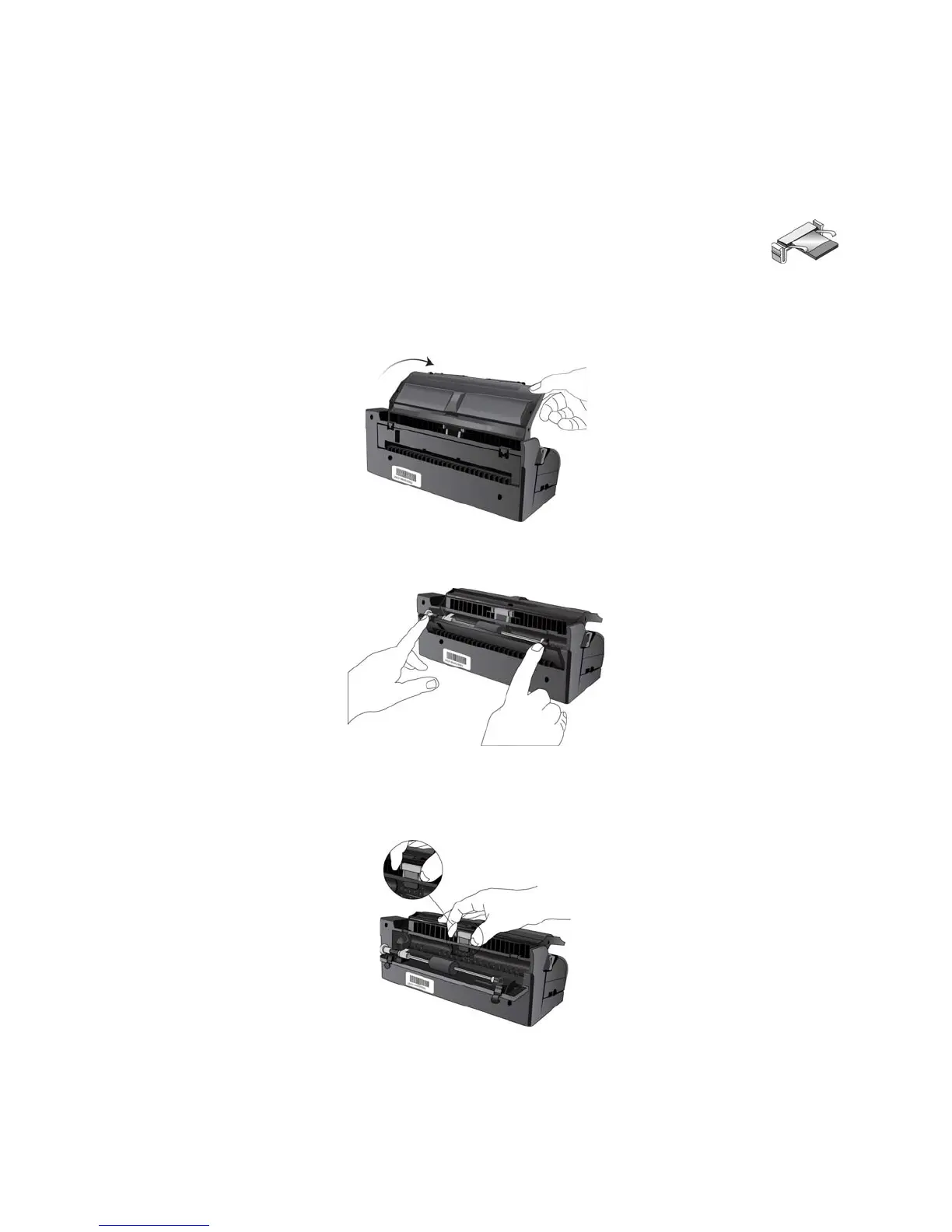
1. From the back of the scanner, lower the input tray.
2. Press down on the two latches on the back of the docking station and lower the rear cover.
The ADF pad is located behind the input tray.
3. Squeeze the plastic clamps that hold the pad assembly in place and lift the pad up and out.
4. Reverse the procedure to replace the new pad into its slots.
5. Close the rear cover when you’re finished.














 To Next Page