VISIONEER STROBE 500 SCANNER USER’S GUIDE
36
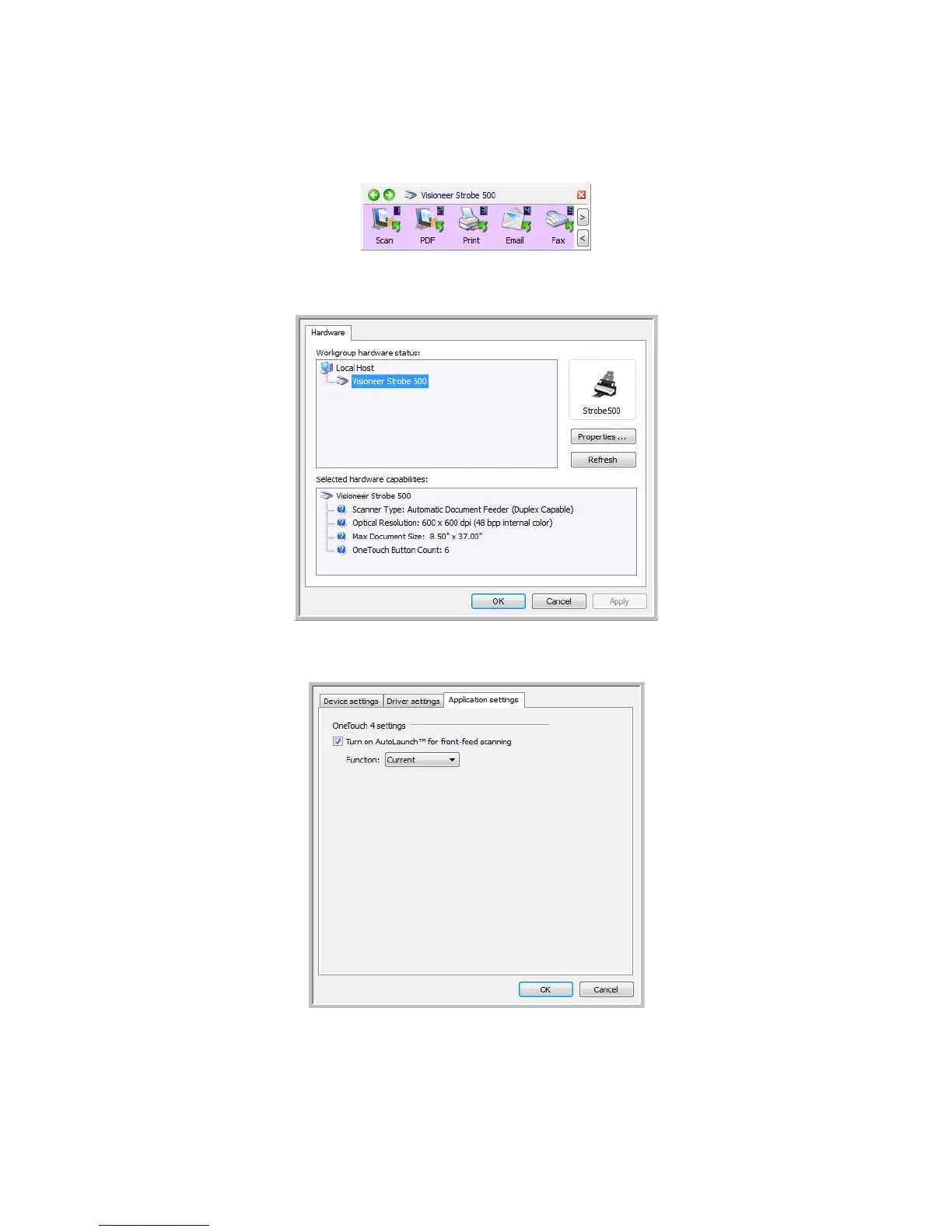
2. Click on the scanner icon to the right of the green buttons, in the title bar of the OneTouch button panel.
3. Click on the Properties button in the hardware properties window.
4. In the Application Settings tab, click on Turn on AutoLaunch™ for front-feed scanning.
5. Click on OK to save the changes and close the window. Click on OK to close the Hardware Properties
window.














 To Next Page