wc_tx003619gb_FM10.fm
102
Mobile Generator
Operation (Deep Sea Controller)
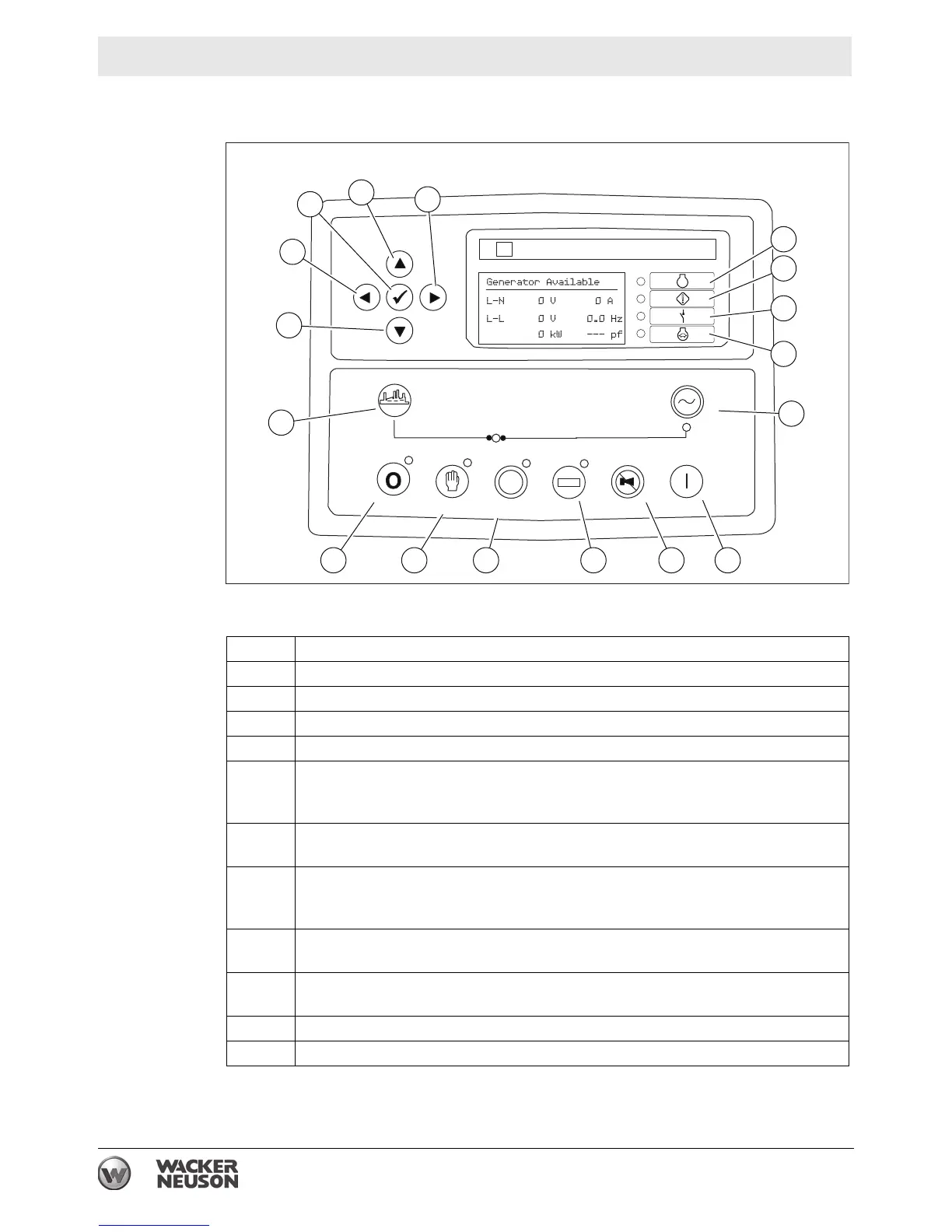
9.4 Deep Sea Controller Buttons/Functions
Ref. Button/function
1 Right arrow button (right / forward)
2 Up arrow button
3 Down arrow button
4 Left arrow button (left / backward)
5 Check mark button (enter / accept)
This button is used when navigating through the genset controller menus.
Press this button to accept a new value or menu item.
6 Alarm indicator
Illuminates during a fault condition that has stopped the engine.
7 Warning indicator
Illuminates during a non-critical alarm condition. Note: non critical alarm
conditions may lead to shut-down conditions.
8 Main breaker open indicator
Illuminates whenever the main circuit breaker is open.
9 Low speed active indicator
Illuminates when the engine idle speed is set to low idle (if equipped).
10 Load button (not used)
11 Gen-Set button (not used)
AUTAUTOO
DEEP SEA ELECTRONICDEEP SEA ELECTRONICSS
DSE 731DSE 73100
DSE
OpenOpen
CloseClose
Gen-SetGen-Set
OpenOpen
CloseClose
LoadLoad
StartStartLampLamp Testest
Horn ResetHorn Reset
AutoAuto
ModeMode
ManualManual
ModeMode
Stop/ResetStop/Reset
12 13 14 15 16 17
9
11
8
7
6
2
1
3
10
4
5
wc_gr011485
STOP


 To Next Page