DSR - DeEsser
Orators and singers commonly produce prominent ess, ch, and sh sounds, also known as sibilance, while
using a microphone. Most vocal recordings contain these undesirable artifacts due to microphone proximi-
ty, strong vocal delivery, bad equalization, or speech impediments. Wind and other musical instruments can
also create shrill, high-pitched noise that falls into this category.
The DeEsser can help attenuate these high-frequency artifacts using steep sharp filters in the Sidechain fil-
ters and either Wideband or Split audio paths. The DeEsser is suitable for processing full mixes, solo vocal
tracks, and instrumentals. Applying gentle de-essing to a complete mix is often effective at reducing sibi-
lance without filtering important high-frequency information.
Quick Start
To reduce sibilance in a male vocal track:
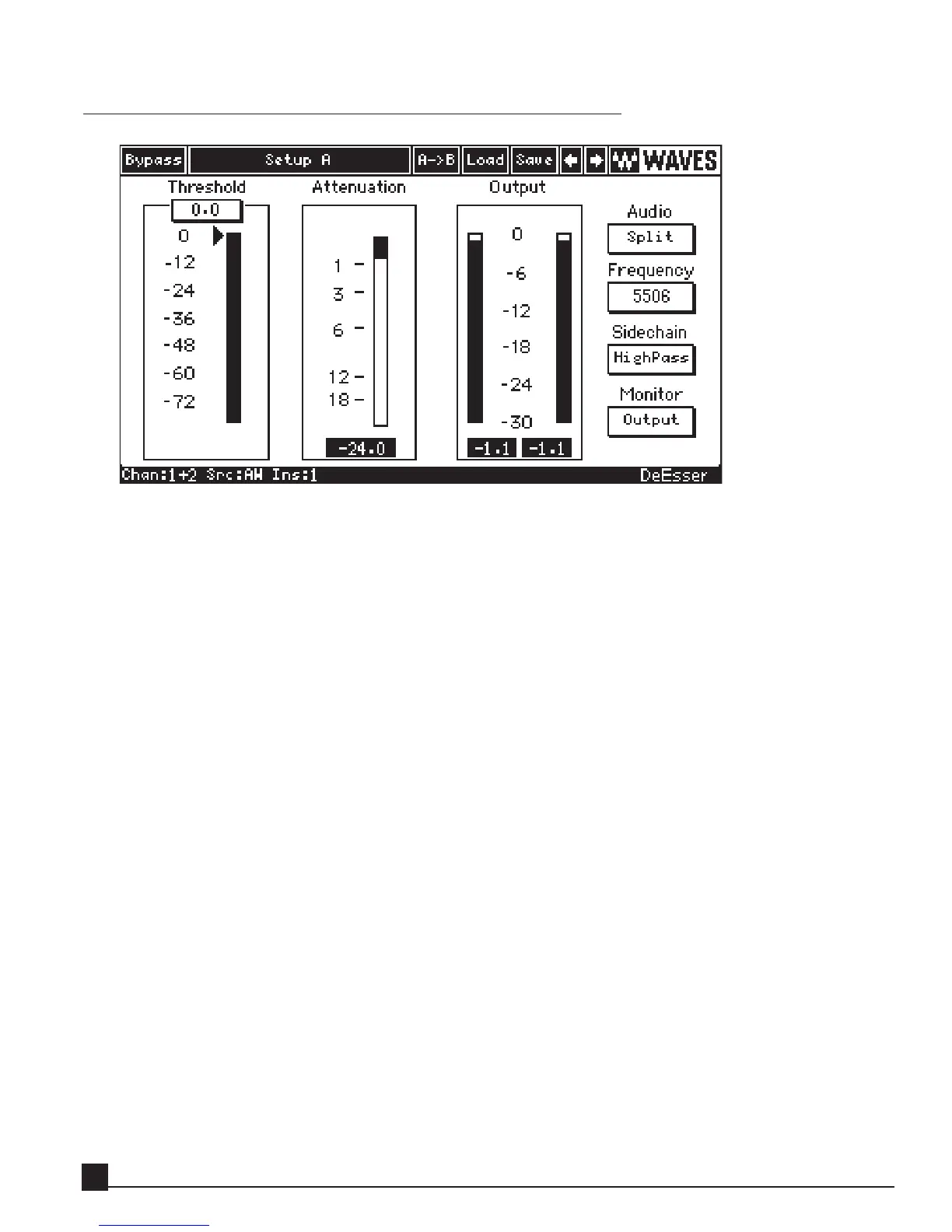
1. Click the Load button and select the “Male Ess” factory preset.
This preset sets the Sidechain frequency to 4500 Hz, the frequency nearest around which the male
sibilance lies.
2. Reduce the threshold until the “ess” sounds are sufficiently attenuated.
Attenuation occurs when the threshold slider is below the peak of the input meter (energy detector). The
attenuation meter shows the instantaneous gain reduction applied to the audio (dB). An infinite-peak-
hold feature displays the highest level of attenuation (click to reset).
3. To fine-tune DeEsser, click the Monitor button to display switch to the Sib.Att. mode allowing you to
monitor the side chains.
4. Choose either HighPass or BandPass from the Sidechain filter modes. The HighPass filter mode is suitable
for attenuating a full range of sibilance. The BandPass filter mode is suitable for isolating and attenuating
a specific narrow band of high frequencies.
5. To find the center frequency of the sibilance, adjust the Freq control while boosting the threshold.
6. Switch monitoring back to Output mode and listen to the result.
Y56K User Guide
50


 To Next Page