Input/Output Section
I
I
np
np
ut
ut
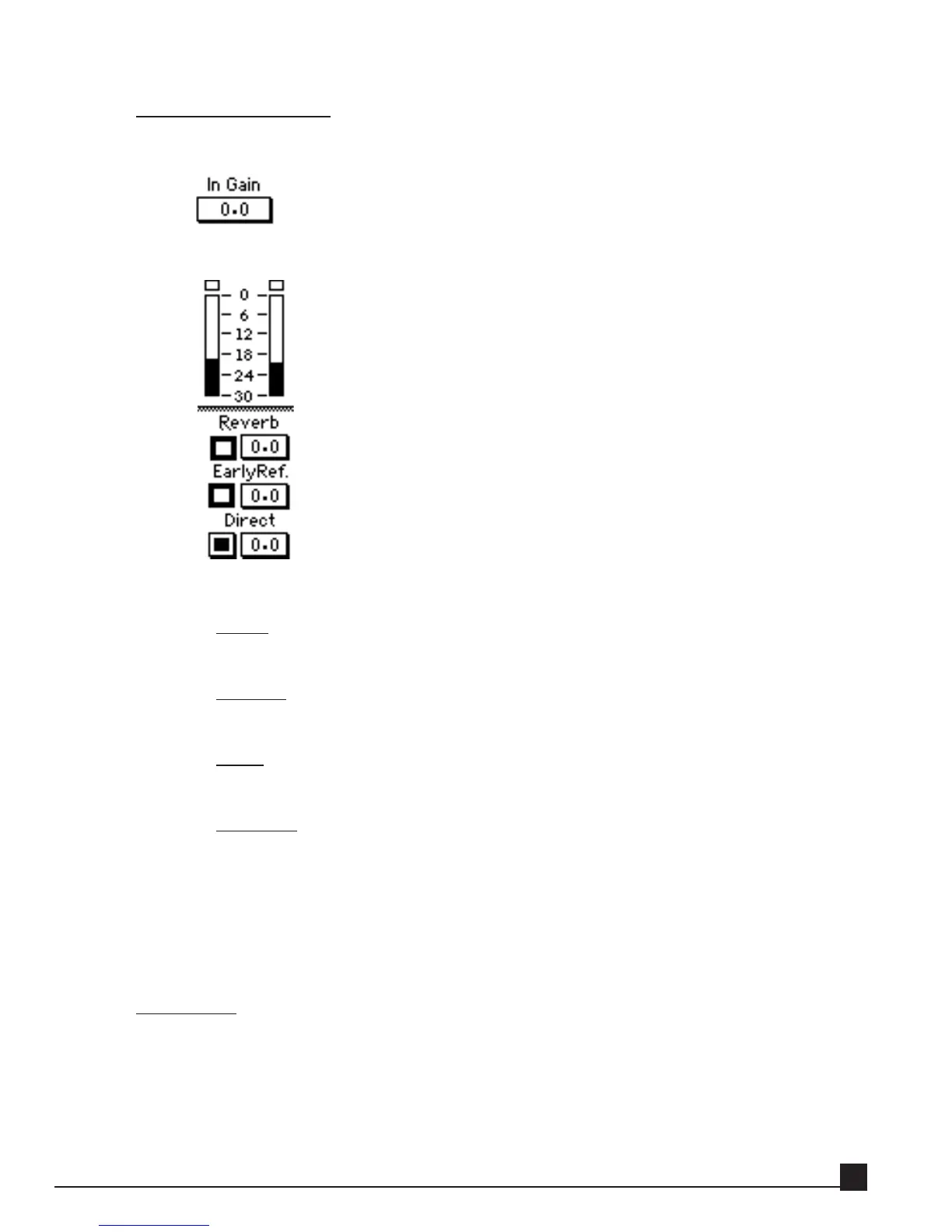
The Input control adjusts the input level from 0 (dB) to silence (negative infinity).
O
O
ut
ut
p
p
ut
ut
Reverb
On/off toggle for and Reverb gain control.
EarlyRef.
On/off toggle for and Early Reflection gain control.
Direct
On/off toggle for and Direct gain control.
VU me
ters
TrueVerb’s stereo output level is shown on the VU meters. A clip indicator lights if a sin-
gle sample is at 0 dBFS (click to reset).
Using TrueVerb
TrueVerb’s distance processing depends on balancing direct sound, early reflections, and reverb. This bal-
ance is controlled by the Distance parameter, only available in Thru mode.
Thru mode
Thru mode requires sending the complete sound through TrueVerb. This can be a complete mix,
submix, or an individual track.
Thru mode implies that the Direct output is switched in, plus the EarlyRef and/or Reverb. All three
are normally used but if reverb already exists in the input signal, you may wish to switch reverb out.
If you want only reverb, not a distance or room effect, switch the EarlyRef out. The Distance effect
Y56K User Guide
57


 To Next Page