D
D
e
e
la
la
y lines (taps)
y lines (taps)
Each tap has its own set of controls.
On/Off
Toggles a tap on or off.
G
ain
Gain is adjustable from 0 to –24 dBFS, in 0.1 dB increments.
Rotat
e
Rotation is the original pan specification invented by Alan Blumlein, who filed the origi-
nal patent for stereo. Rotation is a type of panning that works more effectively for stereo
inputs. The Rotation range is -45º to 45º.
T
T
ap mar
ap mar
k
k
e
e
r
r
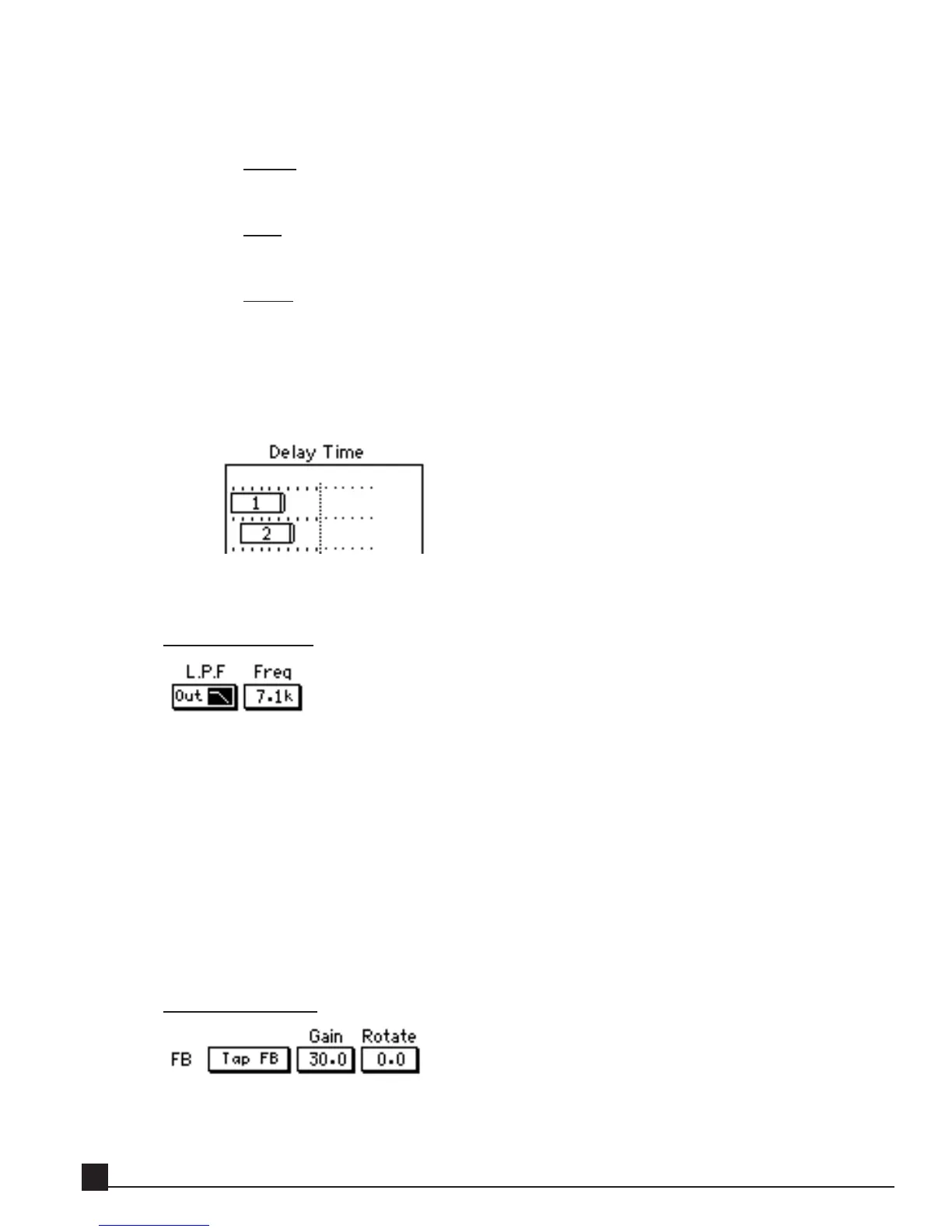
Drag the tap marker to set each tap’s delay time. The tap marker reflects the grid display type
(explained above): BPM or MS.
EQ/Filter section
The EQ/Filter section has on/off and center frequency controls for the low-pass (high-cut) filter.
Each tap can be filtered separately for a wide variety of creative effects from a single sound source.
To hear the effect of changing one tap’s filter parameters, turn off the other taps, including the direct
tap.
I
I
n/O
n/O
ut
ut
This button toggles the filter on or off.
F
F
r
r
eq
eq
This button sets the filter’s center frequency in the range 0.1–20 kHz.
Feedback section
Use the feedback section with caution! Just as an analog delay, feedback can produce increasingly
loud and distorted sounds.
Y56K User Guide
62


 To Next Page