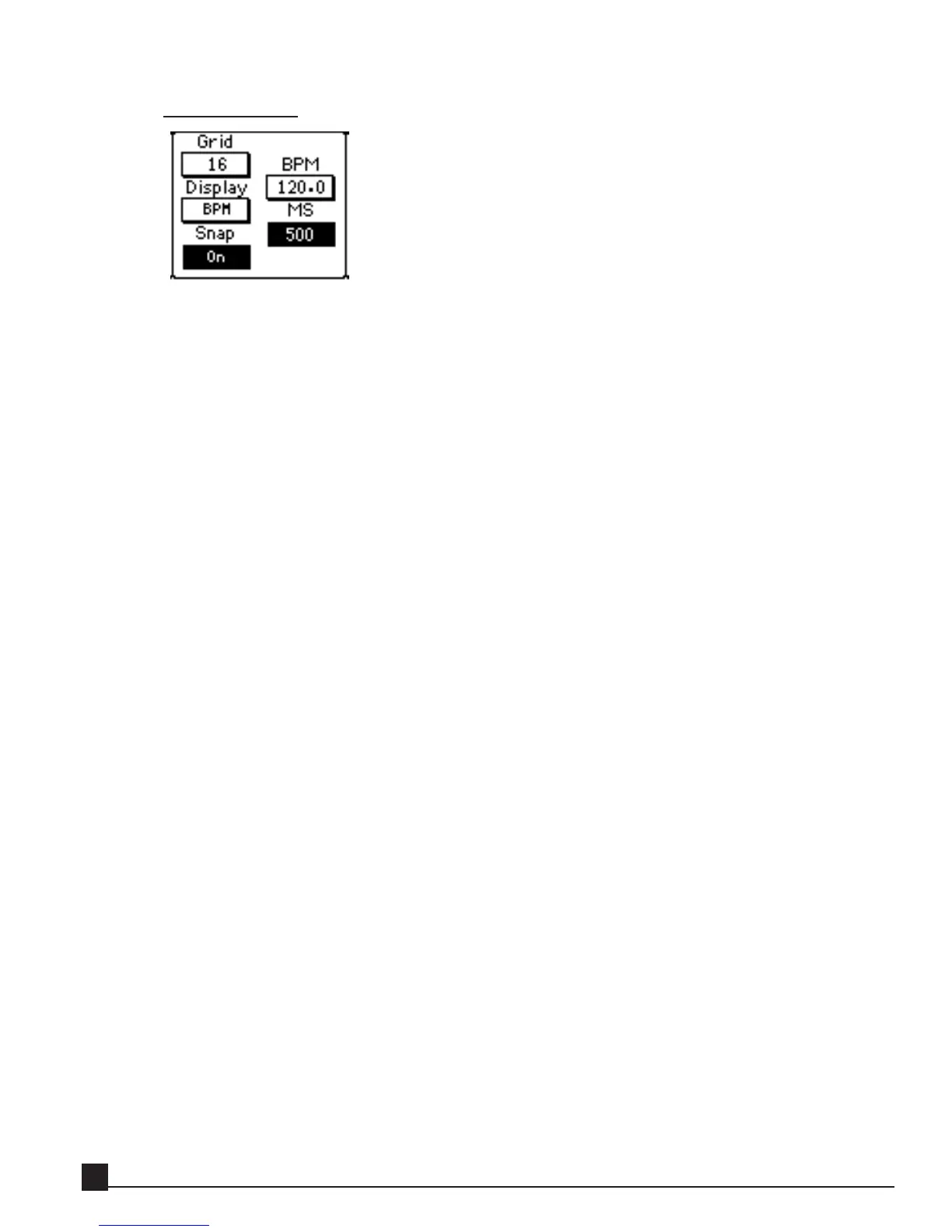
Tap Delay Grid
Each tap has its own slider in the Delay Time display. The slider’s time can be displayed in two
modes:
MS (milliseconds): shows the delay in time units.
BPM (Beats Per Minute): shows the delay in beats instead of time.
Click on the Grid Mode button to change between BPM or ms.
The Grid popup menu has the following divisions:
1. Free
2. 4 (quarters)
3. 4t (quarter triplets)
4. 8 (eighths)
5. 8t (eighth triplets)
6. 16 (sixteenths)
If 16 is selected for the grid, the number shown in each tap marker denotes that tap’s delay in a
number of sixteenth notes. If the tap marker displays 4, that means 4 sixteenth notes, which is a
quarter note. Beats per minute always refers to the quarter note, no matter the Grid setting.
If Snap is off, the numbers also show with + or - sign whether they are slower or faster than the clos-
est beat. If the slider is perfectly aligned with the grid, the number has no sign.
To adjust the delay value for a tap, drag its slider horizontally inside the Grid display, or use the
[DATA/JOG] dial.
Y56K User Guide
60


 To Next Page