EasyManua.ls Logo

WBOX Technologies 0E-HD16C2TB - Page 14

Default Icon
98 pages
Print Icon
To Next Page IconTo Next Page
To Previous Page IconTo Previous Page
Loading...
2 Hard Disk
Digital Video Recorder(DVR)
User Manual
6
Issue V1.0 (2018-06-04)
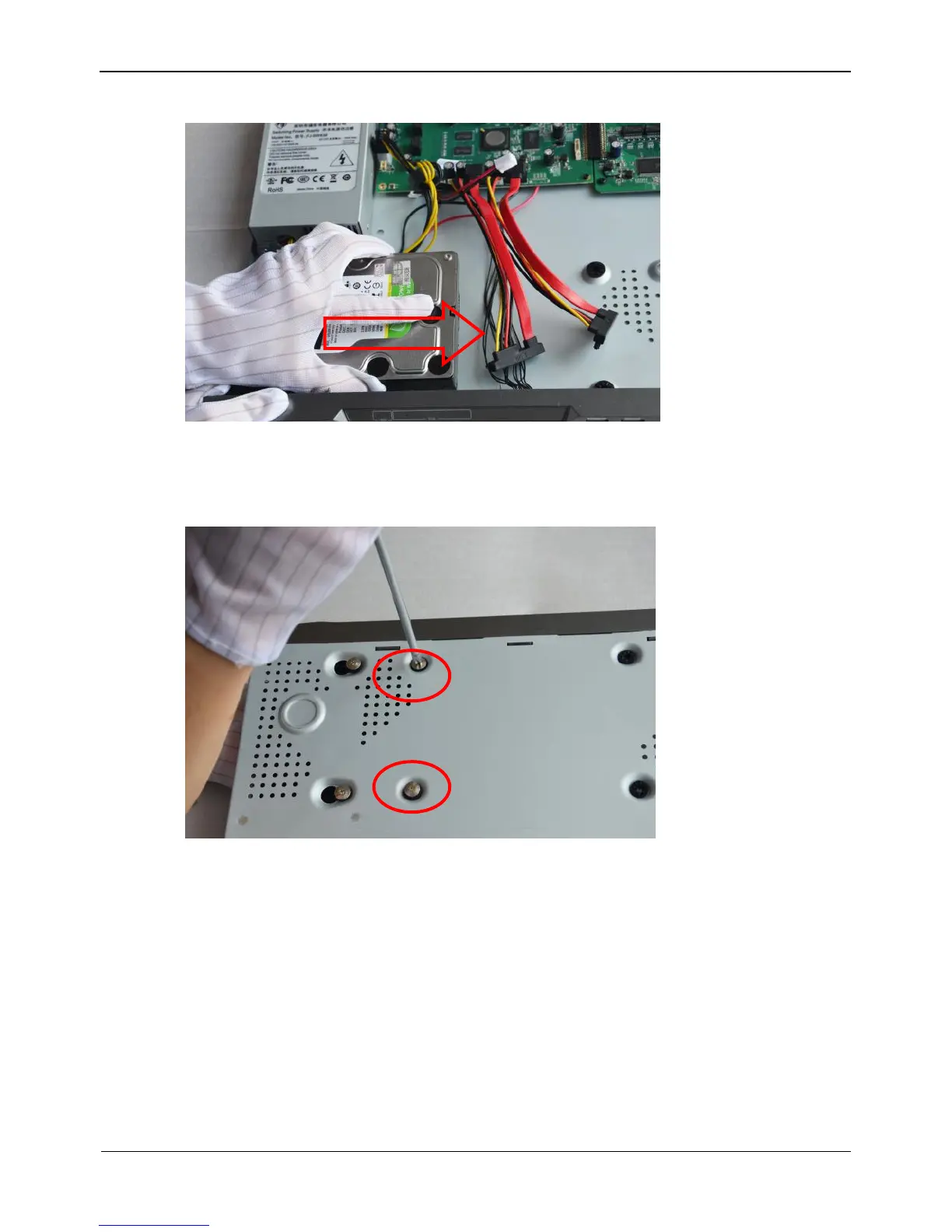
Figure 2-3 Inserting the hard disk
Step 4 Turn the device over, and fasten two hard disk fixing screws, as shown in Figure 2-4.
Figure 2-4 Fixing the hard disk
Step 5 Install the other hard disk according to Step 2, Step 3, and Step 4, then insert the hard
disk data cable and power cable, as shown in Figure 2-5.

Other manuals for WBOX Technologies 0E-HD16C2TB

Related product manuals