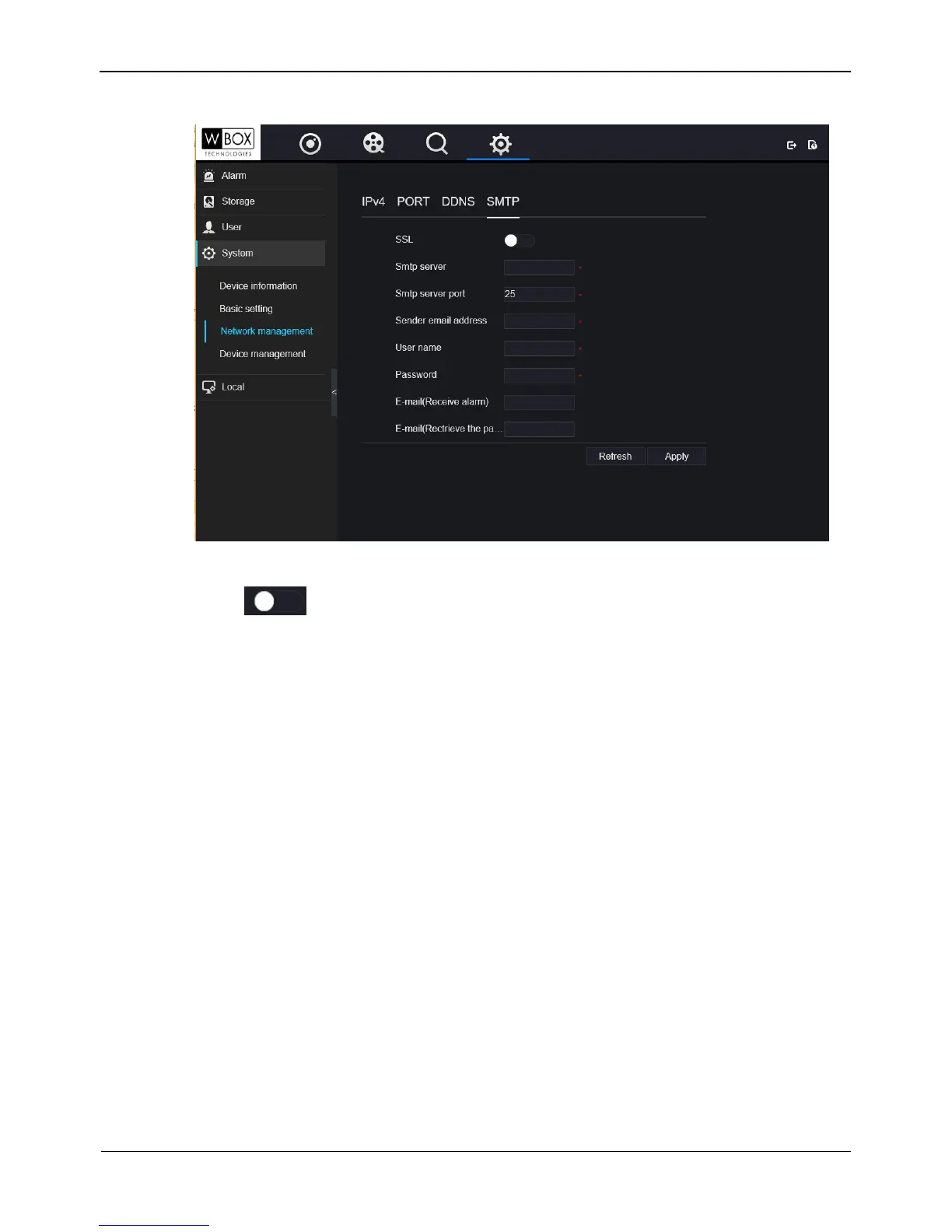
Figure 9-13 SMTP setting interface
Step 2 Click next to SSL to enable Secure Sockets Layer( Some SMTP servers are
required). It is disabled by default.
Step 3 Set SMTP server and SMTP server port manually.
Step 4 Set sender E-mail, user name and password manually.
Step 5 Set E-mail for receive alarm. the message.
Step 6 Set E-mail for retrieve the password. the message .
Step 7 Click Apply to save settings.
9.5.3 Device management
You can reboot, upgrade and reset the NVR in device management interface.
On the System Setting screen, choose System > Device management to access the
Device management interface, as shown in Figure 9-14. Table 9-2describes the
operations.



 To Next Page