7 Log Center
The system allows you to set and view records of any operations performed on the
DVR in Log Center, including power-on, parameter settings, and camera management.
Operation Steps
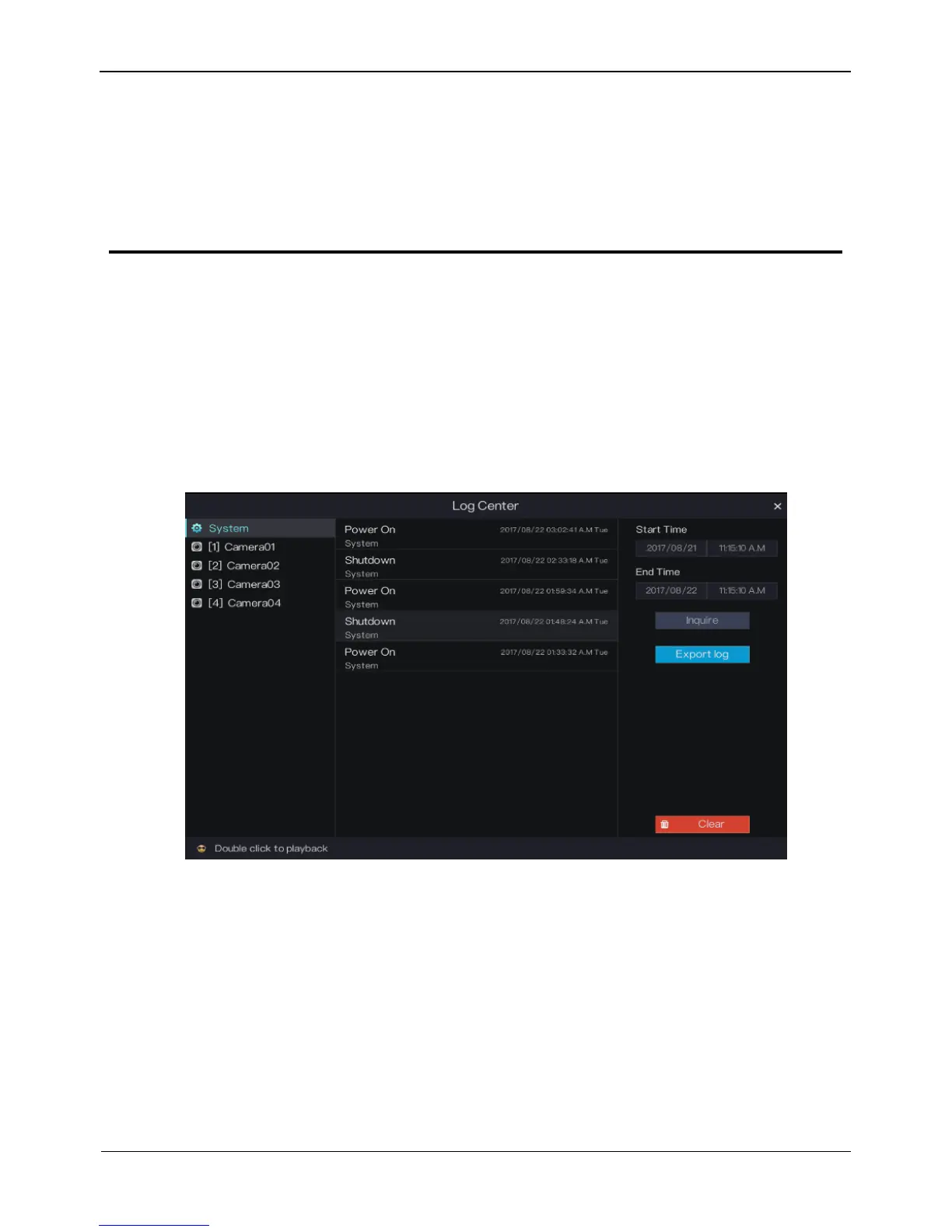
Step 1 Click Log Center in the main menu to access the Log Center screen, as shown in
Figure 7-1.
Figure 7-1 Log Center screen
Step 2 Select an object whose logs need to be queried on the left side of the Log Center
screen. The logs include system logs and logs of a camera in a channel.
Step 3 Set the log start time and end time on the right side of the Log Center screen.
Step 4 Click Inquire to query logs.
Step 5 Double-click a log to play the video generated at the log time point, as shown in Figure
7-2.



 To Next Page