6.7.2 Modify Password
Operation Steps
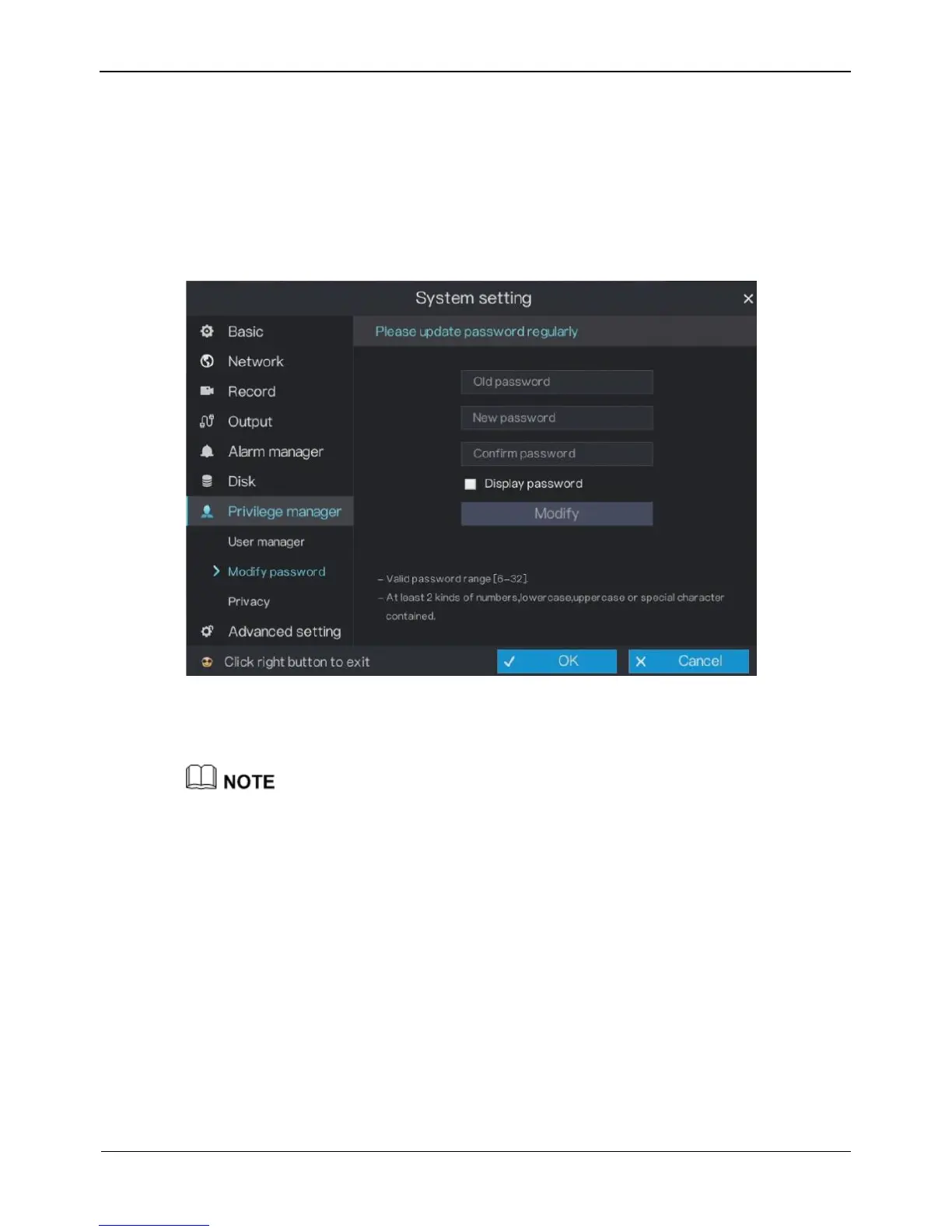
Step 1 On the System setting screen, choose Privilege manager > Modify password to
access the modify password screen, as shown in Figure 6-24.
Figure 6-24 Password modification screen
Step 2 Enter the correct old password, new password, and confirm password, and click
Modify. The password is modified successfully.
The password should include at least two kinds of letter, character and number.
The password should be 6~32.
Step 3 Click OK to save modify password settings or click Cancel to cancel settings.
----End
6.8 Privacy
Operation Steps
Step 1 On the System setting screen, choose Privilege manager > privacy to access the
privacy screen, as shown in Figure 6-25.



 To Next Page