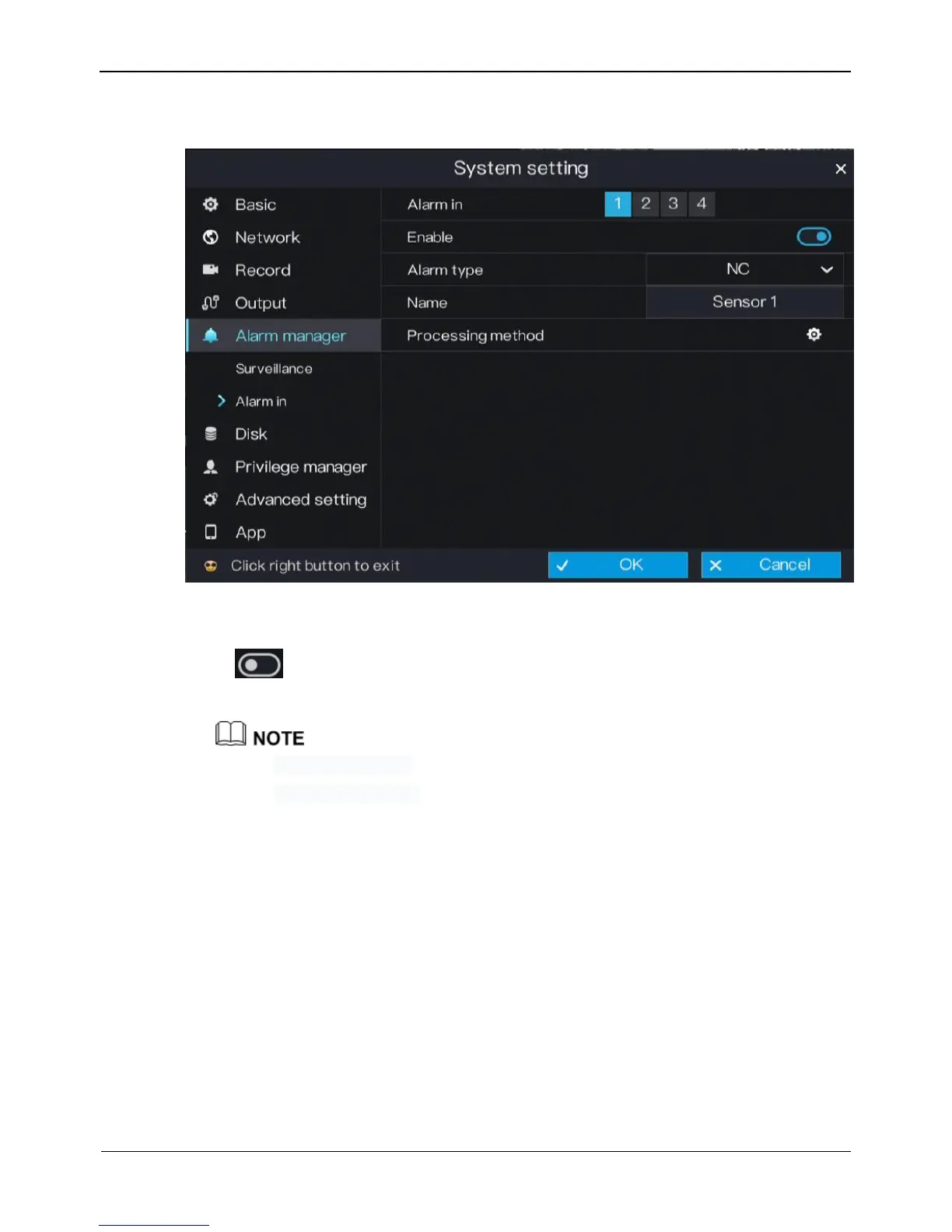
Figure 6-20 Alarm in setting screen
Step 2 Select a channel in alarm in.
Step 3 Click next to Enable to enable or disable the functions.
Step 4 Select Alarm type from the drop-down list.
NC: Closed alarm circuit
NO: Opened alarm circuit
Step 5 Set name.
Step 6 Set Processing method.
For details, please see Step 2~Step 5.
Step 7 Click OK to save alarm in settings or click Cancel to cancel settings.
----End
6.6 Disk
The system allows you to view the total capacity, used capacity, and SNs of disks, and
clear all video data in a disk in disk management.



 To Next Page