6 System setting
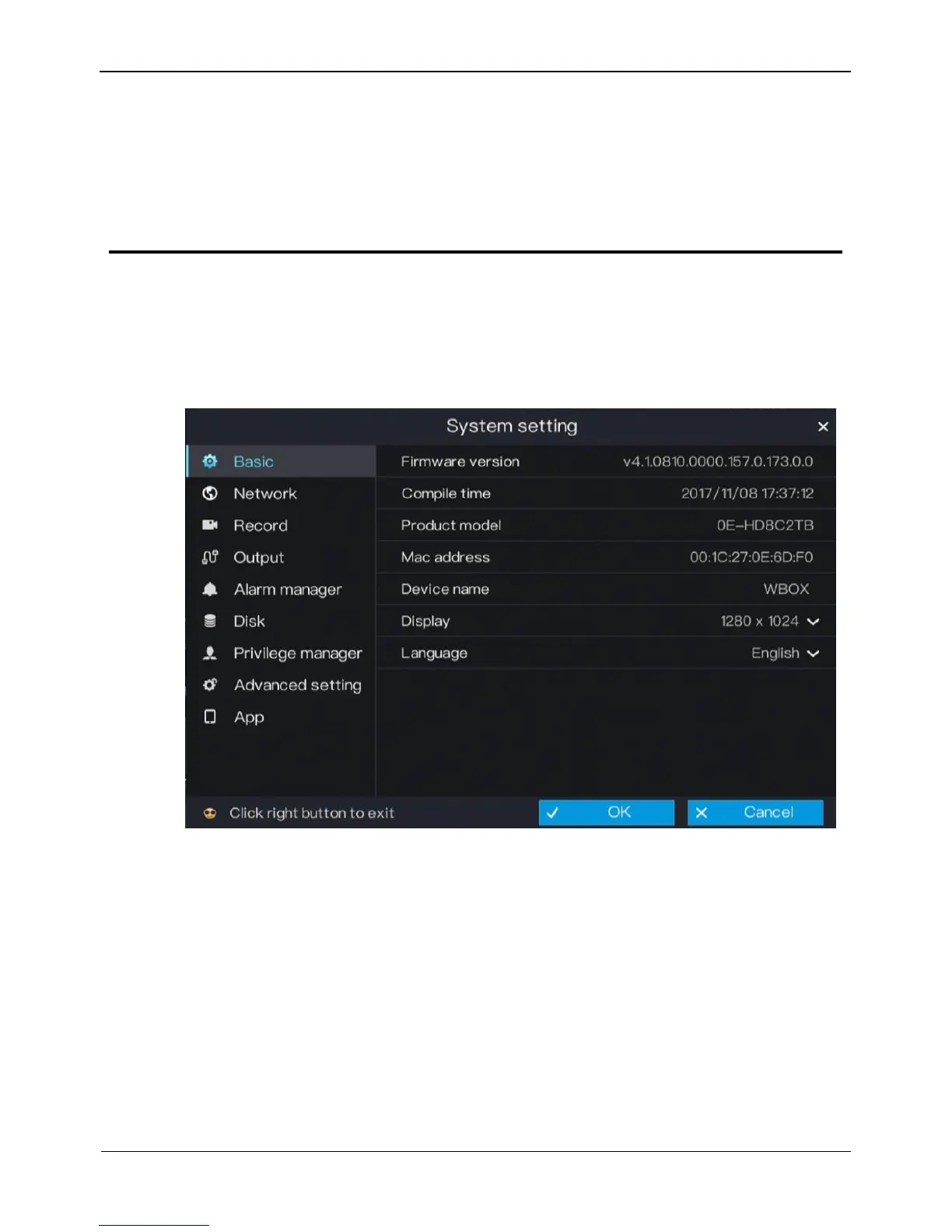
The system setting allows you to set basic information, network, record, output, alarms
manager, disk, privacy manager, advanced setting, and App for the system in System
Setting. Figure 6-1 shows the system setting screen.
Figure 6-1 System setting screen
6.1 Basic
The system allows you to view the firmware version, compile time and product model,
set the device name, display resolution, system language, time zone, time and date and
DST in Basic.



 To Next Page