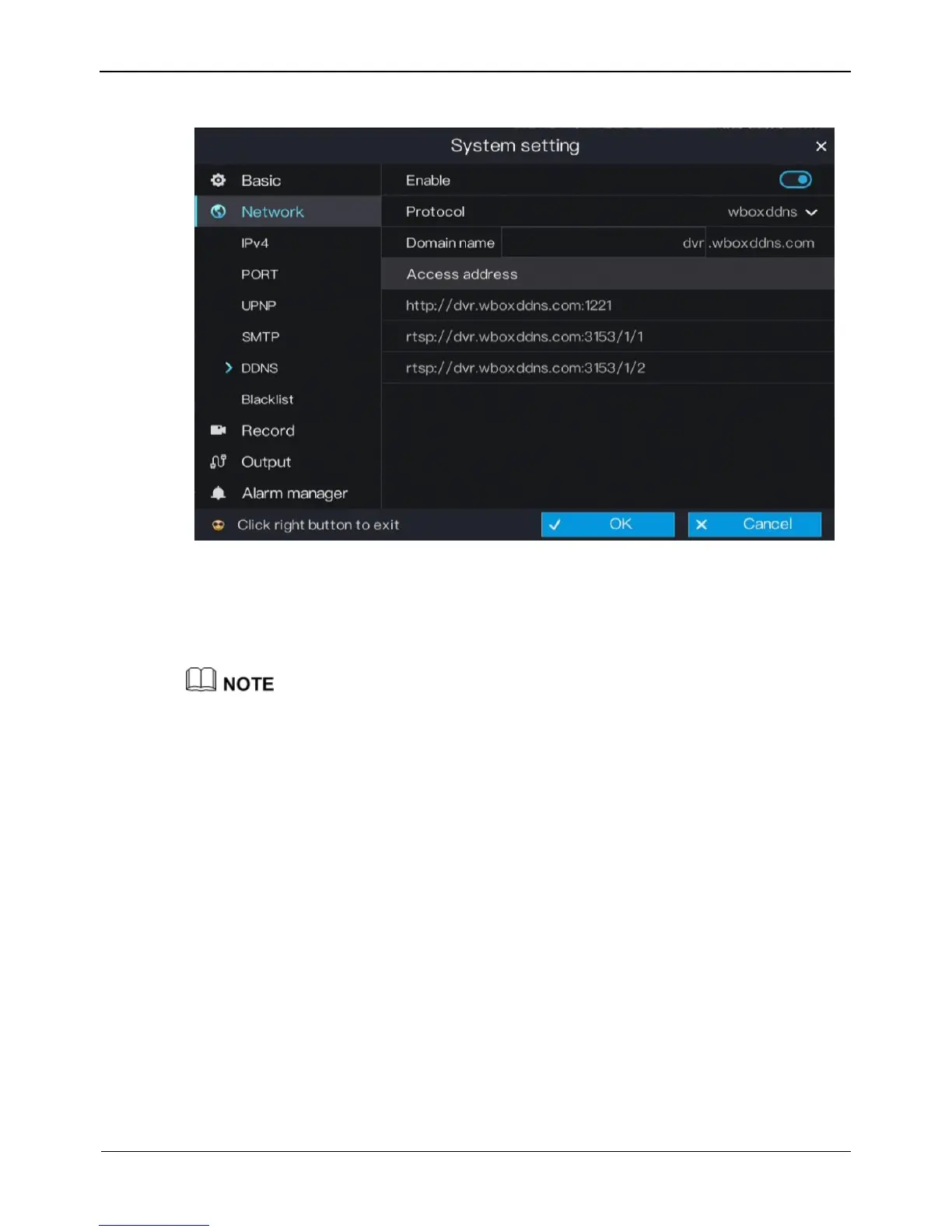
Figure 6-11 DDNS setting screen
Step 2 Click the button next to Enable to enable the DDNS function. It is disabled by default.
Step 3 Select a required value from the Protocol drop-down list.
Step 4 Click OK to save DDNS network settings or click Cancel to cancel settings.
An external network can access an address specified in the DDNS settings to access the
DVR.
----End
6.2.6 Blacklist
Set the IP address in specified network segment to allow access or prohibit access.
Operation Steps
Step 1 On the System setting screen, choose Network > Blacklist to access the blacklist
setting screen, as shown in Figure 6-12.



 To Next Page