Digital Video Recorder(DVR)
User Manual
3 Operation Instruction
3.1 Front panel
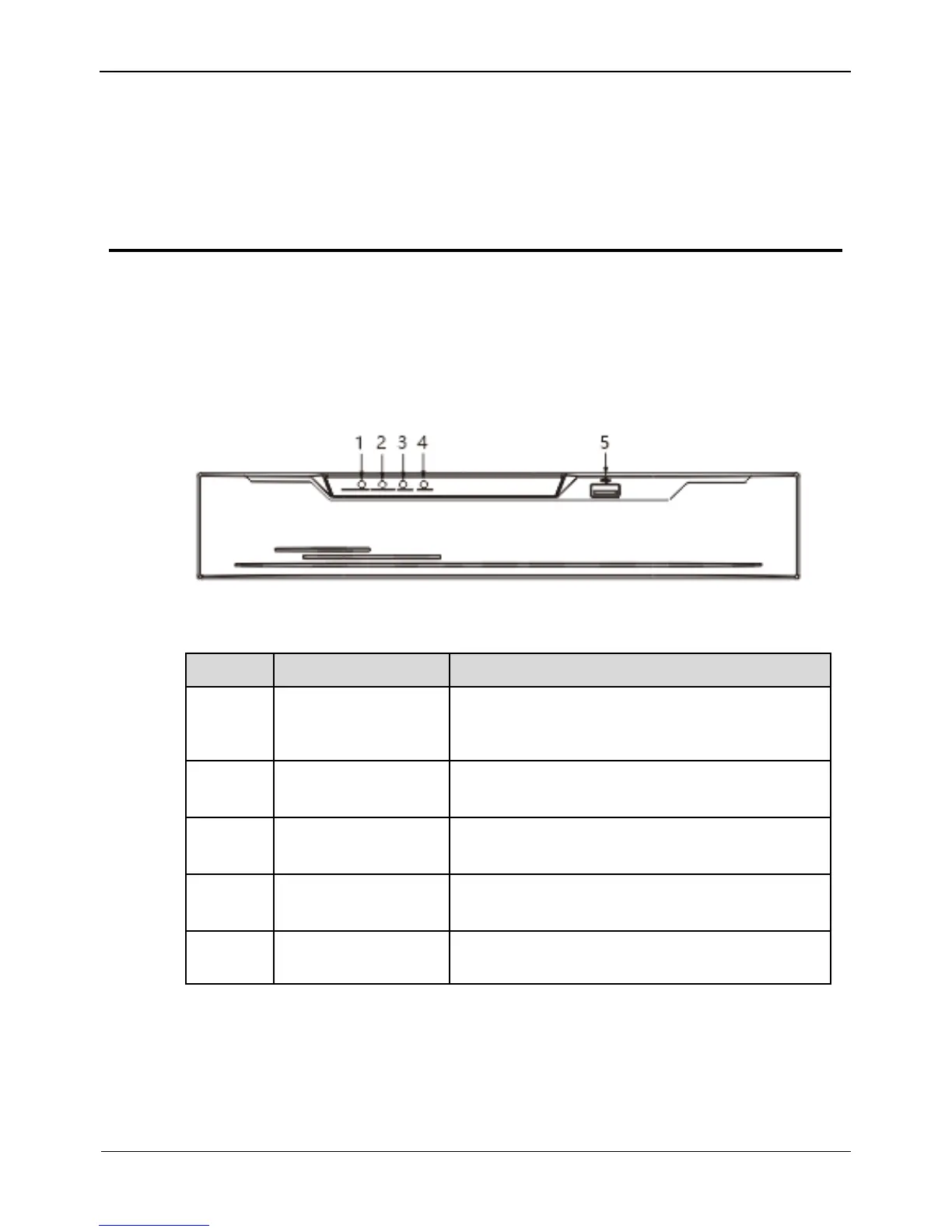
Figure 3-1 shows the front panel of DVR. Table 3-1 shows the description of front
panel.
Figure 3-1 Front panel
Table 3-1 Elements of the front panel
Power indicator, When DVR is operating, the
Power indicator is steady on. When DVR is
shut down, the PWR indicator is turned off.
Alarm indicator
This indicator flashes when alarm is transmitted
Record indicator
This indicator flashes when DVR is recording
Net indicator
This indicator flashes when DVR record
Supports connection to a USB mouse, a USB
flash drive or USB removable hard disk.
3.2 Rear panel
Figure 3-2 shows the rear panel of 0E-HD4C1TB and the interfaces on it.



 To Next Page