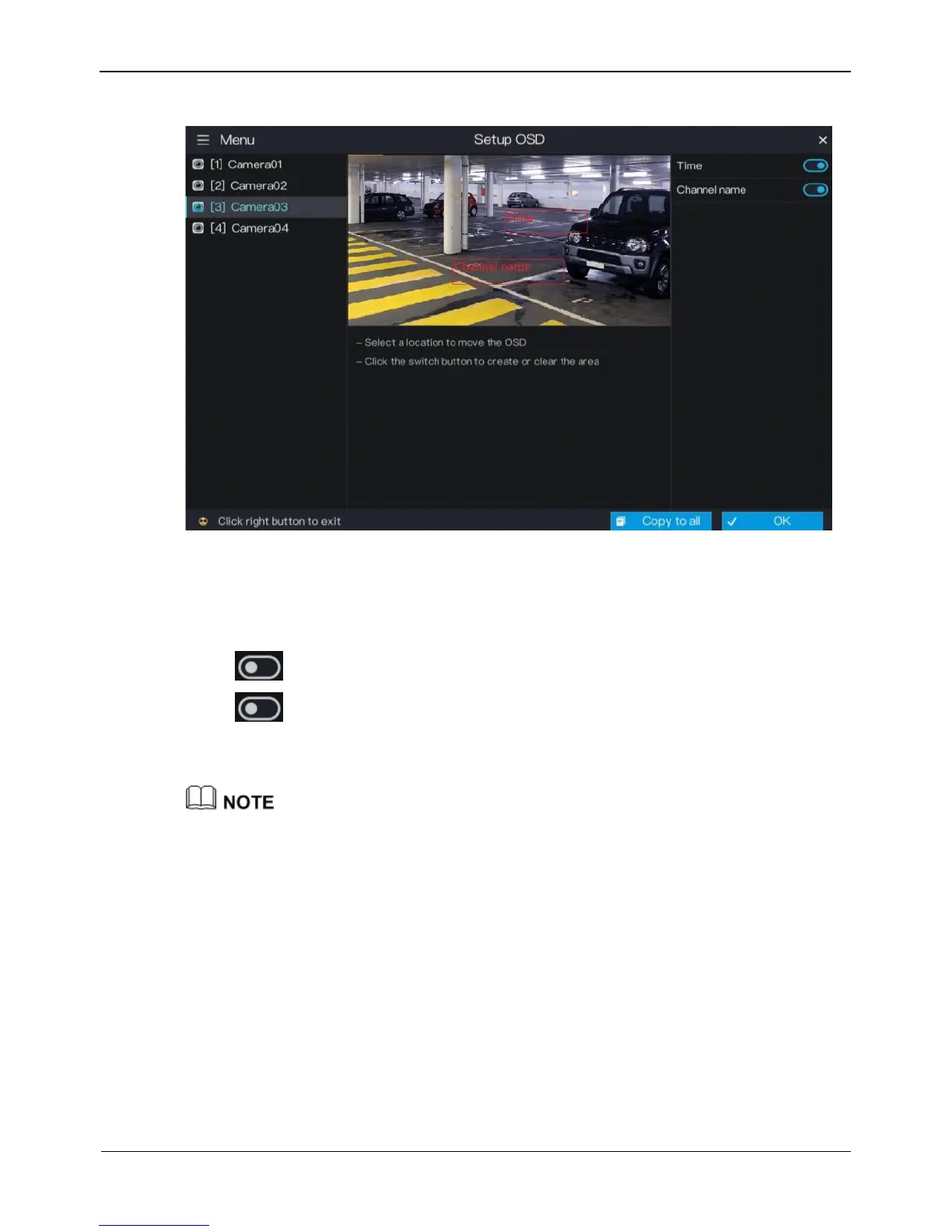
Figure 5-12 OSD setting screen
Operation Steps
Step 1 Select a camera in the camera list on the left side of the OSD setting screen.
Step 2 Click next to Time to enable or disenable OSD time setting.
Step 3 Click next to Channel to enable or disenable OSD channel setting.
Step 4 Click OK to save OSD settings or click Copy to all ,then click OK to apply the OSD
settings to cameras of all channels.
In the video window, click and drag time or channel to move to a location.



 To Next Page