Operation Steps
Step 2 Select a P.T.Z control type from the drop-down list box.
RS485: Use RS485 protocol to control analog high-speed domes and analog cameras
with Motorized zoom lenses.
Coaxial: Use coaxial protocol to control analog high-speed domes and analog cameras
with Motorized zoom lenses.
All: Math the RS485 or coaxial protocol automatically to control analog high-speed
domes and analog cameras with Motorized zoom lenses.
Step 3 Select a type of protocol from the drop-down list box.
Step 4 Set an address.
Step 5 Select a baud rate from the drop-down list box.
Step 6 Click OK to save P.T.Z setting or click cancel to cancel the P.T.Z setting.
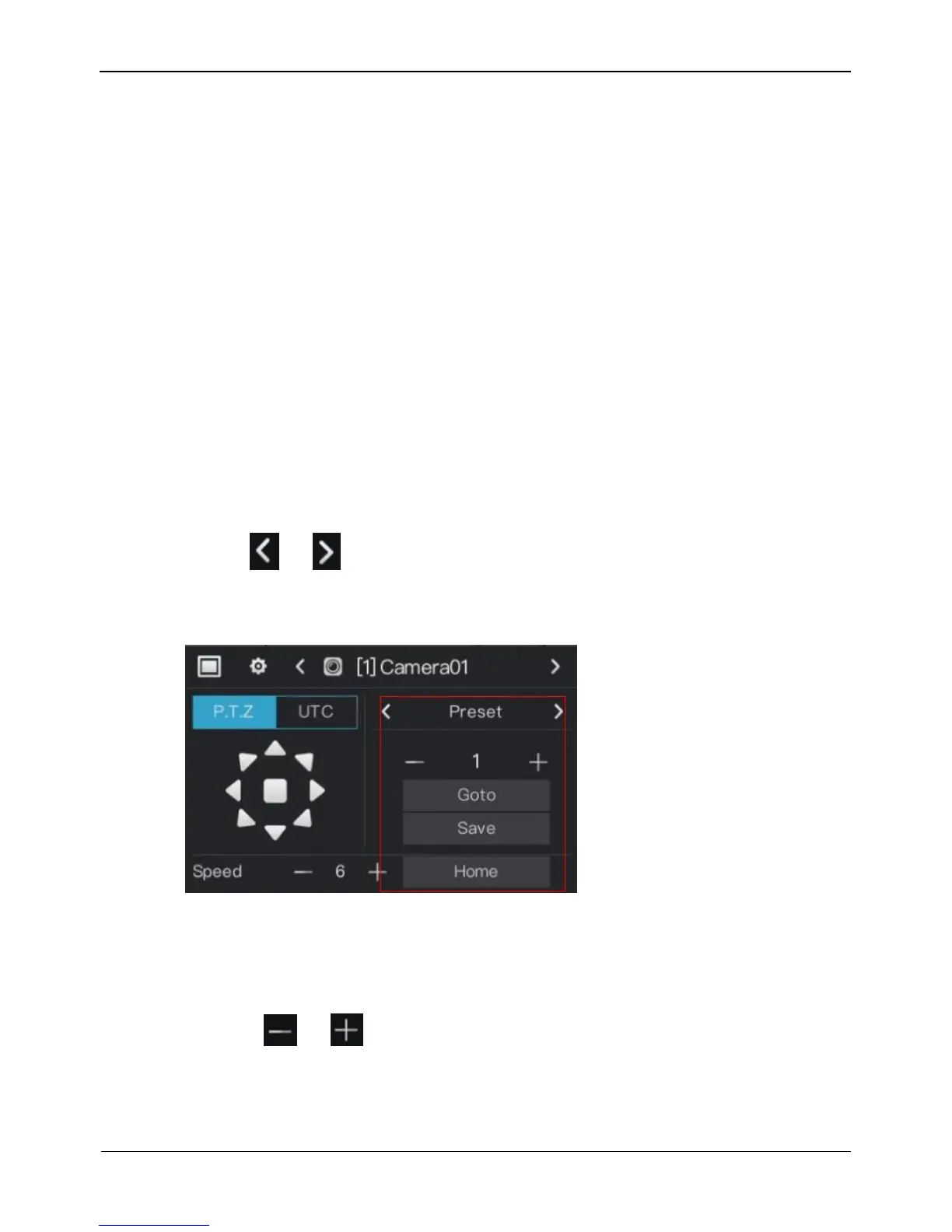
Preset
You can configure preset positions and quickly rotate the camera to a preset position by
invoking the preset position.
Click or of Advanced setting, the preset setting page is displayed, as the
red frame shown in Figure 4-7.
Figure 4-7 . PTZ setting
Operation Steps
Step 1 Set preset.
1. Click or to set the preset ID.
2. Click direction button to rotate the camera to a position and click Save to save the
preset.
Step 2 Invoke preset.



 To Next Page