Operation
7.5 Operating the lighting and signal system
118
Operator’s Manual | 4080T Basic Line | 1000408123 | 05/2019 | [en]
7.5.5
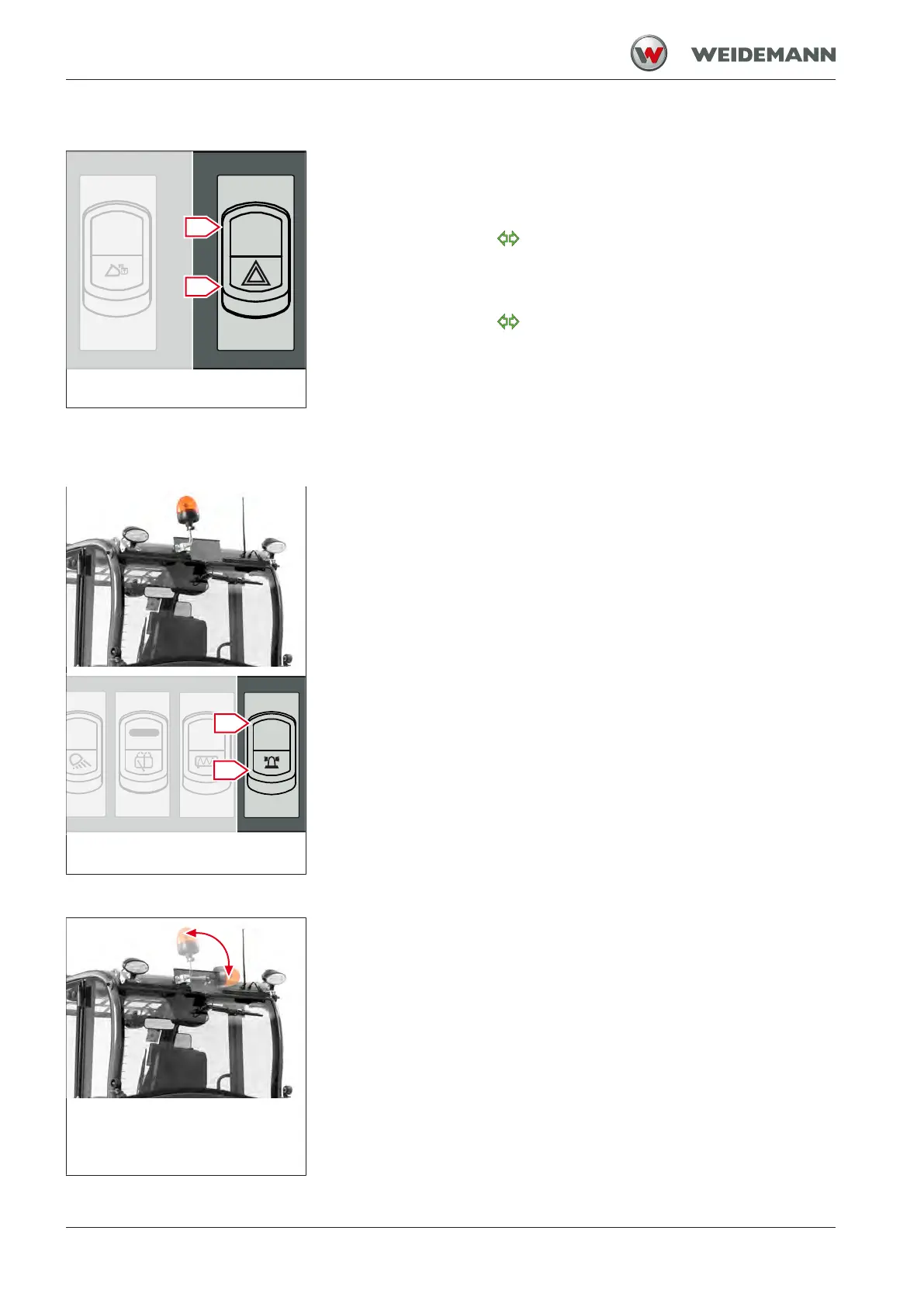
Operating the hazard warning system
Fig.97: Operating the hazard warn-
ing system
The switch for the hazard warning system is located in the instrument
panel. The switch has two switch positions.
▪ Move the switch to position I.
ð The control light
flashes.
ð Turn signal is activated on both sides.
▪ Move the switch to position 0.
ð The control light
does not flash.
ð Turn signal is deactivated on both sides.
7.5.6
Operating the rotating beacon
Fig.98: Operating the rotating
beacon
The rotating beacon is attached to the mounting provided for this pur-
pose. Use rotating beacon only in accordance with legal regulations!
Operate the rotating beacon with the switch shown. The switch has two
switch positions.
▪ Move the switch to position I.
ð Rotating beacon is switched on.
▪ Move the switch to position 0.
ð Rotating beacon is switched off.
Fig.99: Folding down the rotating
beacon
Folding down the rotating beacon
The rotating beacon can be folded down for low passages.



 To Next Page