Maintenance
9.8 Cleaning and maintaining vehicle
202
Operator’s Manual | 4080T Basic Line | 1000408123 | 05/2019 | [en]
9.8.2.2
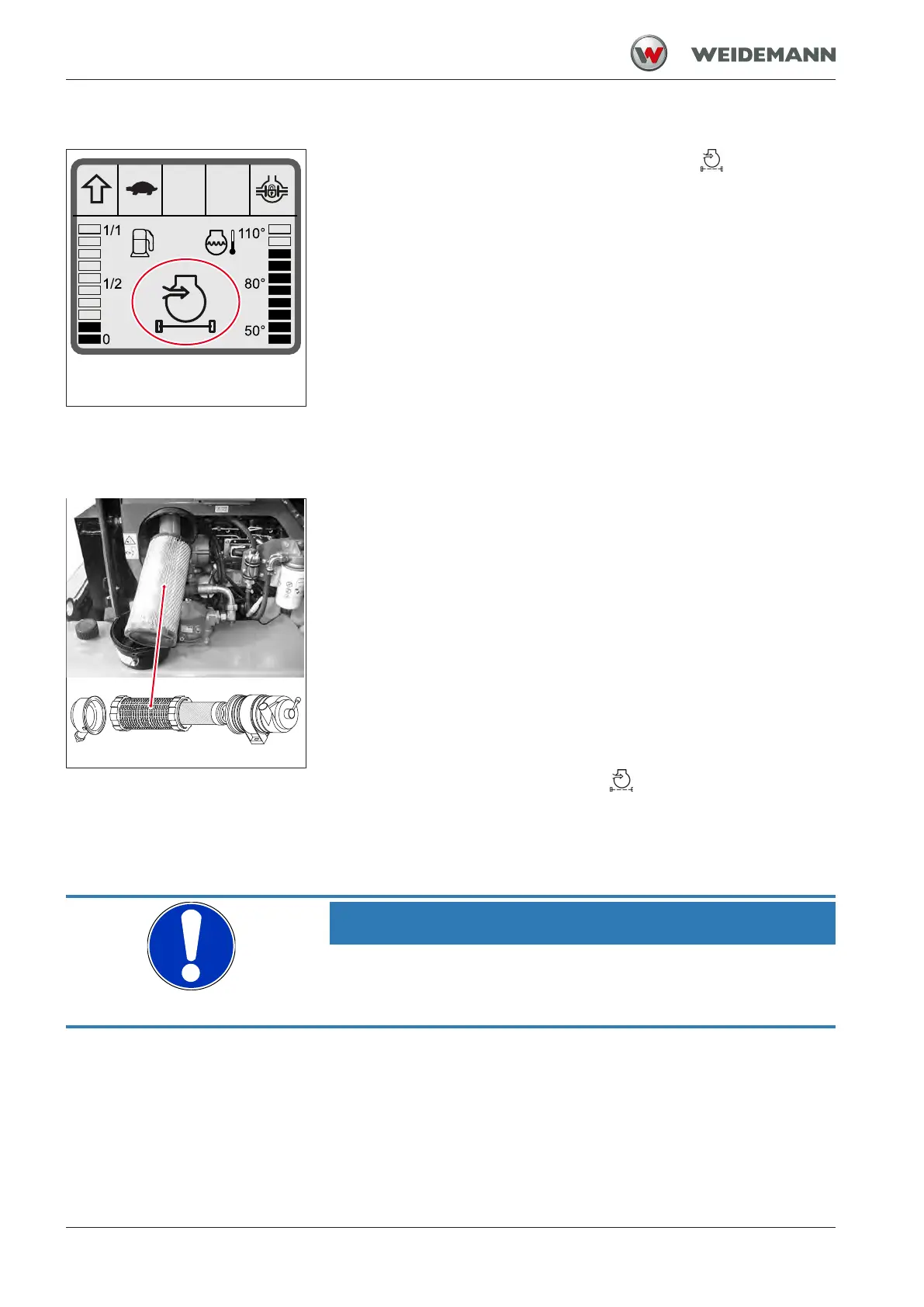
Maintenance display for air filter
Fig.196: Contaminant display of the
air filter
Clean or replace the engine air filter when the symbol
appears in the
display instrument between maintenance intervals.
9.8.2.3
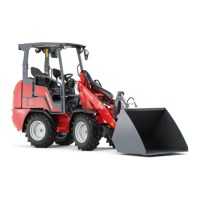
Removing and cleaning the main filter
Fig.197: Removing the main filter
Removing the main filter
ü Preparations for maintenance in the engine compartment were car-
ried out.
1. Remove the fasteners on the cover.
2. Remove the cover.
3. Pull out oil main filter.
ð The safety filter remains in the housing.
4. Clean the main filter by knocking it gently and blowing compressed
air from inside toward outside.
5. Replace the main filter if it is too dirty.
After cleaning the main filter, the symbol
on the display must not light
up when the engine is running. If this is still the case, replace the main fil-
ter.
9.8.2.4
Checking and replacing the safety filter
NOTICE
Technical damage from the incorrect assembly of the air filter!
► The safety filter must be firmly seated in the housing.
► Do not force the main filter into the housing.


 To Next Page