Description of the vehicle
5.3 Operating elements at the operator station
50
Operator’s Manual | 4080T Basic Line | 1000408123 | 05/2019 | [en]
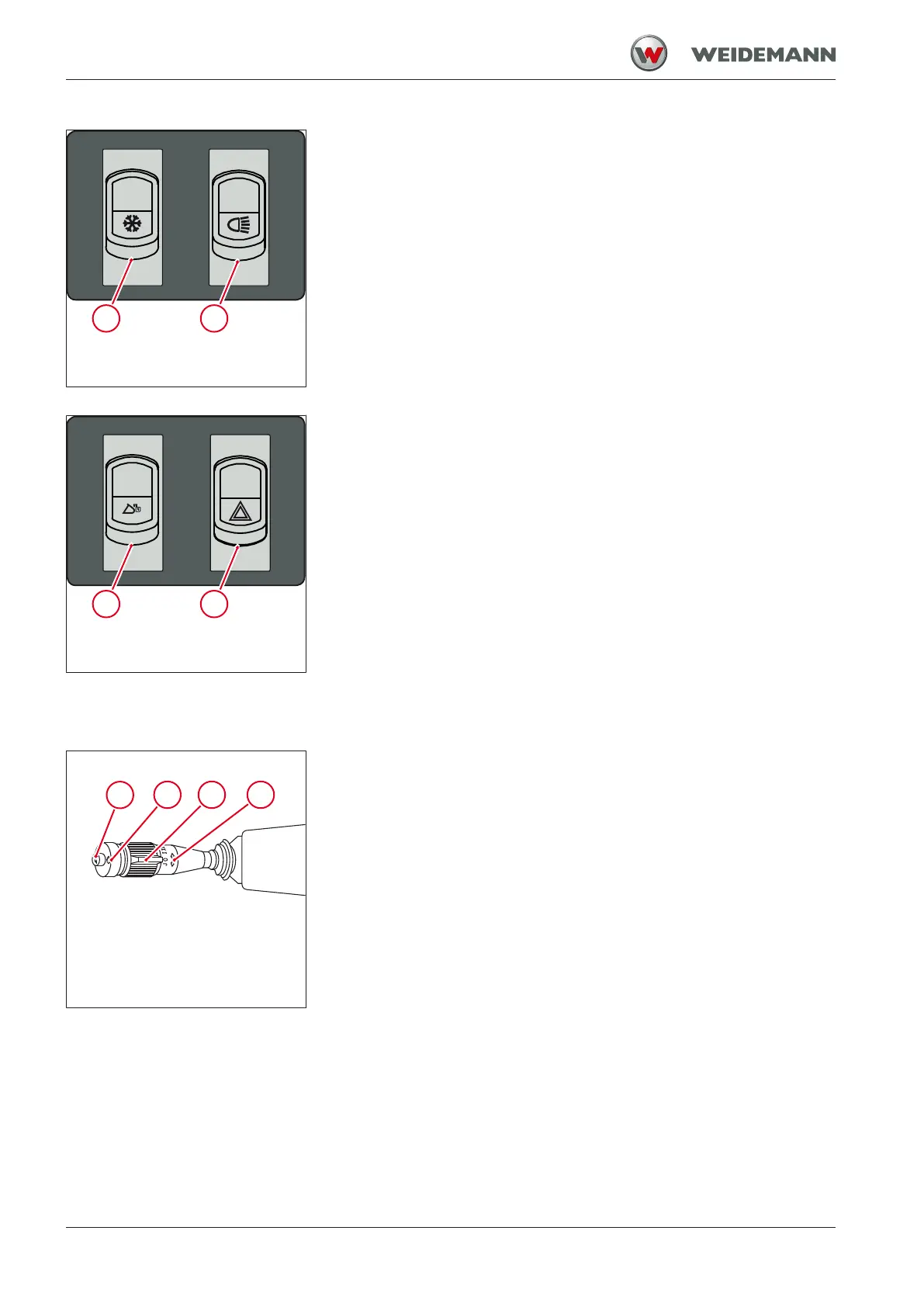
Fig.13: Switch panel 5 on instrument
panel
1 Switch for air conditioning system
2 Light switches
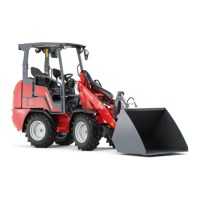
Fig.14: Switch panel 6 on instrument
panel
1 Switch for hydraulic lock
2 Switch for hazard warning system
5.3.5
Overview: Steering column switch
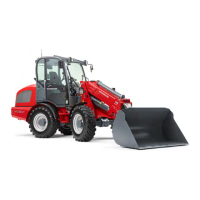
Fig.15: Functions of the steering
column switch
The steering column switch is located on the left of the steering column.
The following functions can be operated with the steering column switch:
1 Horn by pressing on switch
2 Washer system of the front window by pressing the switch
3 Window wiper of the front window by pressing the switch
4 Turn signal, by pushing lever forward/pulling backward
Switching between high beam/low beam by moving the lever up/
down


 To Next Page