4 Scan
104 Xerox 6204 Wide Format Solution
Scan
4
Creating & Deleting a Mailbox
This section describes the processes for creating and deleting mailboxes.
Creating a Mailbox ..........................................................................................................................104
Deleting a Mailbox...........................................................................................................................106
Creating a Mailbox
1
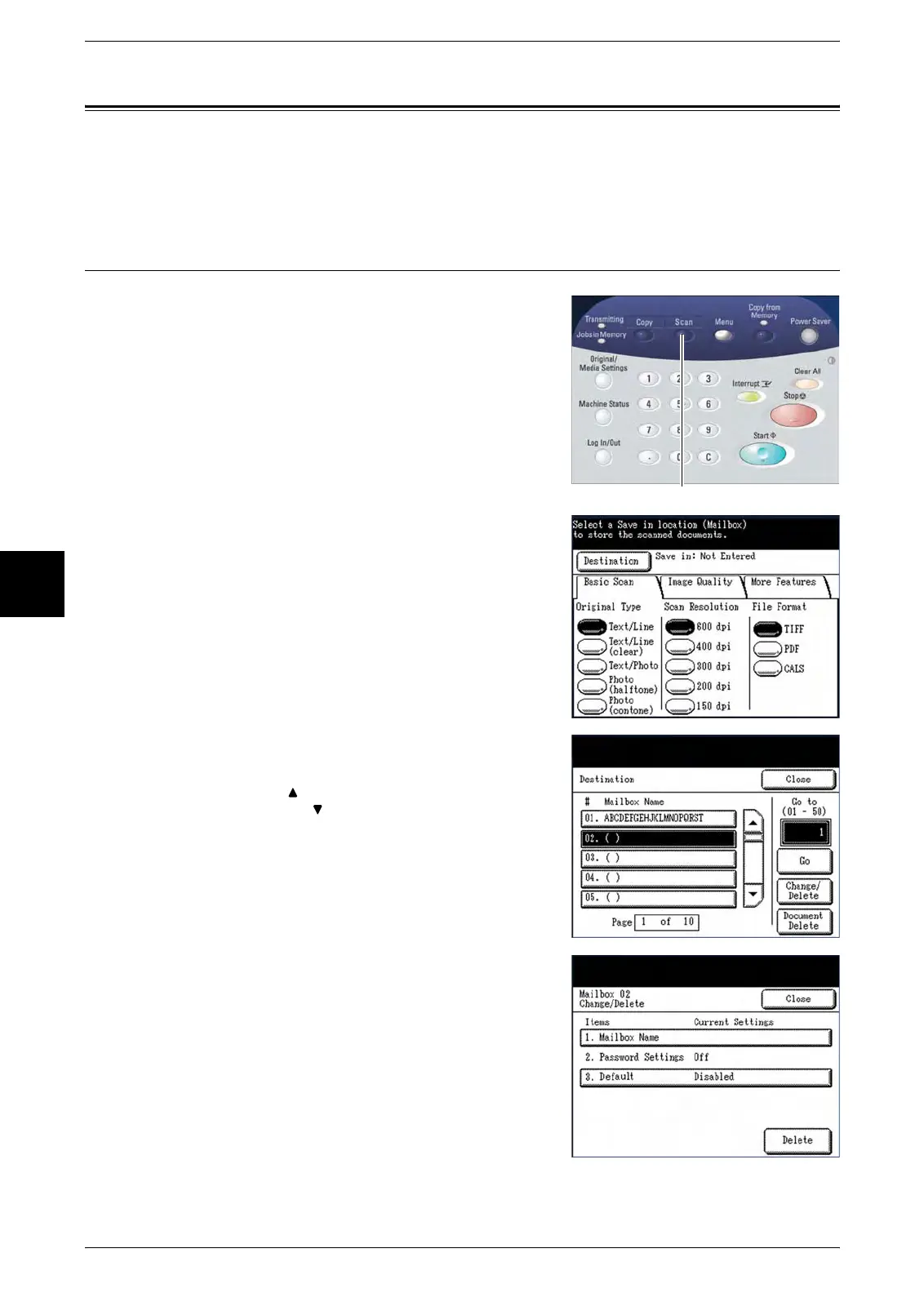
Press the <Scan> button, or select [Scan] on the
[Menu] screen.
The [Scan] screen will display.
2 Select [Destination].
The [Destination] screen will display.
3 Select a mailbox that is not in use, and then
select [Change/Delete].
Note: Select [ ] to display the previous five mailboxes
and select [ ] to display the next five mailboxes.
You also can access a Mailbox by using the numeric
keypad to enter the two-digit mailbox number in [Go
to], and then select the [Go] button.
The [Change/Delete] screen will display
4 Select [1. Mailbox Name].
The alphanumeric keyboard will display.
<Scan>


 To Next Page
 Loading...