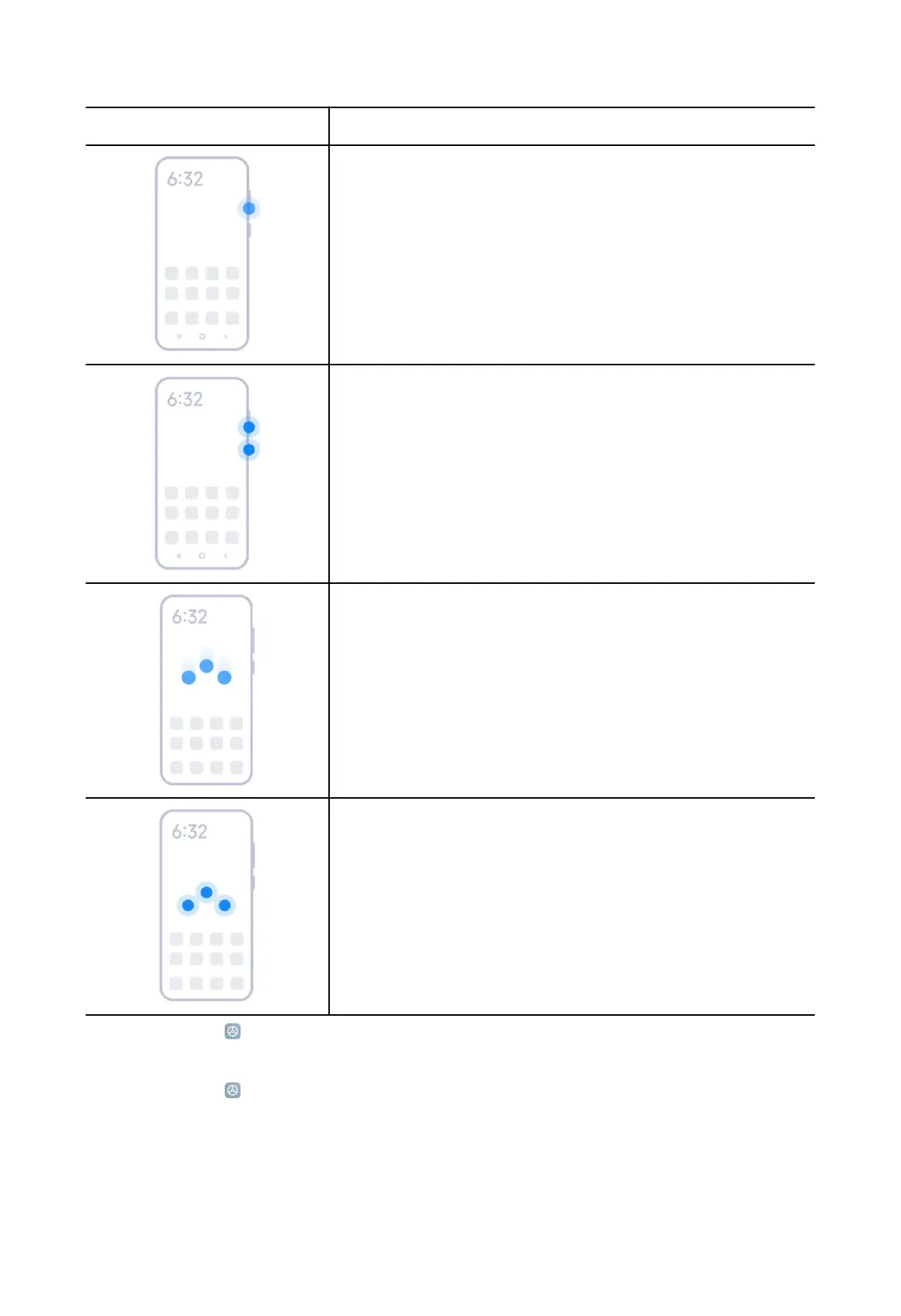
Gesture Description
Decrease the volume
Press the Volume down button.
Take a screenshot
Simultaneously press the Volume down button and
the Power button.
Take a screenshot *
Slide 3 fingers down.
Take a partial screenshot *
Press and hold with 3 fingers.
* You can go to Settings > Additional settings > Gesture shortcuts > Take a
screenshot to enable Slide 3 fingers down.
* You can go to
Settings > Additional settings > Gesture shortcuts > Partial
screenshot to enable Press and hold with 3 fingers.
6



 To Next Page