4. Swipe left or right to view other pictures or videos.
Manage videos
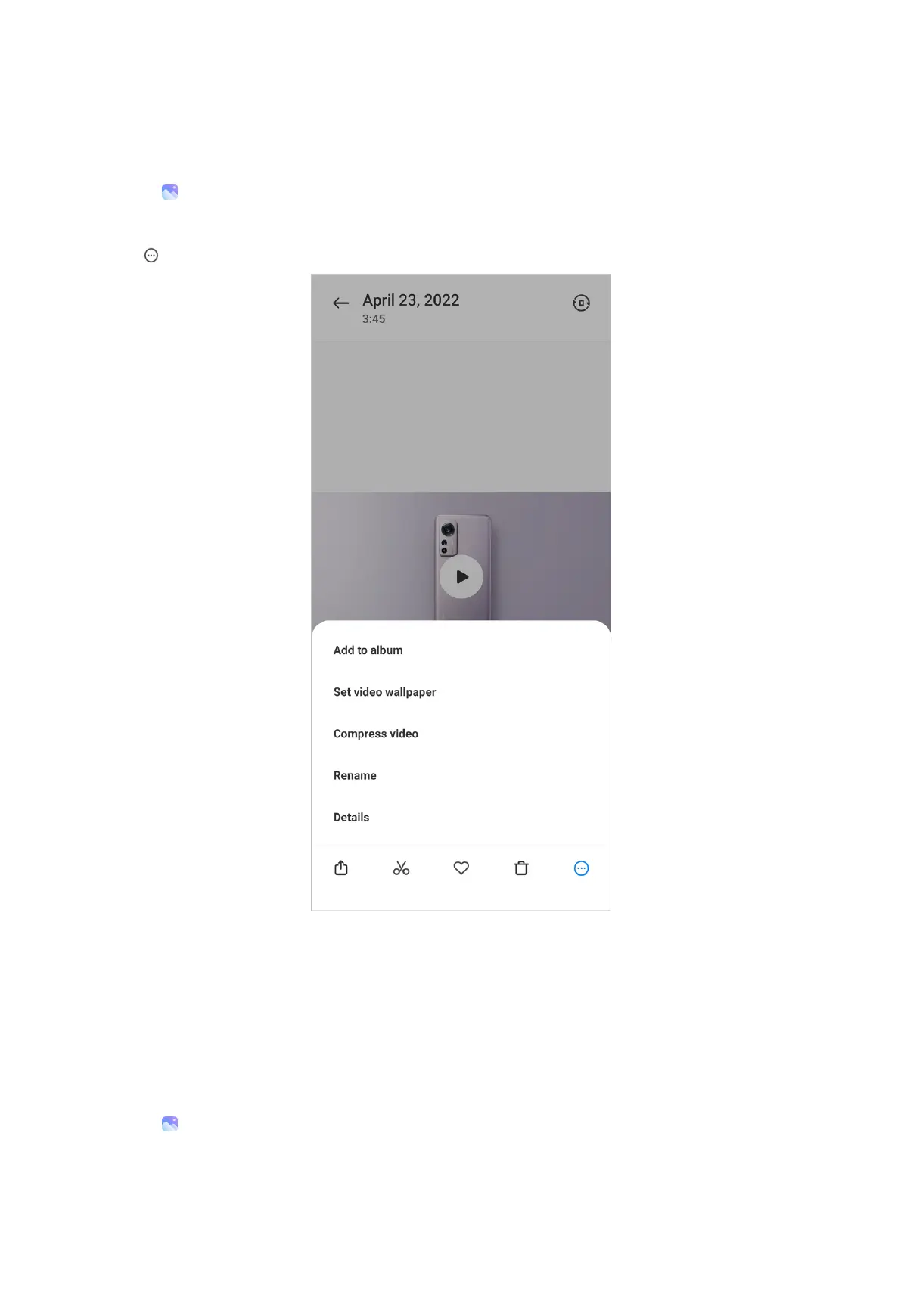
1. Go to Gallery > Photos.
2. Choose a video.
3. Tap
to manage the video.
• Tap Add to album to add the video to a private or new album.
• Tap Set video wallpaper to set the video as wallpaper.
• Tap Compress video to compress the video.
• Tap Rename to change the video name.
• Tap Details to view and edit information about the video.
Edit videos
1. Go to
Gallery > Photos.
98



 To Next Page