6.2 VLAN
6.2.1 Move to VLAN mode
[Syntax]
vlan database
[Input mode]
global configuration mode
[Description]
Moves to VLAN mode in order to make VLAN interface settings.
[Note]
To return from VLAN mode to global configuration mode, use the exit command. To return to priviledged EXEC mode, use the
end command.
[Example]
Move to VLAN mode.
SWR2311P(config)#vlan database
SWR2311P(config-vlan)#
6.2.2 Set VLAN interface
[Syntax]
vlan vlan-id
[name name] [state state]
no vlan vlan-id
[Keyword]
name : Specifies the name of the VLAN
state : Specifies the state of the VLAN
[Parameter]
vlan-id : <2-4094>
VLAN ID
name : Single-byte alphanumeric characters and single-byte symbols(32characters or less)
Name of the VLAN
state : Whether frame forwarding is enabled or disabled
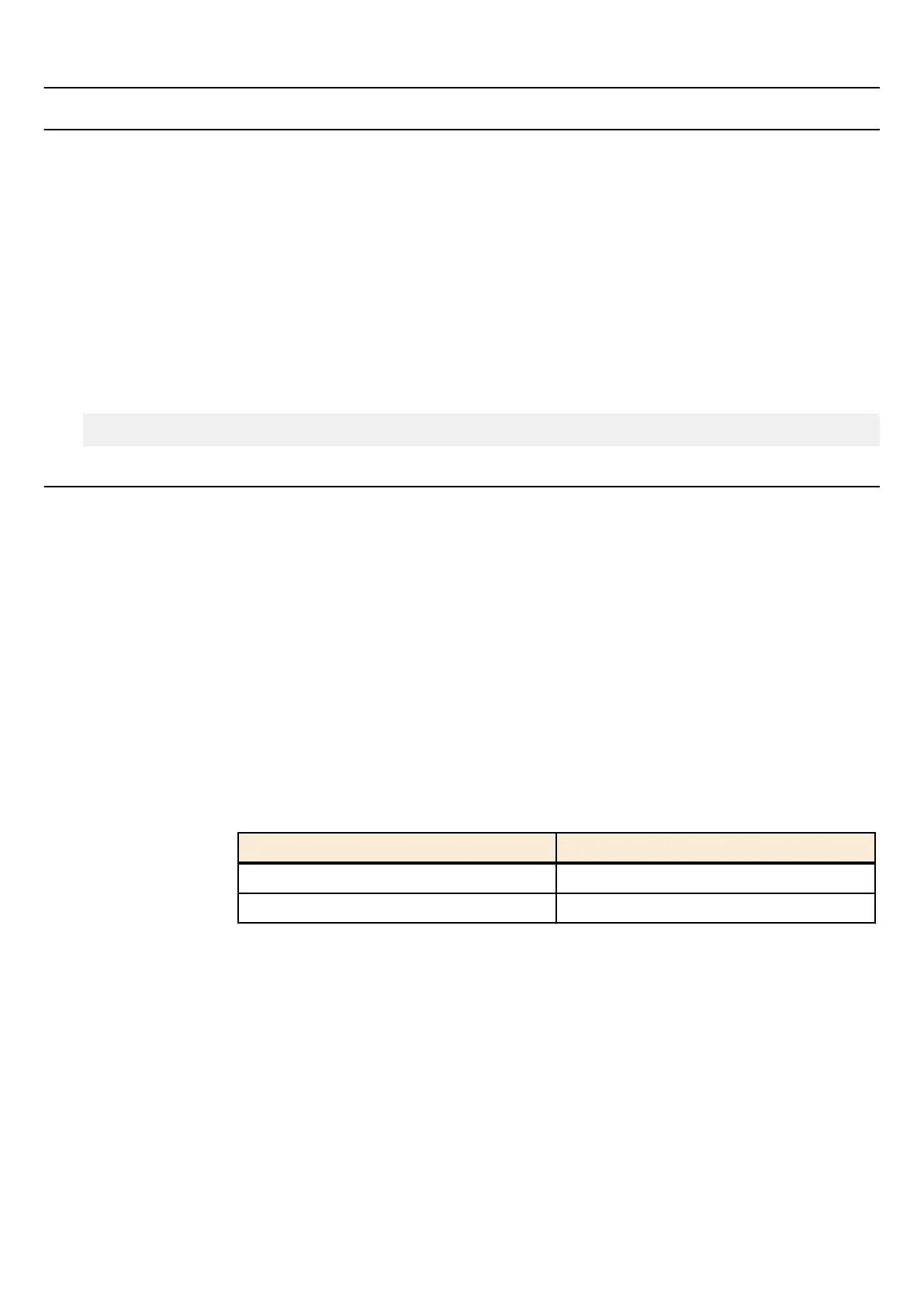
Setting value Description
enable Frames are forwarded
disable Frames are not forwarded
[Initial value]
none
[Input mode]
VLAN mode
[Description]
Sets the VLAN interface.
If this command is executed with the "no" syntax, the VLAN interface is deleted.
If "name" is omitted, the name of the VLAN is specified as "VLANxxxx" (xxxx is the four-digit VLAN ID).
If "state" is omitted, "enable" is specified.
If "disable" is specified, all settings of the VLAN interface are deleted.
[Note]
If this command is executed with "name" omitted for a VLAN ID for which name is already specified, the already-specified
name is not changed.
160 | Command Reference |
Layer 2 functions



 To Next Page