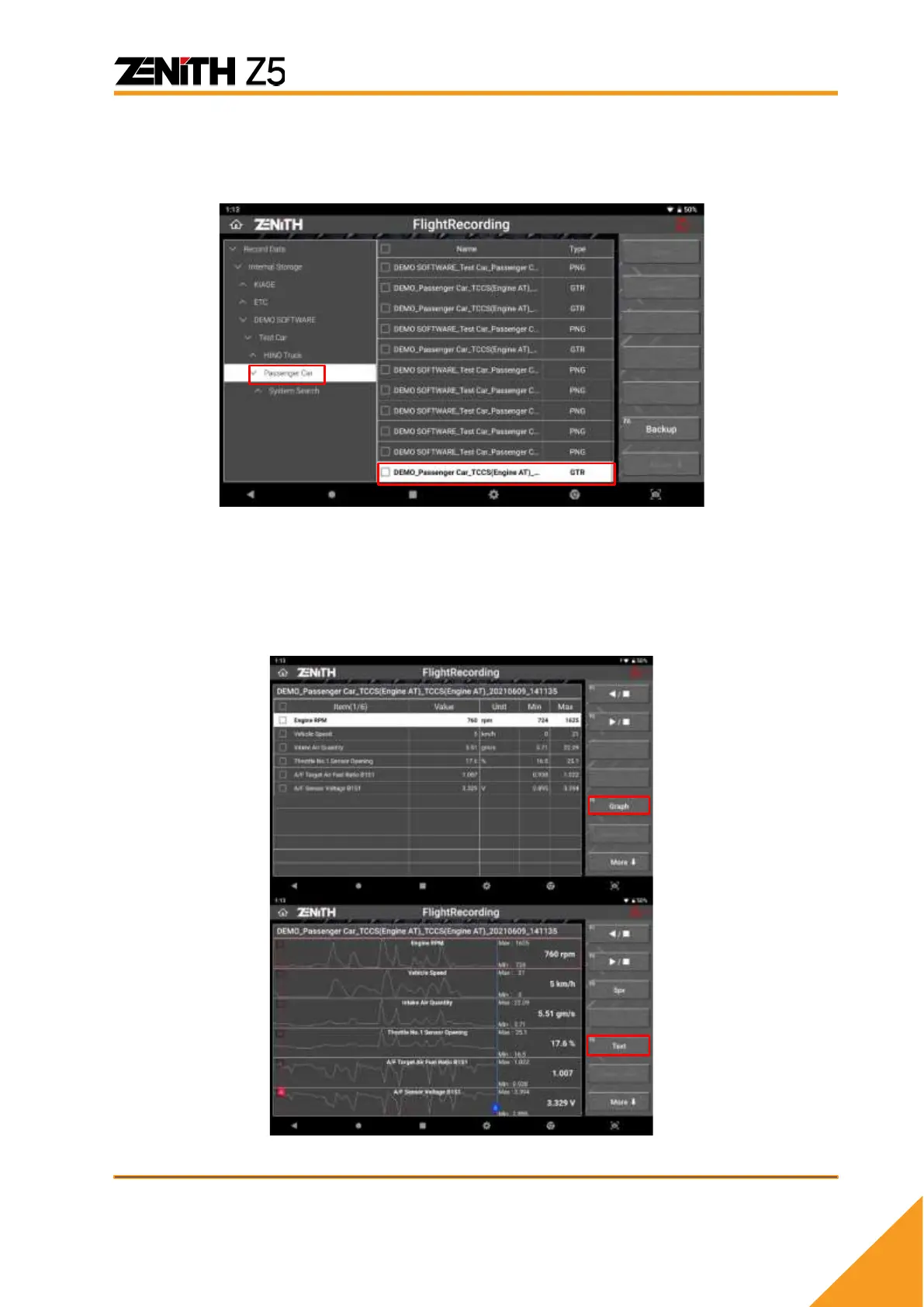
Under ‘Recorded Data’ and ‘Internal Storage’ folder located in left side of the screen, you will
find specific make folder that is created whenever you captured an image or recorded data
during diagnosis. Data recorded during [Data Analysis] is saved as ‘GTR’ format. Select the file
and select [OPEN] to view the data.
In order to print recorded data, you must switch to Spreadsheet format text mode by selecting
[GRAPH] firstly and then select [TEXT] as shown below images.
All recorded samples are displayed in sequence in Spreadsheet format. First column [No.]
represents number of frame and they are all displayed in the order of elapsed time from start
recording.



 To Next Page