Chapter 7. Configuring Your Controller
122 3ware Serial ATA RAID Controller User Guide
To use auto-carving
1 Enable the auto-carving feature. You can do so using 3DM, 3BM, or the
3ware CLI.
In 3DM, enable Auto-Carving at the bottom of the
Management >
Controller Settings
page.
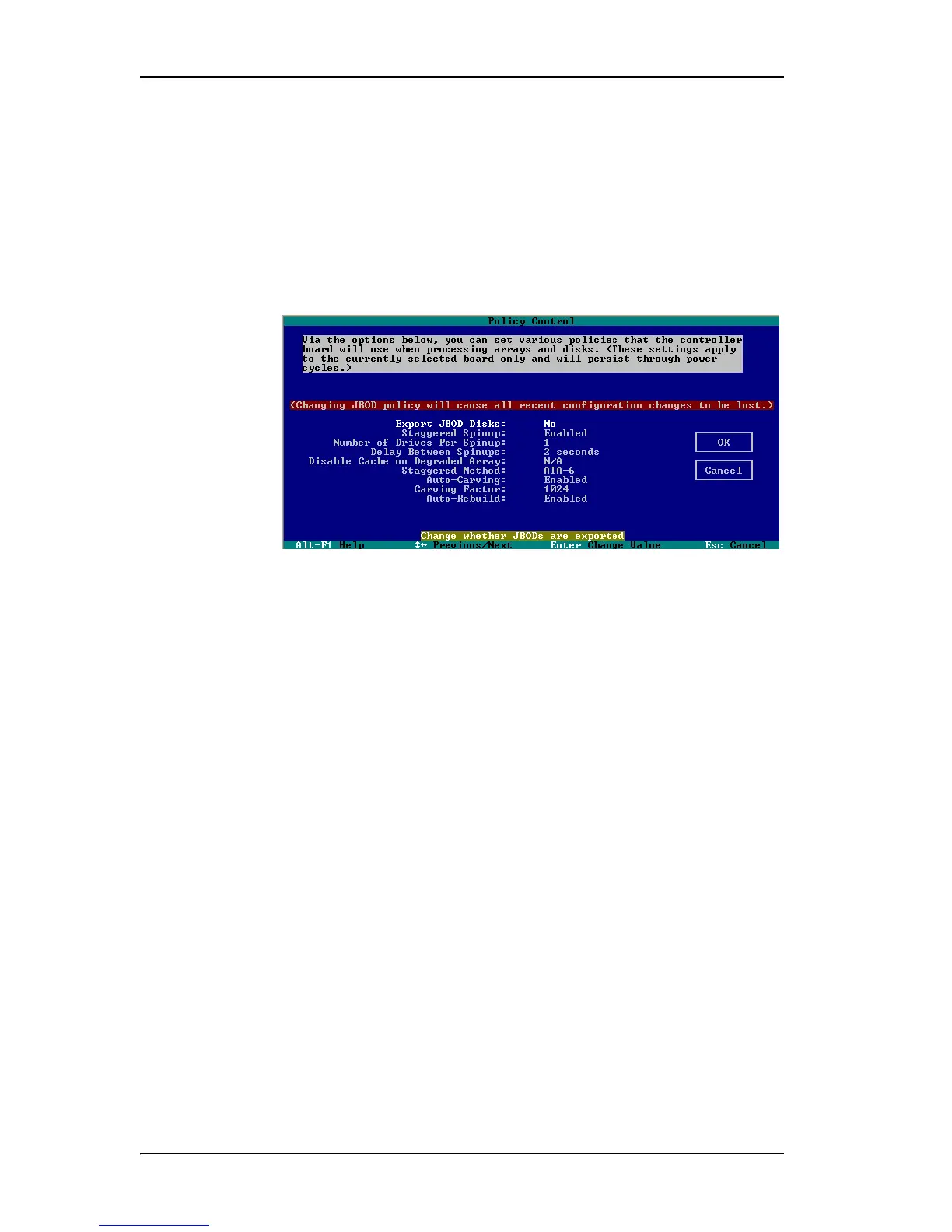
In 3BM, you enable Auto-Carving on the
Settings > Controller Policies
page.
Figure 51. Auto-Carve policy in 3BM
In CLI, use the command tw_cli /cx set autocarve=on. For more
information, see the 3ware 9000 Series Serial ATA RAID Controller CLI
Guide.
2 Create a new unit or migrate an existing unit to include the drives you
want to use.
With auto-carving enabled, if the combined capacity of the drives exceeds
the carve size, a number of volumes will be created. When the carve size
is the default of 2 TB, up to 8 individual 2 TB volumes will be created
from the unit.
For example, a 5 TB unit would become 3 volumes; two 2 TB volumes
and one 1 TB volume. (After creating as many volumes as possible of the
specified carve size, any remainder will create a final volume.)
3 Verify the creation of the volumes through 3DM 2 or the CLI.
In 3DM 2, the number of volumes is shown on the Unit Details page.
4 Verify that the volumes appear in the operating system. They will appear
as additional drives.



 To Next Page