Working with the 3DM Screens
www.3ware.com 77
3DM Menus
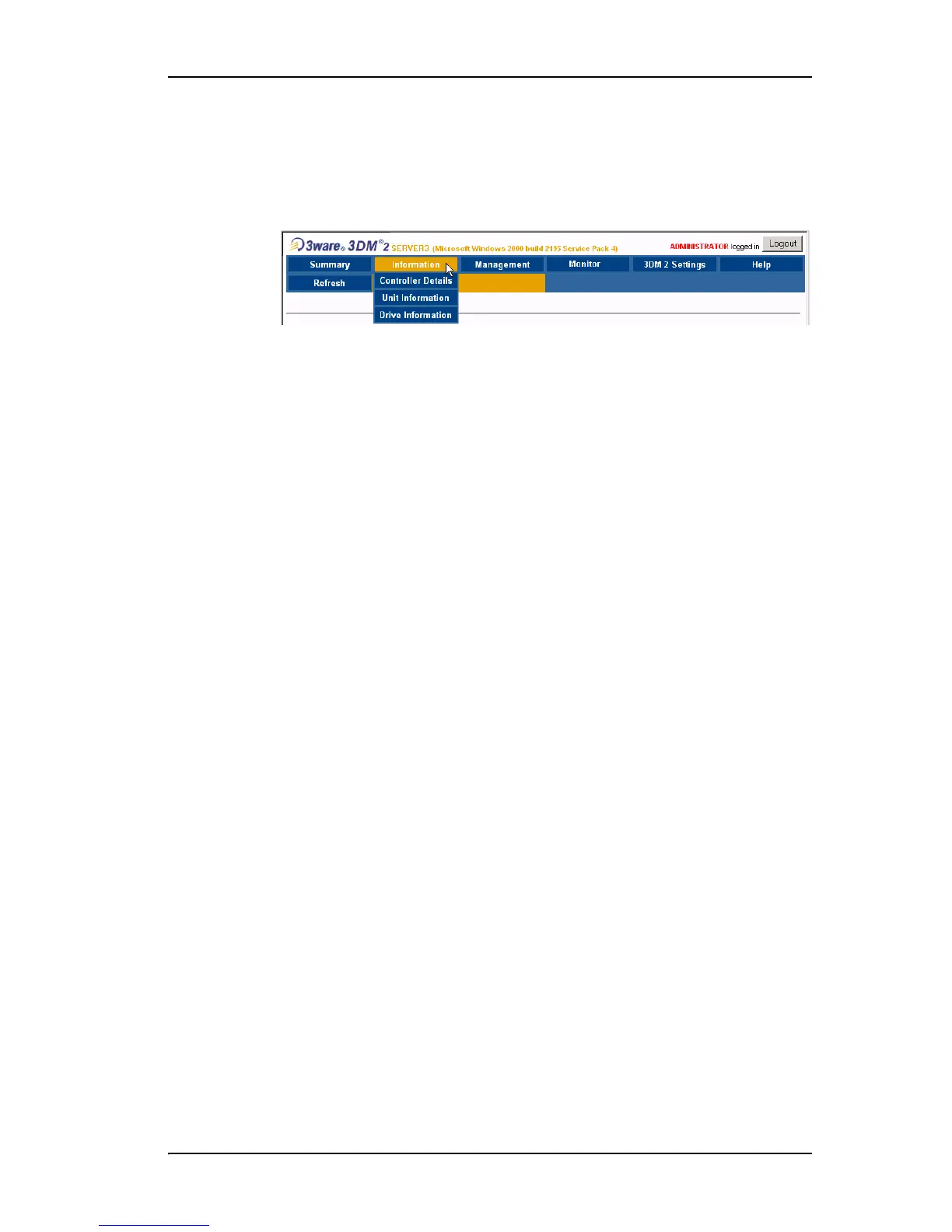
The 3DM menu bar groups access to a number of 3DM pages on menus, and
provides direct link access to others.
Figure 34. 3DM Menu Bar
Status information is available from the Information menu. You can view
controller, unit, and drive information for a particular controller.
The
Management menu gives you access to tasks used for managing
controller-level settings (background task rate, unit polices such as enabling
of unit write cache, and controller settings that affect all units managed by the
controller), tasks that can be scheduled (rebuild, verify, and self-test), and
maintenance of individual units. Unit configuration can also be done through
the Management > Maintenance page.
The
Monitor menu gives you access to the Alarms page and the BBU page.
The
Alarms page shows a list of alarms, including the specific alarm
message, and the exact date and time it occurred. The BBU page shows the
status of a Battery Backup Unit (BBU), if one is installed, and allows you to
test the battery.
The
3DM 2 Settings page lets you set preferences, including email
notification for alarms, passwords, page refresh frequency, whether remote
access is permitted, and the incoming port which 3DM will use for listening.
Help lets you access information about using 3DM, and provides access to an
electronic copy of this User Guide.



 To Next Page