Deleting a Unit
www.3ware.com 159
6 When a message asks you to confirm, click OK.
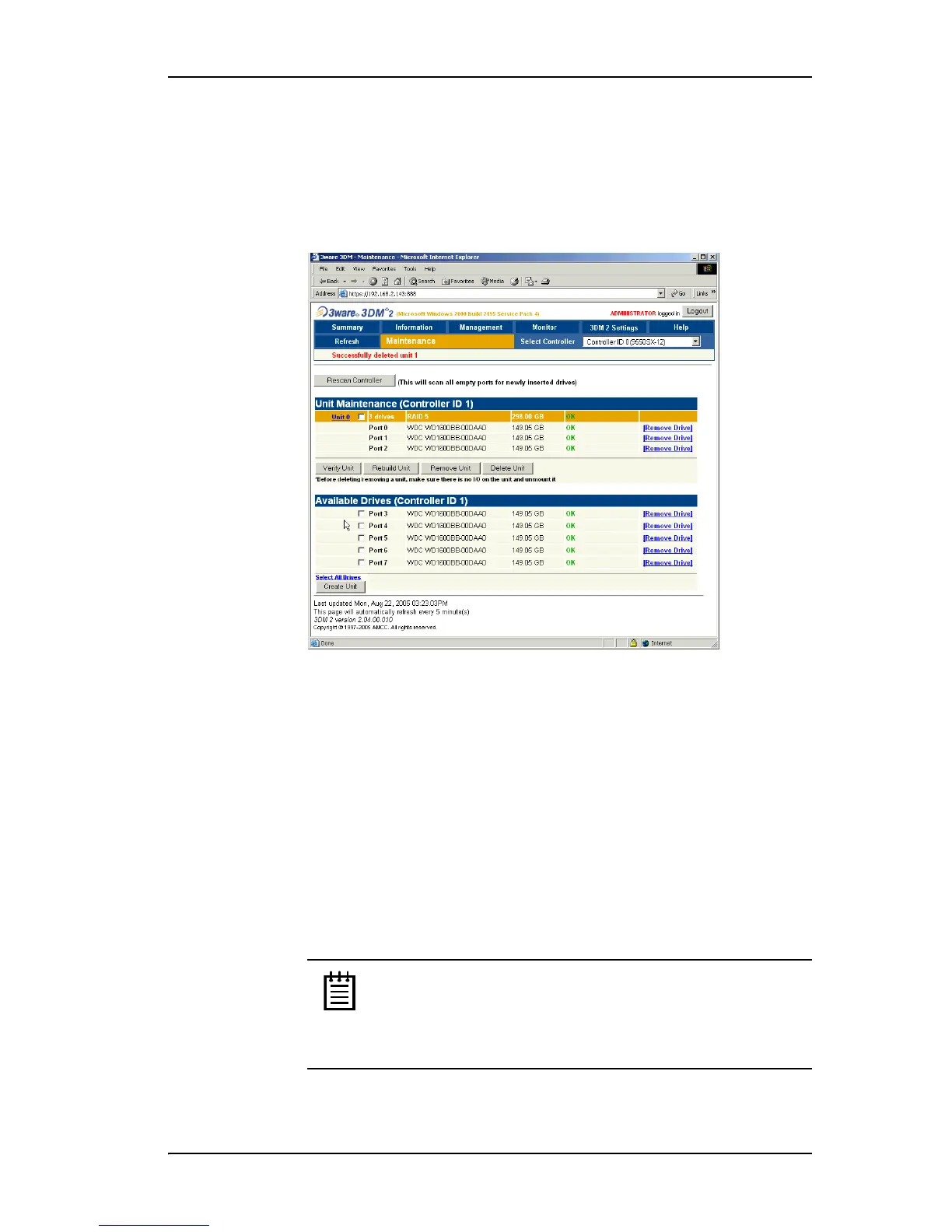
Configuration information associating the drives with the unit is deleted,
and the individual drives appear in the Available Drives list (Figure 66).
You can now use them as part of another unit, or designate them as
Spares, for use in a rebuild.
Figure 66. Unit Successfully Deleted through 3DM
Deleting a Unit through 3BM
In 3BM, the command for deleting a unit is on the main 3BM screen.
To delete a unit through 3BM
1 At the main 3BM screen, select the unit in the list of Exportable Units by
highlighting it and pressing
Enter or Space.
An asterisk appears in the left-most column to indicate that it is selected.
2
Tab to the Delete Unit button and press Enter.
Note: If you want to delete an incomplete drive or unusable
unit, or a drive that appears with a message such as
“Unsupported DCB,” select it in a similar manner and then
select
Delete Unit, even though it appears in the list
Incomplete Drives and Others.



 To Next Page