Chapter 5. 3ware BIOS Manager 2 (3BM 2)
58 3ware Serial ATA RAID Controller User Guide
Exception: Changes made to controller policies are saved when you leave the
Policy screen. Pressing F8 is not required to save those changes. For more
about changing policies, see “Viewing and Seting Controller Policies” on
page 117.
Working in the 3BM Screens
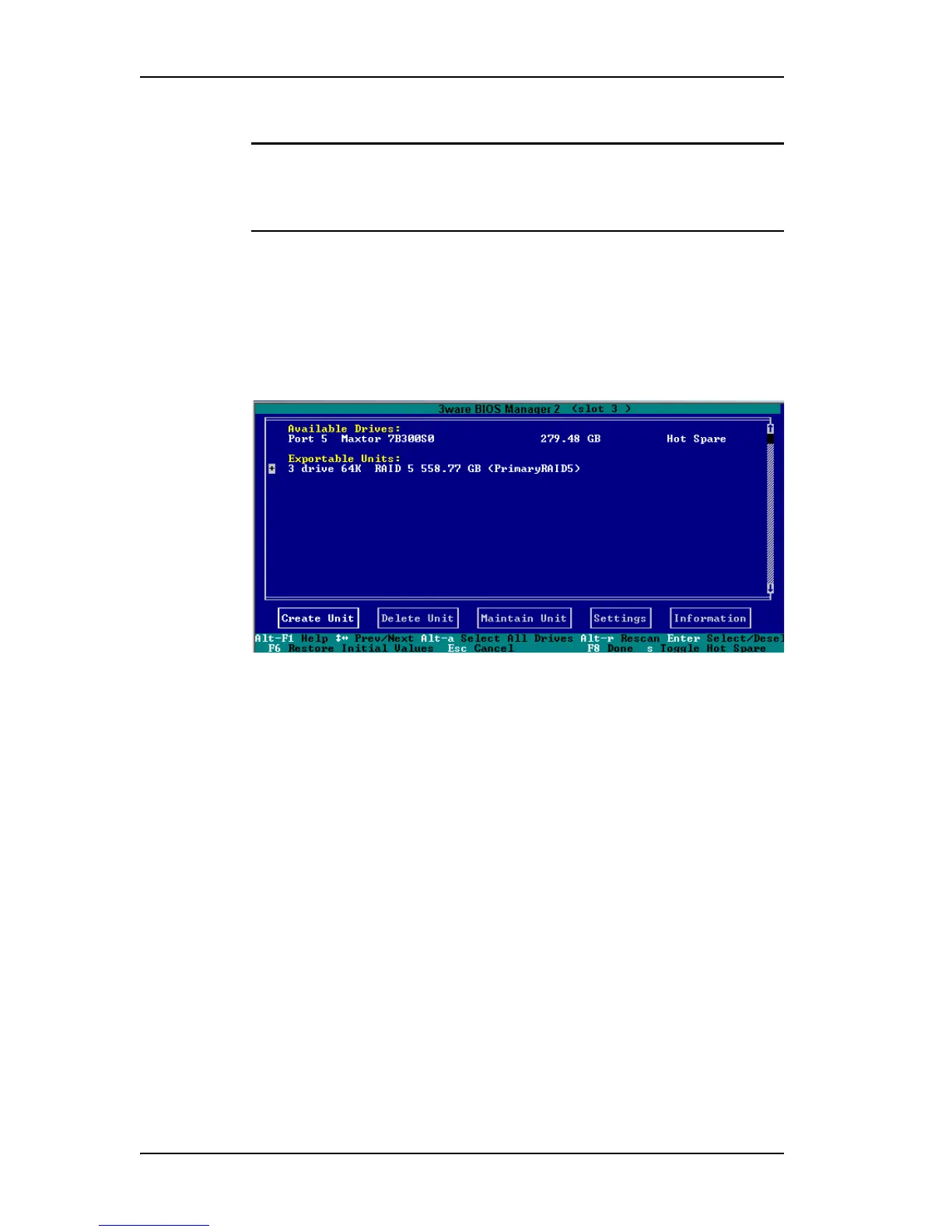
The main 3BM screen (Figure 27) shows the current configuration for the
drives attached to your controller, and a list of any available drives. Unusable
and incomplete drives are also shown.
Figure 27. 3BM Main Display
You will see one or more of the following sections in the main 3BM screen:
• Available Drives lists any unconfigured, independent drives (JBODs)
that are not associated with an array, and hot spares. If this section does
not appear, there are no available drives.
•Exportable Units lists the existing units, along with the drives contained
in each. These are the units that will be available to the operating system
when you boot your computer. If this section does not appear, no units
have been configured.
If you have more than one unit, the boot unit is the one at the top of the
list. (You can change the order by highlighting a unit and pressing the
PgUp or PgDn key.)
•Unusable Arrays lists any RAID configuration missing too many drives
to construct the unit. For example, a RAID 5 unit with two or more drives
missing would appear in this list.
• Incomplete Drives and Others lists drives that are remaining from a unit
with missing or failed drives, drives that are not usable, and drives that
were part of a unit on a 3ware 7000/8000-series controller, and contain



 To Next Page