Configuring a New Unit
www.3ware.com 133
The new unit will appear in the Unit Maintenance list at the top of the
page and the operating system will be notified of the new unit.
In Linux, a device node will now be associated with each unit created. In
Windows, the device manager will reflect the changes under the disk
drives icon.
10 Partition and format the unit. Steps will vary depending on the operating
system. For more information, see “Partitioning and Formatting Units” on
page 137.
11 Mount the new unit.
Note: For RAID 5 units with 5 or more disks, and RAID 50
units with subunits of 6 drives, initialization of the unit begins
immediately.
The unit can be used while it is initializing and is fault-tolerant.
12 Partition and format the unit. For details, see “Partitioning and Formatting
Units” on page 137.
Creating a Unit through 3BM
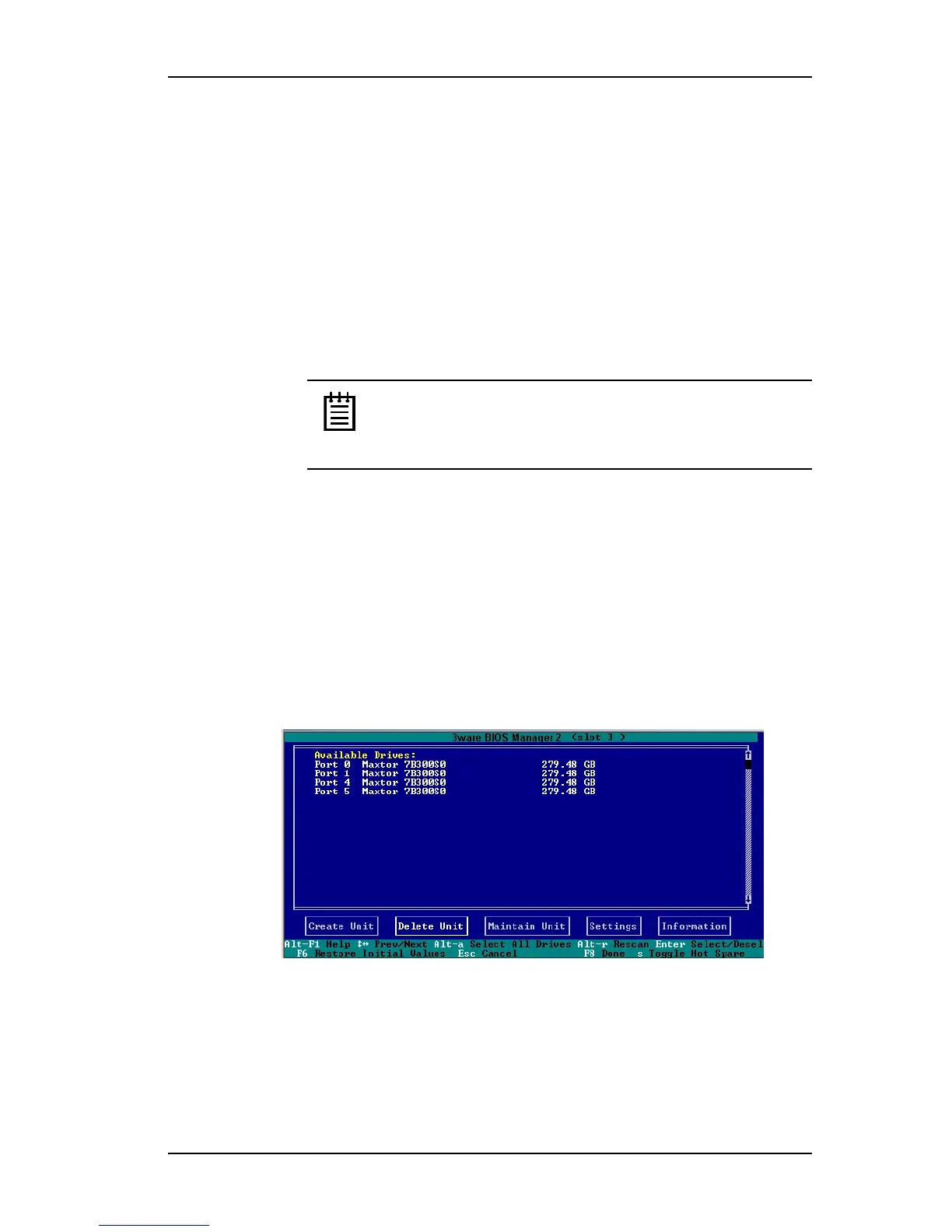
In 3BM, configuration tasks start from the main 3ware BIOS Manager screen
shown in Figure 55. From this screen you can configure new units, delete
existing ones, or perform maintenance tasks.
For information about working in 3BM, see “3ware BIOS Manager 2
(3BM 2)” on page 55.
Figure 55. 3BM Main Display
To create a unit through 3BM
1 At the main 3BM screen, select the drives to be included by highlighting
each one and pressing
Enter or Space to select it.



 To Next Page