Chapter 8. Configuring Units
132 3ware Serial ATA RAID Controller User Guide
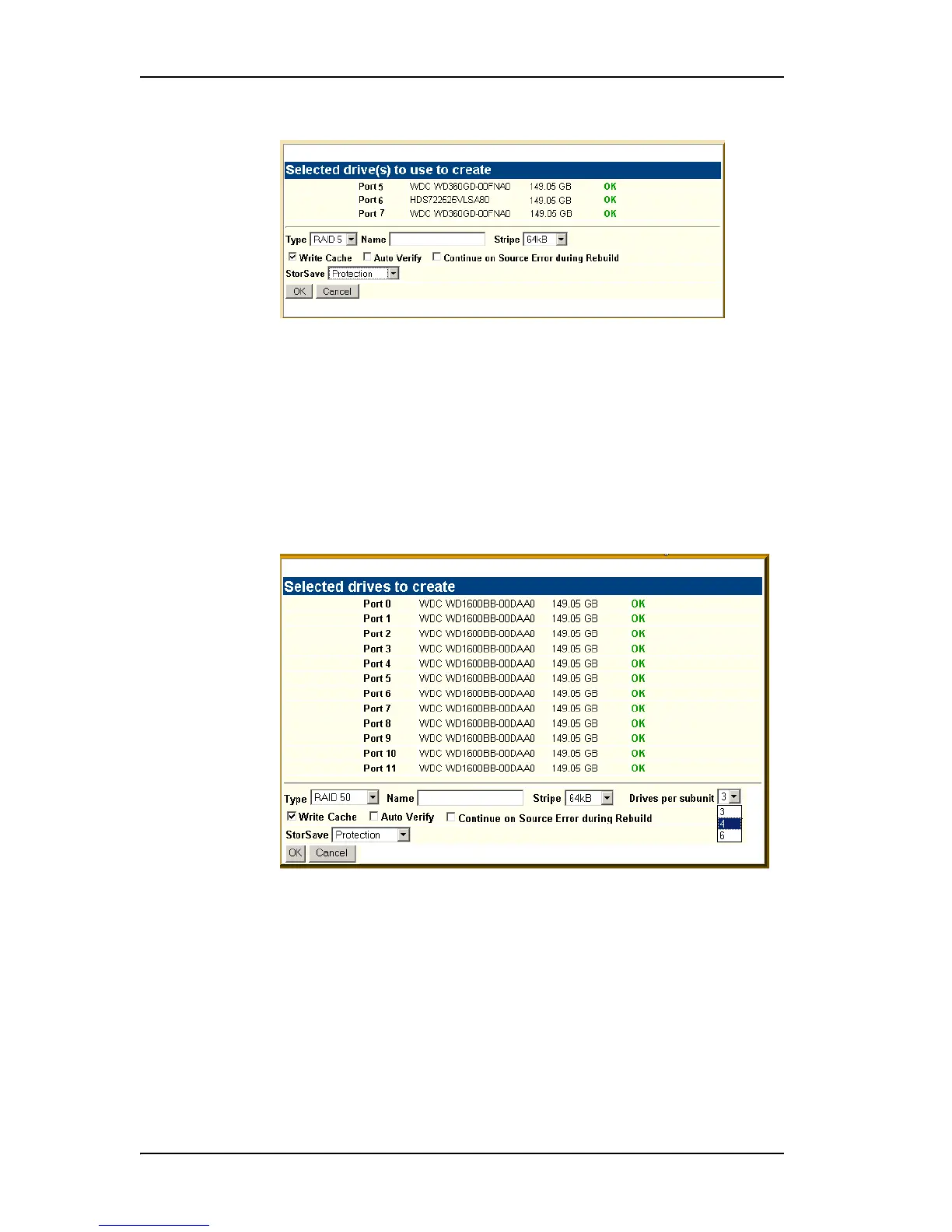
Figure 53. Configuring a Unit in 3DM
4 In the window, select the RAID configuration you want.
5 If stripe size applies to the RAID type you select, select a Stripe Size.
6 Optional: In the Name box, enter a name for the unit (up to 21 characters,
including dashes and underscores).
7 If you have 12 drives attached to the controller and selected RAID 50 as
the configuration in step 3, select whether you want 3, 4, or 6 Drives Per
Subunit, as shown here.
Figure 54. Configuring a RAID 50 with 12 Drives
8 Make changes to the unit policies, as desired. You can enable or disable
the Write Cache, Auto-Verify, and Continue on Source Error During
Rebuild. You can also set the StorSave policy.
For details about these settings, see “Configuration Options When
Creating a Unit” on page 128 and “Setting Unit Policies” on page 142.
9Click
OK.



 To Next Page