Changing An Existing Configuration
www.3ware.com 153
Warning: Never split a mirror into 2 single (identical) drives that
you are booted or mounted from. The file system on the second
drive will be left in an unclean state since any pending writes
cannot be completed after the split occurs.
Changing RAID Level
You can use migrate to change the RAID level of an existing unit while the
unit is online, without experiencing any data loss. When you change a RAID
level, you may also add one or more drives to the unit. You can also migrate to
change the unit's stripe size. For example, a four-drive RAID 5 with a 64KB
stripe size can be migrated to a four-drive RAID 5 with 256KB stripe size.
The steps below describe how to change a RAID level in 3DM2.
Note: Once migration starts, the unit stays in the migrating state
until the migration process is complete. The migration process
cannot be aborted, and must be allowed to finish before a rebuild or
verify to the unit is permitted.
Warning: It is important that you allow migration to complete
before adding to the unit. Making physical changes to the unit
during migration may cause the migration process to stop, and can
jeopardize the safety of your data.
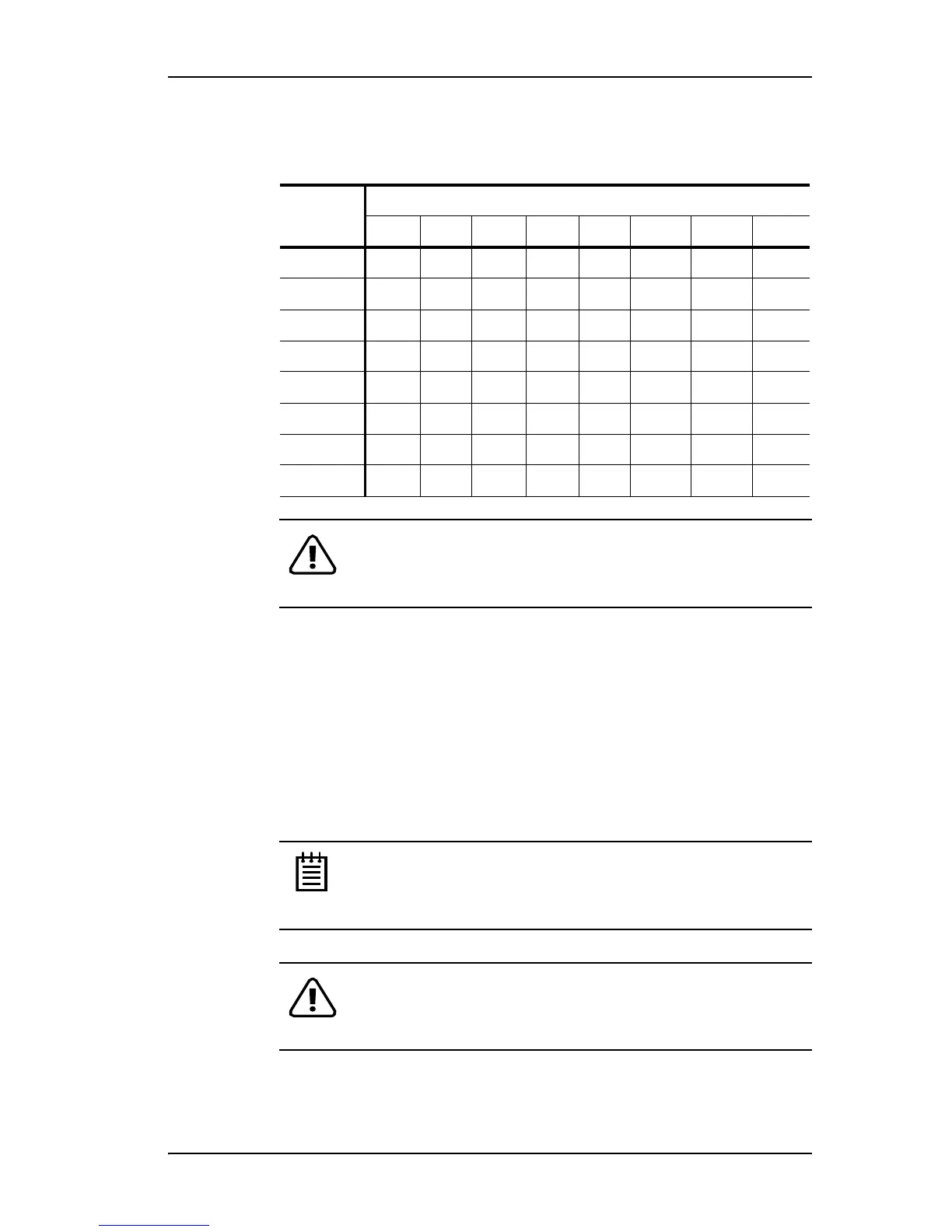
Table 9: Valid Migration Paths
Source
Destination
R0 R1 R5 R10 R50 Single JBOD Spare
R0
Yes No Yes Yes Yes No No No
R1
Yes No Yes Yes Yes Yes No No
R5
Yes No Yes Yes Yes No No No
R10
Yes No Yes Yes Yes No No No
R50
Yes No Yes Yes Yes No No No
Single
Yes Yes Yes Yes Yes No No No
JBOD
No No No No No No No No
Spare
No No No No No No No No



 To Next Page