3DM 2 Reference
www.3ware.com 89
Unit Details Page
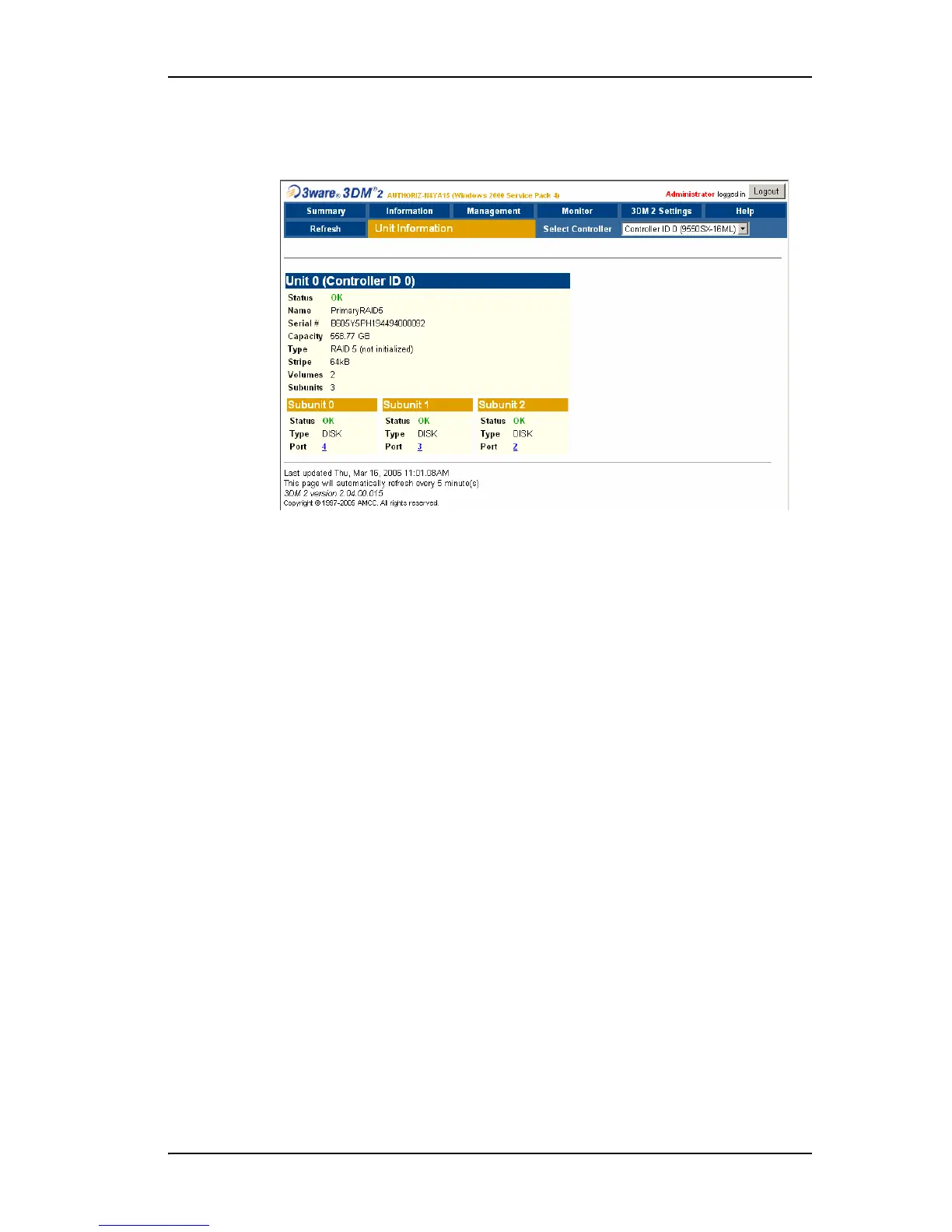
Figure 38. Unit Details Page
The Unit Details page appears when you click an ID number on the Unit
Information page. Because it is a sub-page of Unit Information, the page title
in the menu bar continues to display “Unit Information” even when you view
details of a unit. To return to the list of units, click
Unit Information in the
menu bar.
The Unit Details page shows details about a particular unit. The specific
information shown depends on what type of unit it is. For example, details
about a RAID 5 unit made up of three subunits, each of which contains one
drive, will include details about the unit and each subunit, as shown in
Figure 38. However, if the unit is a Single Disk, only information about one
disk will be shown.
Details on this page may include all or some of the following information
described below.
To see details about a particular drive, click the Port #. You’ll see a list of all
drives, with the drive you selected highlighted.
Status. The operational status of the unit or subunit: OK, Rebuilding,
Migrating, Initializing, Verifying, Degraded, or Inoperable (missing drives).
When a unit is Rebuilding, Initializing, or Verifying, the percentage (%)
complete is also shown.
Capacity. The total capacity of the unit (capacities of subunits are not shown).
Type. The type of unit or subunit. RAID 0, RAID 1, RAID 5, RAID 10, RAID
50, Single Disk, Spare, JBOD, or Disk



 To Next Page