Changing An Existing Configuration
www.3ware.com 151
Setting the StorSave Profile through 3BM
In 3BM, the StorSave Profile is set on the Configure Disk Array screen.
To set the StorSave Profile through 3BM
1 At the main 3BM screen, select the unit by highlighting it and pressing
Enter.
An asterisk appears in the left-most column to indicate that it is selected.
2 Tab to the
Maintain Unit button and press Enter.
3 On the pop-up menu, select
Configure and press Enter.
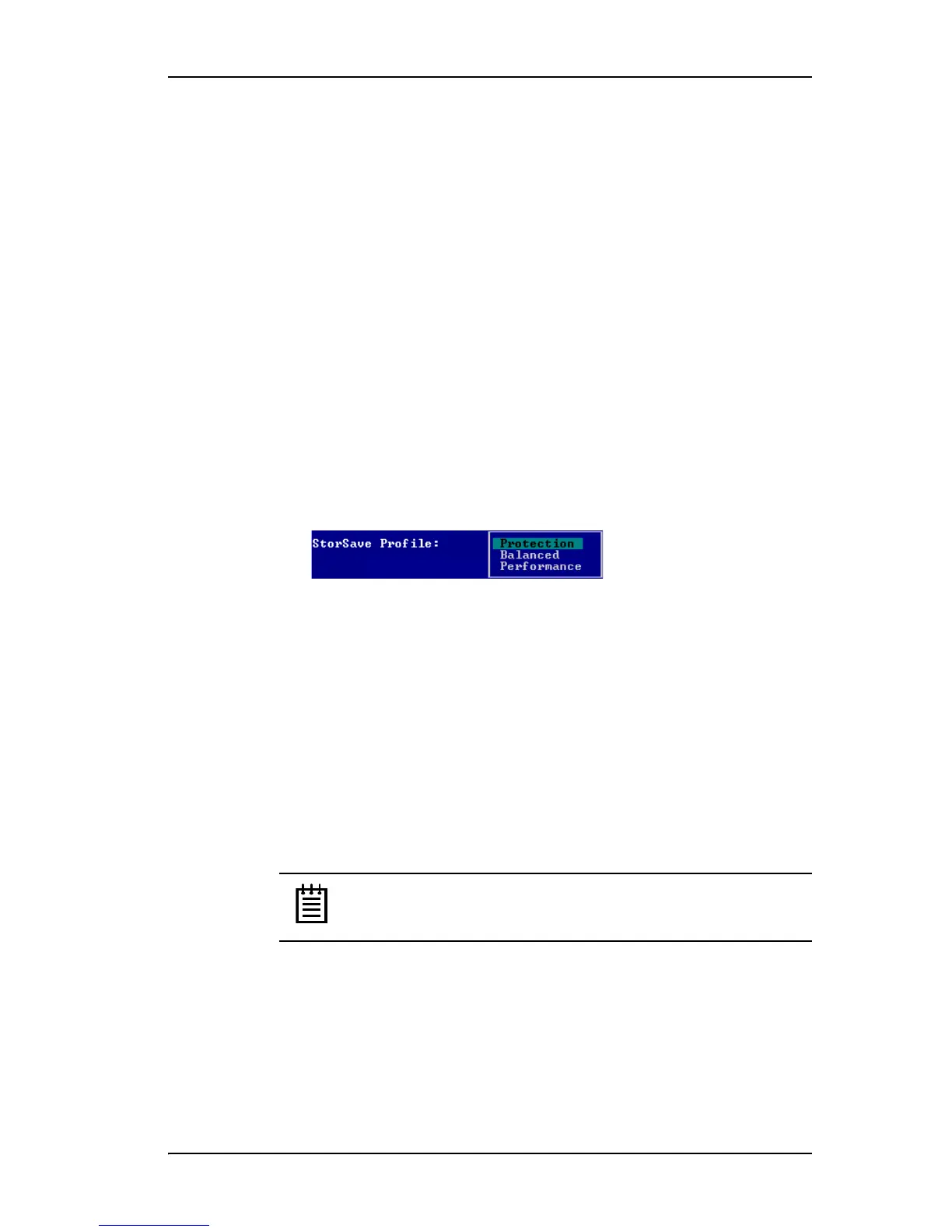
4In the Configure Disk Array screen, Tab to the field StorSave Profile.
The current setting—Protection, Balanced, or Performance—is shown.
(The default setting is Protection.)
5 Press
Enter to display the choices, use the arrow keys to select the setting
you want, and press
Enter again to choose it.
6
Tab to the OK button and press Enter to select it.
You return to the main 3BM screen.
7 When you are finished making changes, press
F8 to save them and exit
3BM.
Changing An Existing Configuration
With 3ware 9000 series RAID controllers you can convert one RAID
configuration into another while the unit is online. This process is known as
RAID Level Migration (RLM).
Note: Units on a 7xxx/8xxx series controller cannot be migrated.
You can use RAID Level Migration to make two main types of configuration
changes:
• RAID Level
• Unit Capacity Expansion
You can also use RLM to change the stripe size of a unit.



 To Next Page