EasyManua.ls Logo

ACO CDNP7ACC - User Manual

Default Icon
49 pages
Print Icon
To Next Page IconTo Next Page
Loading...
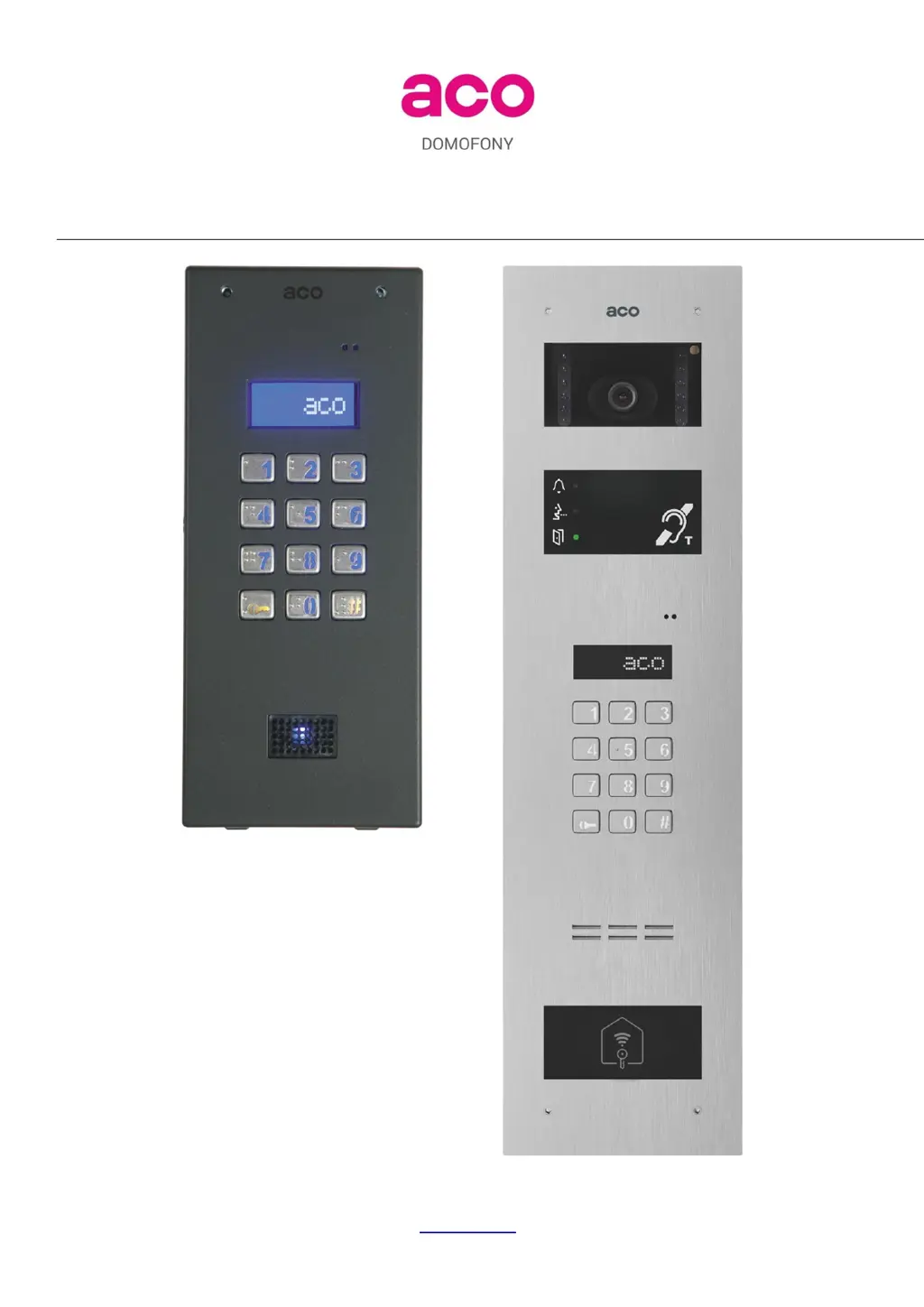
EXTENDED USER MANUAL OF CDNP7ACC AND INSPIRO+
DIGITAL DOOR ENTRY SYSTEMS
ACO Sp. z o.o. sp. komandytowa, 62-002 Suchy Las, ul. Diamentowa 7, tel./ fax 61 843 93 72
www.aco.com.pl

Table of Contents

Other manuals for ACO CDNP7ACC

Questions and Answers

  • M
    Mary WallaceAug 19, 2025
    What to do if ACO Intercom System displays "Call Service”?
    • E
      Erika Adams DVMAug 19, 2025
      If the ACO Intercom System displays the message "Call Service", it indicates that the data in the unit's memory is corrupted. To resolve this, try restoring the factory settings. If resetting to factory settings doesn't work, you should contact service staff.
  • D
    Dr. Terrence Maxwell MDAug 21, 2025
    How to fix ACO CDNP7ACC Intercom System when display and keypad won’t work?
    • J
      jasonchaseAug 21, 2025
      If your ACO Intercom System's display and keypad aren't working, first check the power supply. Turn the power off for about 15 seconds, then turn it back on. If the problem persists, notify the maintenance staff.
  • E
    Eric EwingAug 23, 2025
    What to do if ACO Intercom System signals door opening but E-lock won’t work?
    • J
      James HoweAug 25, 2025
      If the ACO Intercom System signals door opening but the E-lock doesn’t work, check the E-lock and its connections. Also, verify that the supply voltage during door opening doesn't drop below 12VAC / 15VDC.
  • J
    Jeffrey RogersAug 26, 2025
    How to stop squeaking sound during connection with the receiver in ACO CDNP7ACC?
    • L
      Logan FernandezAug 26, 2025
      If you hear a squeaking sound during a connection with the receiver on your ACO Intercom System, adjust the microphone and speaker volume and balance using setting XI.
  • J
    Jason WaltersAug 28, 2025
    What does "LineEr" mean on ACO CDNP7ACC?
    • L
      Leslie SantosAug 28, 2025
      If your ACO Intercom System shows the message "LineEr", it means there's a short-circuit on the uniphone line (LINE+) to ground (correct line voltage - approximately 9V). Remove the short circuit. If the message persists after disconnecting the unit from the uniphone line, notify the maintenance staff.
  • T
    Theresa TurnerAug 30, 2025
    What does "LineEr" and bright display backlight mean on ACO CDNP7ACC?
    • J
      Jessica BaileyAug 30, 2025
      If the ACO Intercom System displays the message "LineEr" and the display backlight is bright, it indicates a short-circuit of the uniphone line (LINE+) to more than 11V (correct line voltage - approximately 9V). Remove the short circuit. If "LineEr" is still on upon disconnecting the unit from the uniphone line, notify the maintenance staff.
  • S
    spencer13Sep 2, 2025
    What does "No ACC" mean on ACO CDNP7ACC Intercom System?
    • T
      Tiffany HillSep 2, 2025
      If your ACO Intercom System displays the message "No ACC", and the proximity card/key fob reader module (ACC) is disconnected or damaged, restart the unit. If the message reappears, the ACC reader may be damaged, in an error condition, or the communication between the unit's mainboard and additional modules has failed.
  • E
    Elizabeth StephensonSep 4, 2025
    Why does ACO CDNP7ACC call two or more receivers upon selecting the number?
    • S
      Sara PriceSep 4, 2025
      If the ACO Intercom System makes calls to two or more receivers when you select a number, check whether the receivers have the same physical addresses assigned. The probable cause of failure is damage to one or more receivers.
  • A
    Amanda ValenzuelaSep 6, 2025
    What does "Err!" mean on ACO CDNP7ACC Intercom System?
    • C
      Cynthia MatthewsSep 6, 2025
      If the ACO Intercom System displays the message "Err!", it means the number being called is outside the range of supported apartment numbers. To fix this, reset the system using a computer program.
  • W
    William BallardSep 8, 2025
    Why is there distortion during conversation or buzzing on ACO Intercom System?
    • J
      Jessica YoungSep 8, 2025
      If you experience distortion or buzzing during a conversation using the ACO Intercom System, check if the supply voltage is lower than 12VAC when connected. Each door entry unit in the system must have a dedicated transformer/power supply.

Summary

Extended User Manual for ACO Door Entry Systems

General Information

700 Series Door Entry Units

Features, materials, and expansion capabilities of the 700 series units.

System Expansion and Capabilities

How to expand systems using Master/Slave configurations and optional modules.

Programmable Ringing Parameters

Individual programming of ringing signals and door opening alerts.

Technical Parameters

Subscriber Capacity and Zones

Defines the number of addresses and system zoning options.

Display, Power, and Consumption

Details LCD display, power supply requirements, and consumption.

Housing and Mounting Frames

Covers unit housing materials and frame options for installation.

Operation

Standby Display and Apartment Calling

Describes the unit's standby display and how to initiate a call to an apartment.

Call Number Assignment and Limits

Explains how to assign and manage apartment call numbers and their ranges.

Call Handling and Door Opening

Details call response, door opening via F2 button, and call termination.

Additional Numbers and Access Codes

Using multiple numbers for calls and resident access codes.

Methods of Opening the Door

Covers various methods like keypad codes, cards, key fobs, and administrator access.

Further Door Opening Functions

Describes additional opening methods like external buttons and slave panel functions.

Additional and Special Modules

Module Compatibility and Installation Notes

General notes on module compatibility and power connection.

230 E Module: Electronic Directory

Details the 230E module for displaying names and information.

230 E Module Functionality

Covers programming, usage, and older versions of the 230E module.

ACC Module: Proximity Reader

Describes the ACC module for proximity card and key fob access.

INS-DM Module: Accessibility Features

Details the INS-DM module for hearing impaired users.

5 N, 6 N, 17 N Modules: Display Windows

Information on backlit windows for displaying text and names.

xNP Series Modules: Call Buttons

Describes xNP modules with call buttons and display windows.

Camera Module for Video Systems

Details the CDNVK camera module for video door entry systems.

CDN-I;O Module: Inputs and Outputs

Describes the CDN-I/O module for additional inputs and outputs.

Receivers: Information and Assembly

Available Receiver Types

Lists passive audio, active audio, and video receivers.

Receiver Installation Guidelines

Procedures for installing receivers, including address setting.

Installation

General Mounting and Positioning

Guidelines for unit dimensions, mounting components, and optimal placement.

CDNP7 Series Flush-Mounting

Instructions for installing the flush-mounting frame for CDNP7 units.

INSPIRO+ Series Flush-Mounting

Instructions for installing the flush-mounting back box for INSPIRO+ units.

Connection

Wiring Information for Units

Specifies required wires for power, E-lock, intercom, and video systems.

UTP Cable Standards and Connectors

Details UTP cable requirements and RJ45 plug crimping.

Maximum Cable Lengths and Voltage Drop

Explains cable length limits and voltage drop calculation.

Power Supply Connections

Details power supply requirements for passive audio receivers.

E-Lock and Alternative Device Connections

Covers connecting standard/reversible E-locks and alternative devices.

Receiver Wiring Topology and Video Systems

Describes wiring for audio/video receivers and video system setup.

Combiner Connections and Pre-Power Checks

Covers combiner power, wiring, and initial system checks.

Wiring Diagram: Single Door Entry Unit

Wiring Diagram: Single Video Door Entry Unit

Systems with Multiple Door Entry Units

System Configuration and Operation

Explains Master/Slave units, expansion modules, and system operation.

Busy Status and Call Direction

Describes busy indications, keypad locking, and call routing rules.

Apartment Numbering and Slave Panel Connection

Guidelines for assigning apartment numbers and connecting slave panels.

Multi-Panel System Configuration

Discusses star arrangements, multimaster modules, and video combiners.

System Power Supply Requirements

Notes on using a single power supply type and phase.

Wiring Diagrams: Multiple Audio System Units

Wiring Diagrams: Multiple Video System Units

Wiring Diagrams: Video Systems with Combiners

Supporting Up to 1020 Apartments

SW4 S-DIN 4-Zone Switch Module

Expands address capacity using a 4-zone switch module.

Zone Configuration and Power

Details zone setup, access codes, and power requirements.

Wiring Diagram: 4 Zone Module Installation

Doorman Functions

Doorman Call and Call Forwarding

Explains doorman's call capabilities and call forwarding.

Doorman Panel Integration and Operation

Discusses doorman panel configuration and master/slave topology.

System Operation

Line Voltage and System Startup

Details line voltage behavior during calls and initial startup sequences.

Volume Level Adjustment

Outside Unit Volume Controls

Describes how to adjust microphone, speaker, and balance levels.

Programming

PC Connection and Software Setup

Guide to connecting to a PC using CDN-USB and the x700 software.

Installers Password and Menu Access

Details installer password management and accessing the installer menu.

P0 Service Activation of E-Lock

Function to verify E-lock operation and opening time.

P1 Modification of Users Access Code

Procedure to change individual resident access codes.

P2 Administrator Access Code and Key Fobs

How to manage administrator codes and add proximity cards/key fobs.

P3 Setting Ringtones and Call Permissions

Configures the number of ringtones and permissions for apartment calls.

P4 Door Opening Signal in Apartment

Enables or disables the signal for door opening events in apartments.

P5 Setting Apartment Ringtones

Selects one of four available ringtones for individual apartments.

P6 Setting E-Lock Time

Sets the duration for which the E-lock releases the door.

P7 Installer Password and Key Fob Management

Modifies installer password and adds installer proximity cards/key fobs.

P8 Verifying Card Assignment to Apartments

Checks the assignment of cards/key fobs to specific apartments.

P9 Entering New Access Code Table

Enters a new code table to generate resident access codes.

P10 E-LOCK Activation

Activates or deactivates the reversible E-lock function.

P11 Disabling Factory Settings Reset

Locks or unlocks the factory settings reset function.

P12 Adding Resident Proximity Cards;Key Fobs

Assigns proximity cards/key fobs to resident call numbers.

P13 Programming xNP Direct Call Buttons

Assigns buttons on xNP modules to call specific numbers.

P14 Opening Delay from Input

Sets a delay between input activation and door opening.

P15 Time to Message: Call Service

Configures the time interval for displaying service messages.

P16 Installers Call from Apartment

Verifies receiver functionality during installation via apartment call.

P17 Service Call from Apartment

Allows service technicians to verify receiver operation.

P18 Searching Misplaced or Defective Uniphones

Helps identify faulty receivers causing system issues.

P19 Line Testing

Checks the line for interference or faulty receivers.

Change of Message Language

Restoring Factory Settings

Factory Settings Restore Procedure

Steps to restore the unit to its default factory configuration.

Default INTRO Message Restore

Resets the initial startup message to the default.

Deleting Module Memory Settings

Clearing data from CDN-230E and ACC modules.

Factory Settings Overview

Cleanliness

Safety Rules for Installation and Use

Rules for Storing Waste Electrical Equipment

Troubleshooting

Display and Keypad Issues

Common problems with the display and keypad functionality.

LineEr Message and Short Circuits

Diagnosis and resolution for line error messages and short circuits.

Connection and Signal Problems

Addresses issues with calls, conversation, and door opening signals.

List of Changes in Software Versions

ACO CDNP7ACC Specifications

General IconGeneral
BrandACO
ModelCDNP7ACC
CategoryIntercom System
LanguageEnglish

Related product manuals