EXPLORING ACTWIN ACTWinPro
From the Installer Menu (default code 999999) on the ACT controller, do the
following:
1. Factory Default the controller.
2. Go to the Communications menu and Set Address to 1.
3. Set Direct Connect to Yes.
4. Connect the controller(s) to the PC.
5. From ACTWinPro, configure a new database.
6. Follow the database creation wizard.
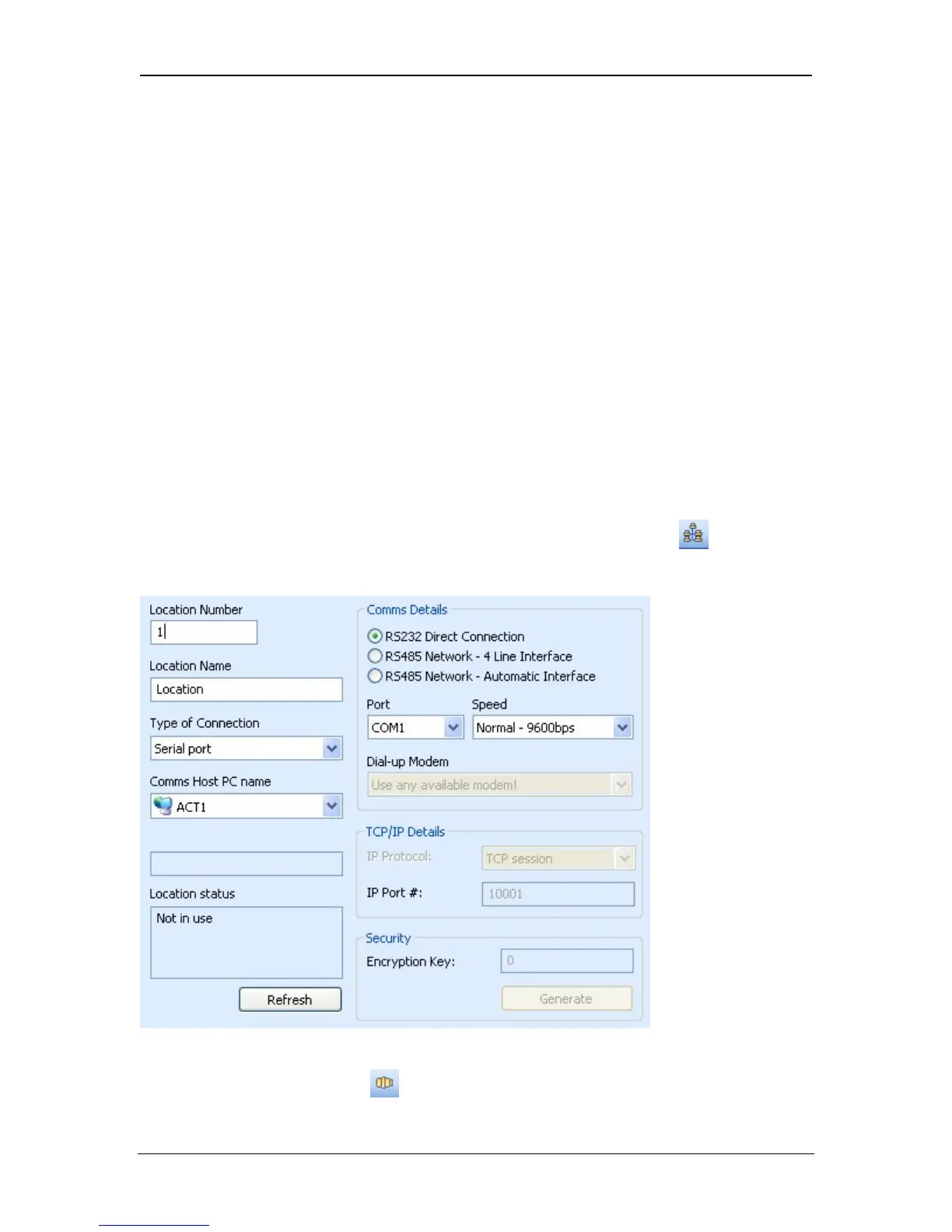
7. Ensure that Comms is set up correctly.
In ACTWinPro, set the correct parameters in the Locations View.
They are
serial port number (usually COM1), interface type (RS232) and normal speed
(9600BPS).
8. Click the connect button.
Page 20 Access Control Technology



 To Next Page