DATABASE MENU ACTWinPro
Print Card: This button allows cards to be printed and encoded.
Options
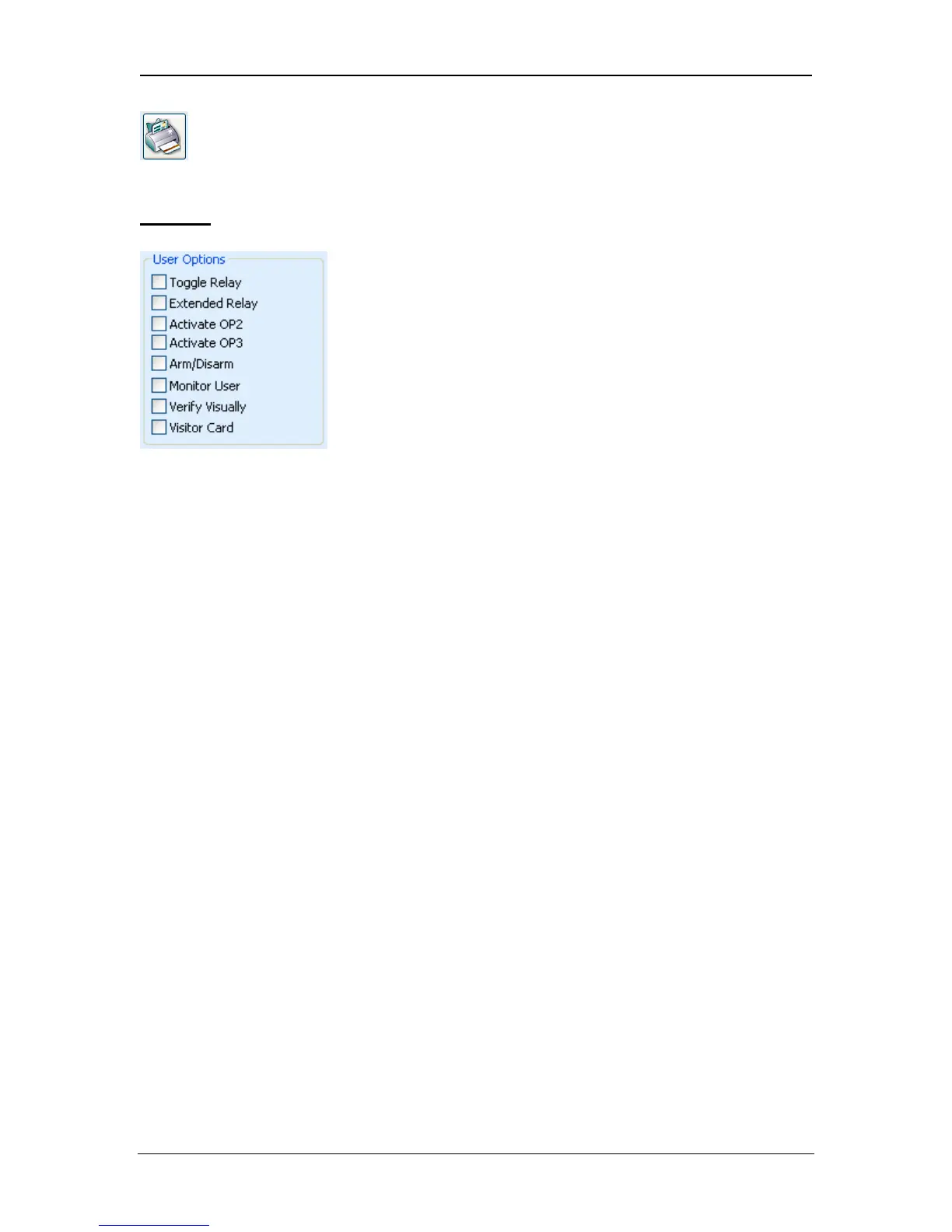
When enabled, a number of User Options may be configured for this user.
Toggle Relay
This option causes the relay to toggle whenever the user is granted access. If the
door was in its normal state, it is unlocked, and the green reader LED will flash.
The door relay is held open so users have free access. If the door was already
unlocked, then it is returned to normal operation. This option may be assigned to
individual users or to groups.
Extended Relay
This option causes the door relay to remain active for an extended period of time
when access is granted. The period is programmed as the Extended Relay Time
under door timers.
Activate OP2
This option causes the local OP2 output to be fired for a predetermined period of
time whenever the user is granted access. This option may be assigned to
individual users or to groups.
Activate OP3
This option causes the local OP3 output to be fired for a predetermined period of
time whenever the user is granted access. This option may be assigned to
individual users or to groups.
Arm/Disarm
ACT Controllers (ACT3000/ACT2000/DS100e) units may be integrated with
intruder alarm panels. Users with the Arm/Disarm option can toggle the AUX
relay output on the controller, which tells the alarm panel to arm or disarm. While
the door is armed, no access is permitted until a user with the Arm function
disarms the door. Disarming the door toggles the output and disarms the panel.
Page 58 Access Control Technology



 To Next Page