EXPLORING ACTWIN ACTWinPro
Connecting to more than one controller
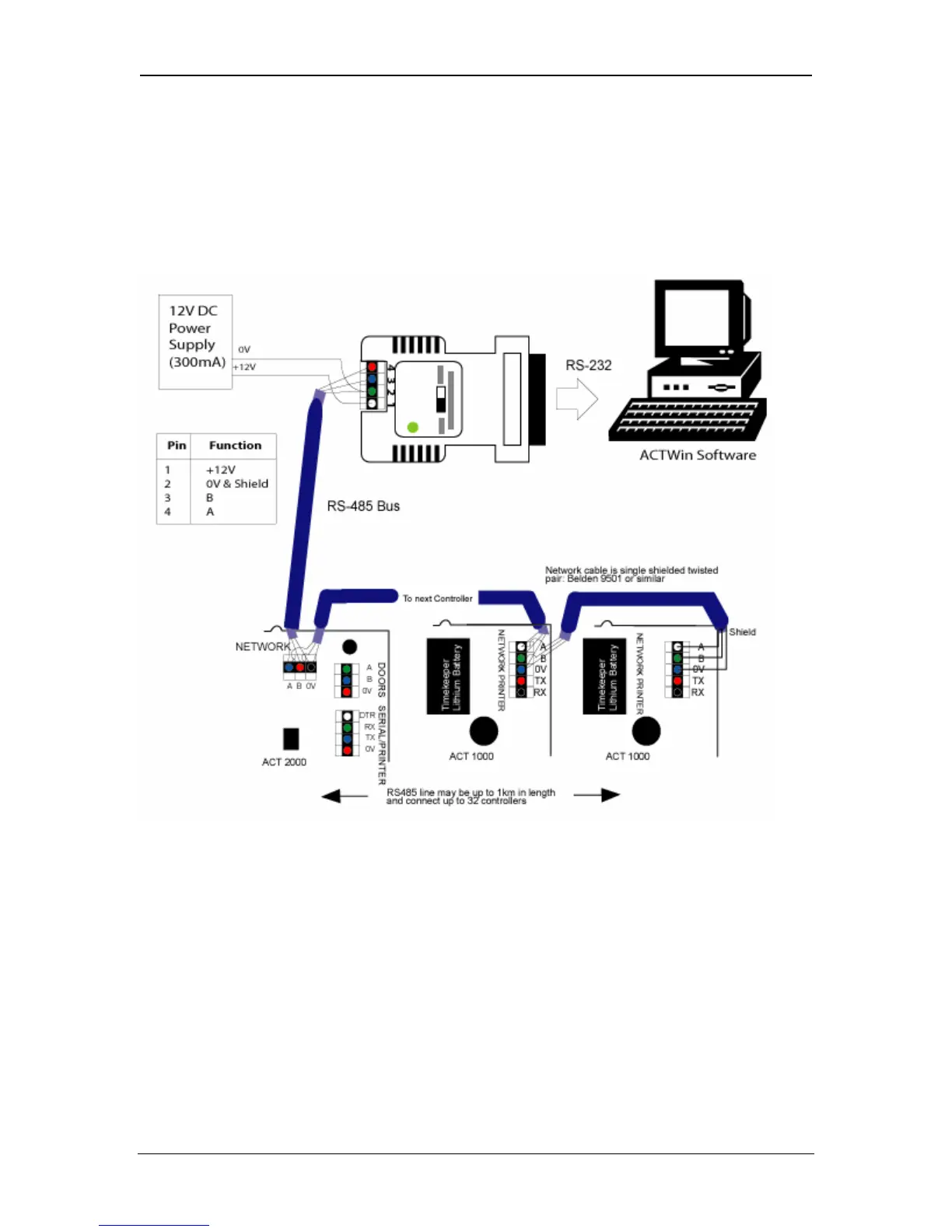
An RS-485 interface module is required when you want to control a system with
more than one ACT controller.
Connect the RS-485 interface module to the NETWORK connector of the
controller and also to a serial port (usually COM1) of the PC.
From the Installer Menu at each controller on the network, do the following:
2. Go to the Communications menu and Set Address. Assign each controller
a unique address, starting at 1.
3. Set Direct Connect to No.
4. Connect the controller(s) to the PC.
5. From ACTWinPro, configure a new database.
6. Follow the database creation wizard.
Page 21 Access Control Technology



 To Next Page