EXPLORING ACTWIN ACTWinPro
Configuring Access Rights for a user
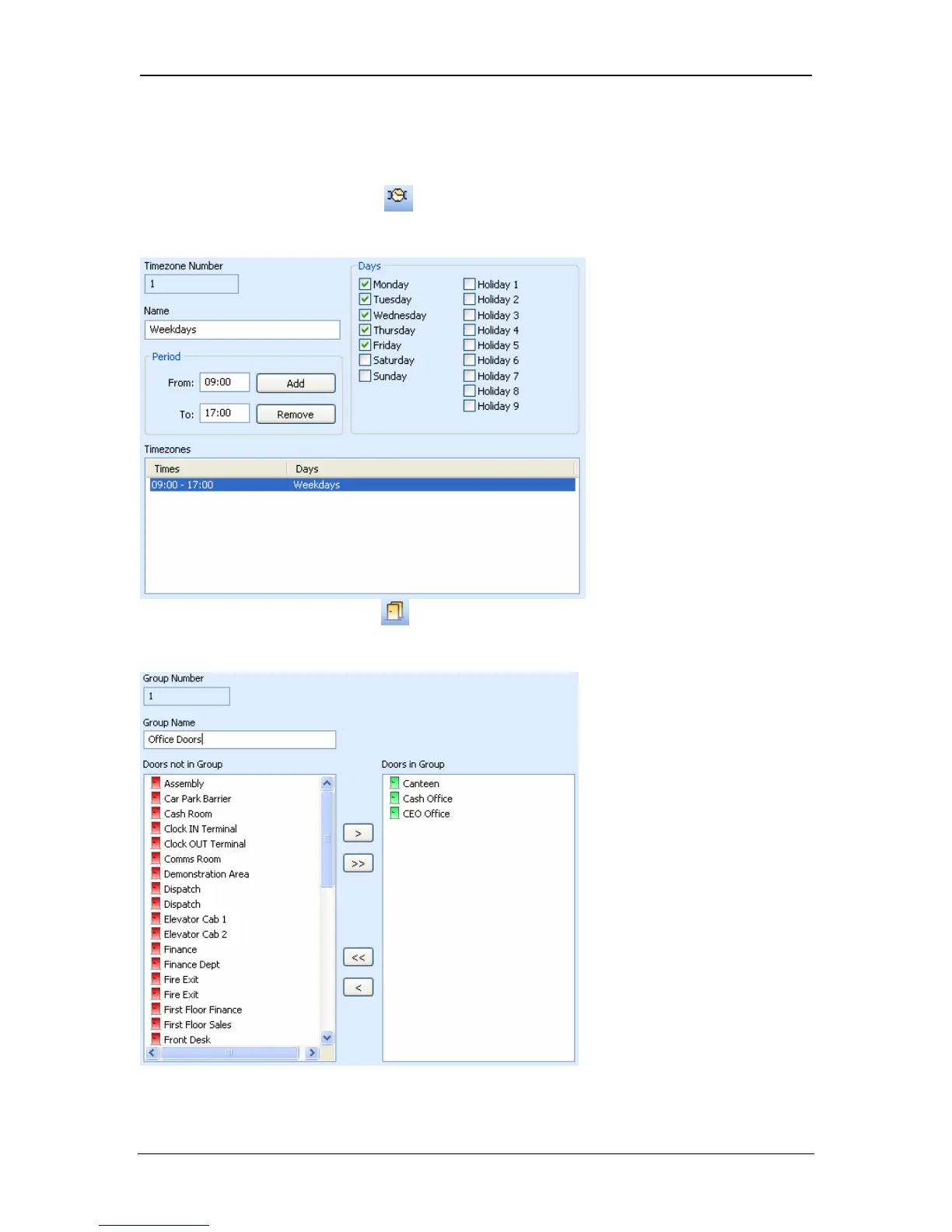
1. Go to the Timezones View and set up a valid timezone for the user. These
are the times that the user is allowed access. For example for Weekdays, click
on Monday to Friday, enter the From and To time period and click Add.
2. Go to the Doorgroup View
and configure a doorgroup that has the doors
that the user is allowed through. Select each door on the left-hand-side and click
on the button to move the door to the right-hand-side.
Page 26 Access Control Technology



 To Next Page