EXPLORING ACTWIN ACTWinPro
Setting up Fire Doors
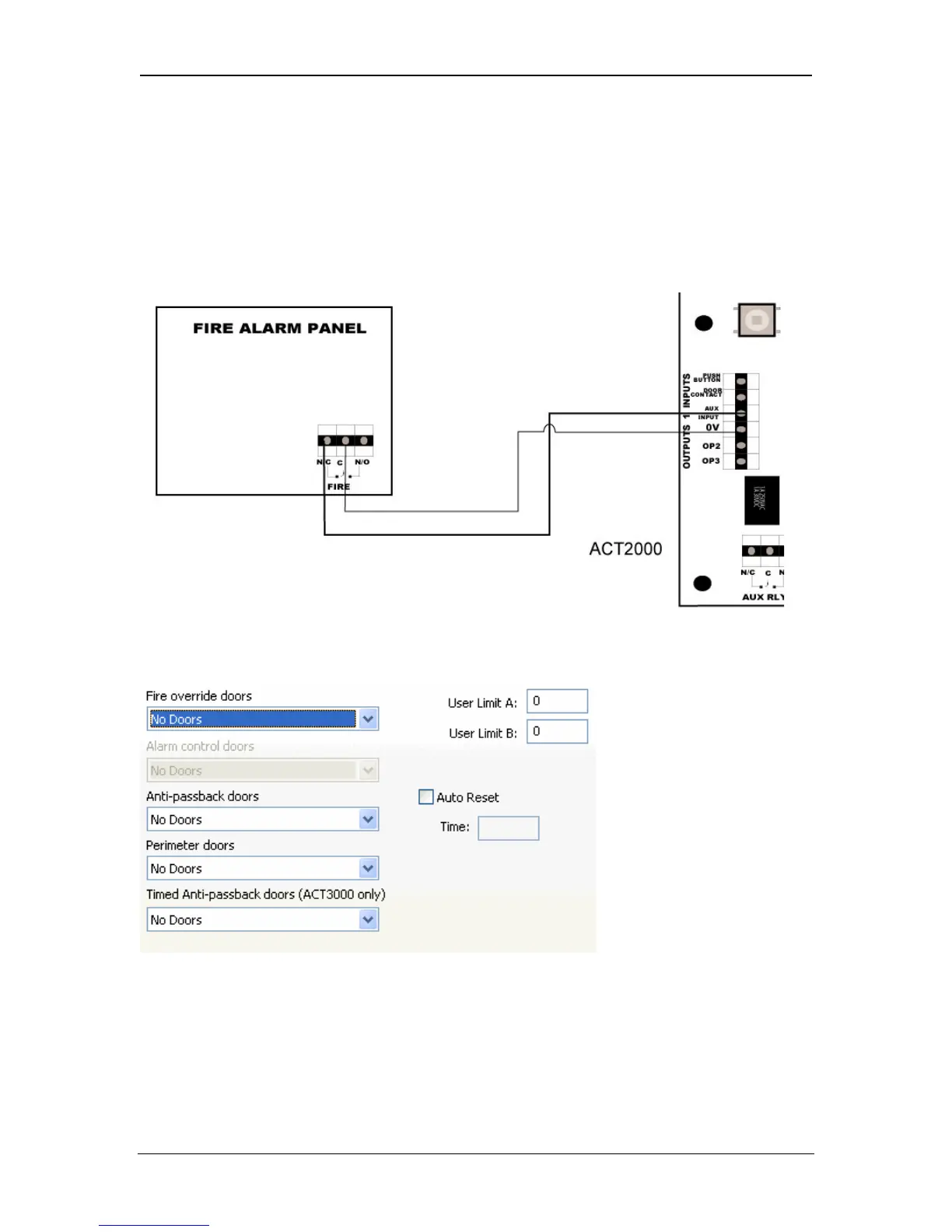
There is normally dry relay contact on the fire panel, which switches on in the
event of fire activation. This relay should be connected to the ACT2000/3000
controllers’ AUX input on door 1. This must be normally closed. If you are using
more than one ACT controller, you must wire the normally closed - going open
contact of the fire panel into the AUX input on Door 1 of each controller.
Fire doors are configured under View-Options-Doors.
Fire override doors
This selects a door group that defines the doors that are opened automatically
via an input from the fire alarm system. In practice, this input is brought
separately to each controller that is then responsible for opening any of its doors
that have been defined in this group.
Page 28 Access Control Technology



 To Next Page