SYSTEM OPTIONS ACTWinPro
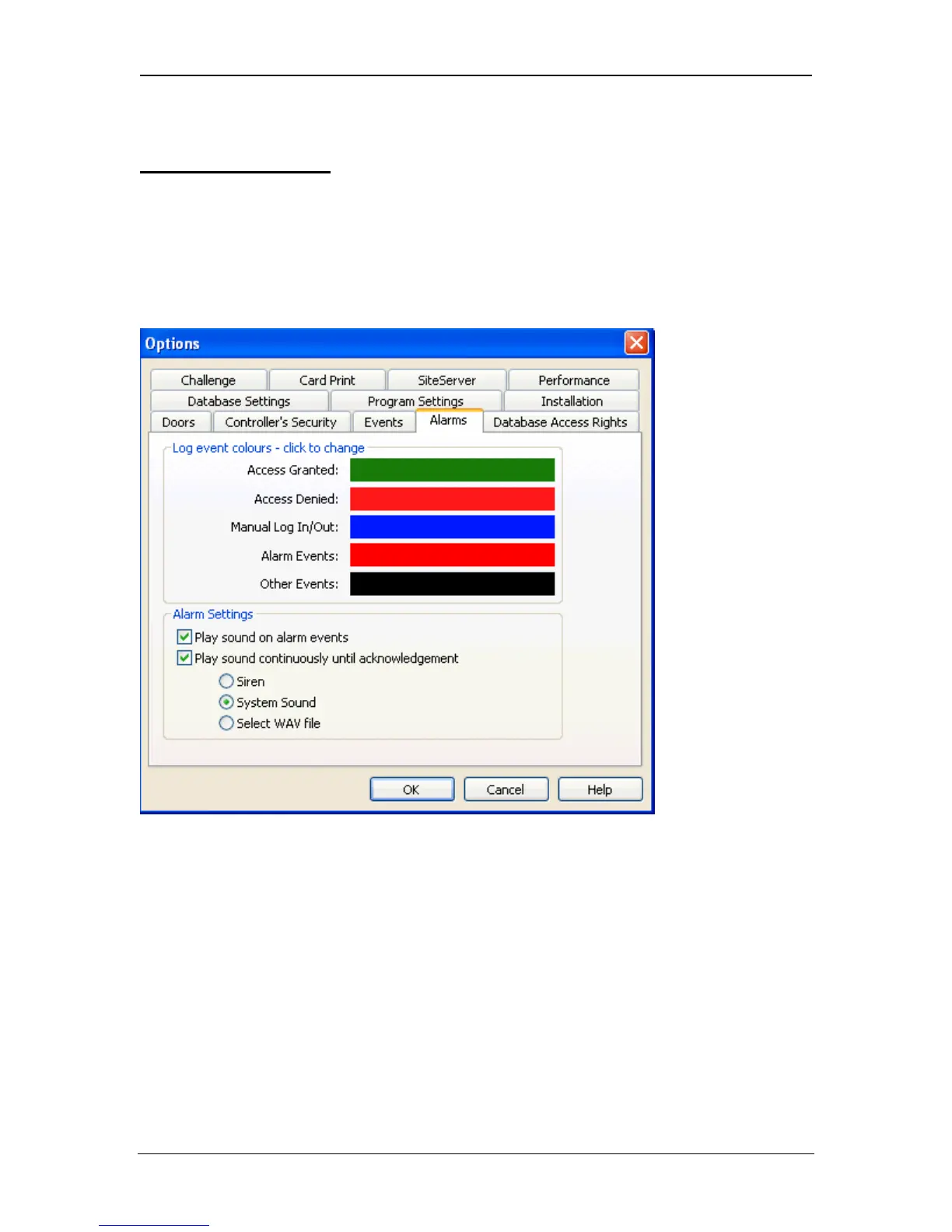
Alarm/Colours Dialog
The Alarms/Colours page allows the colour of displayed log events to be
changed. When an event is displayed in the current event view, or in the log
analysis view, it is colour coded for ease of understanding. This page allows the
default colour scheme to be altered. In addition, alarm sounds can be enabled or
disabled for alarm type events.
Log event colours
Log events are divided into five types:
Access Granted User granted access to or exit from an area.
Access Denied User denied access to or exit from an area.
Manual log in/out Access or exit events input manually
Alarm events Alarm conditions or technical faults
Other events All other events
Clicking on the colour associated with an event group brings up the colour
selection dialog, which allows any RGB colour to be assigned.
Page 76 Access Control Technology



 To Next Page